
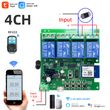
4CH Wifi Smart Home Motor Controller,DC 12V 24V 32V 220V RF433 Remote,4 Channel Relay Switch for Alice Alexa,Tuya Smart Life
Includes all taxes
Meet your Seller
-
$16.15Sold by BILLIONS BIRDS
Description
Package Listing
Type 1:
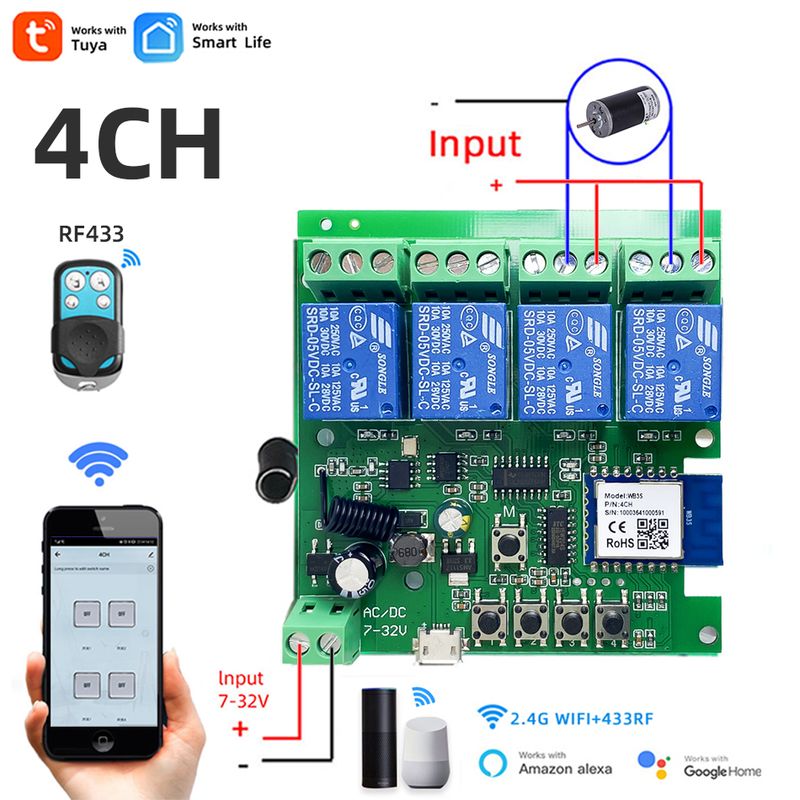
4 Channel Wifi RF433 Relay
Type 2:
4 Channel Wifi RF433 Relay+RF433 Remote Controller
Type 3 :
4 Channel Wifi RF433 Relay+Case Shell
Type 4:
4 Channel WIFi RF433 Relay+Case Shell+RF433 Remote Controller
Type 5:
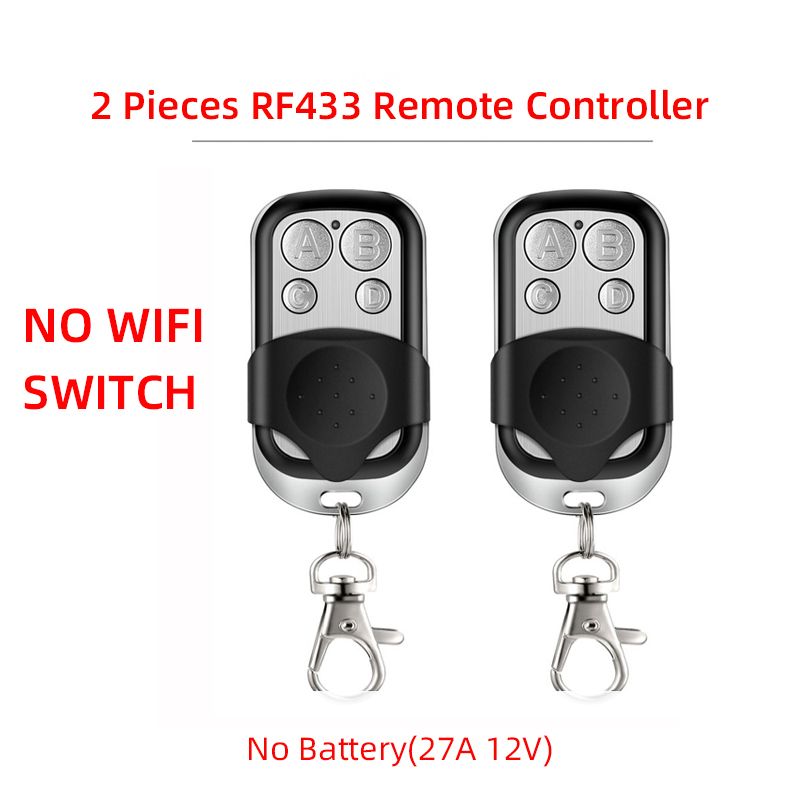
2 Pieces RF433 Remote Controller,no wifi relay
Type 6
2 Pieces RF433 Remote Controller,no wifi relay
Use For
1.Remotely give a pulse signal to turn on and turn off Lights,Lamps and other home appliance.
2.Remotely give a pulse signal to turn on and turn off Garage Door,Door Access
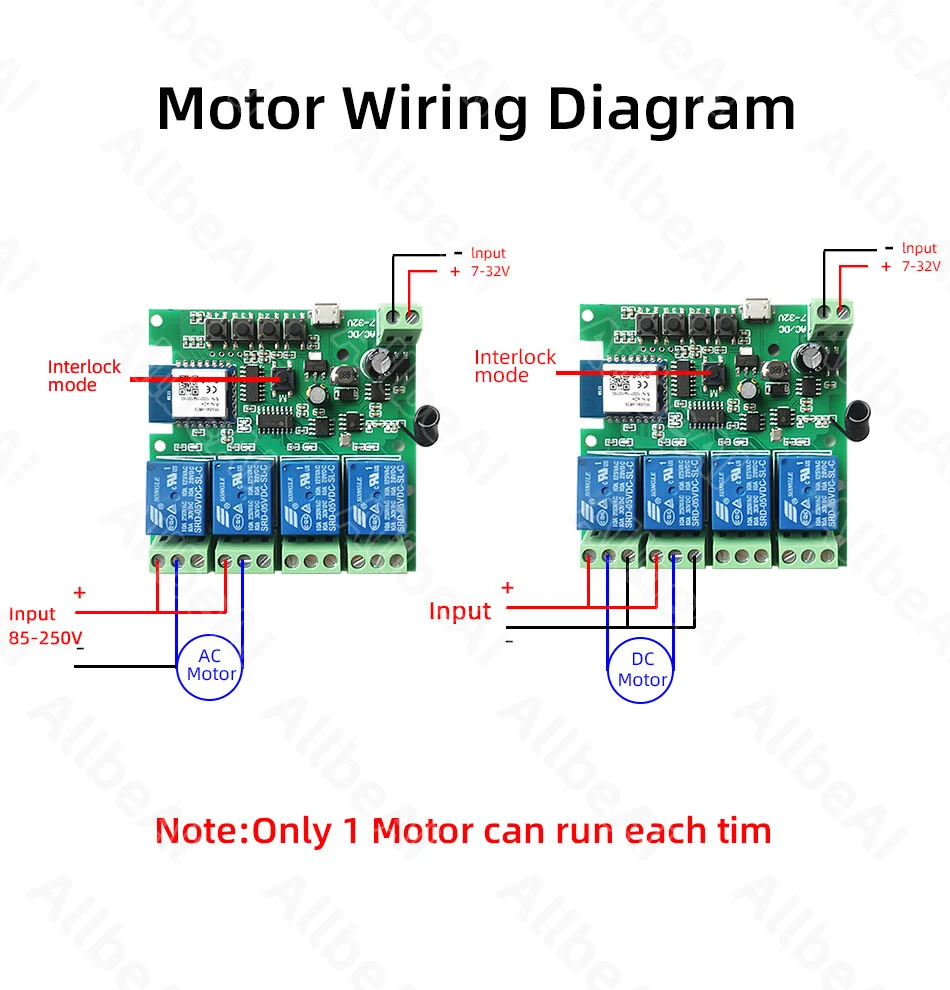
3.Remotely give a pulse signal to control DC Motor,AC Motor to Forward and reverse
Overview
Type 1,2
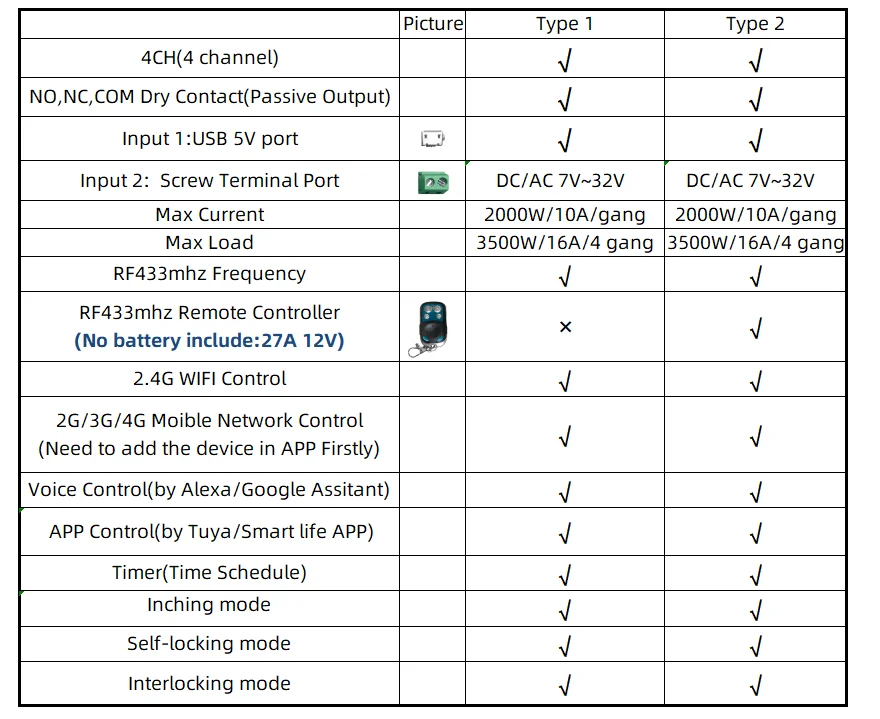
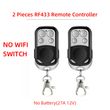
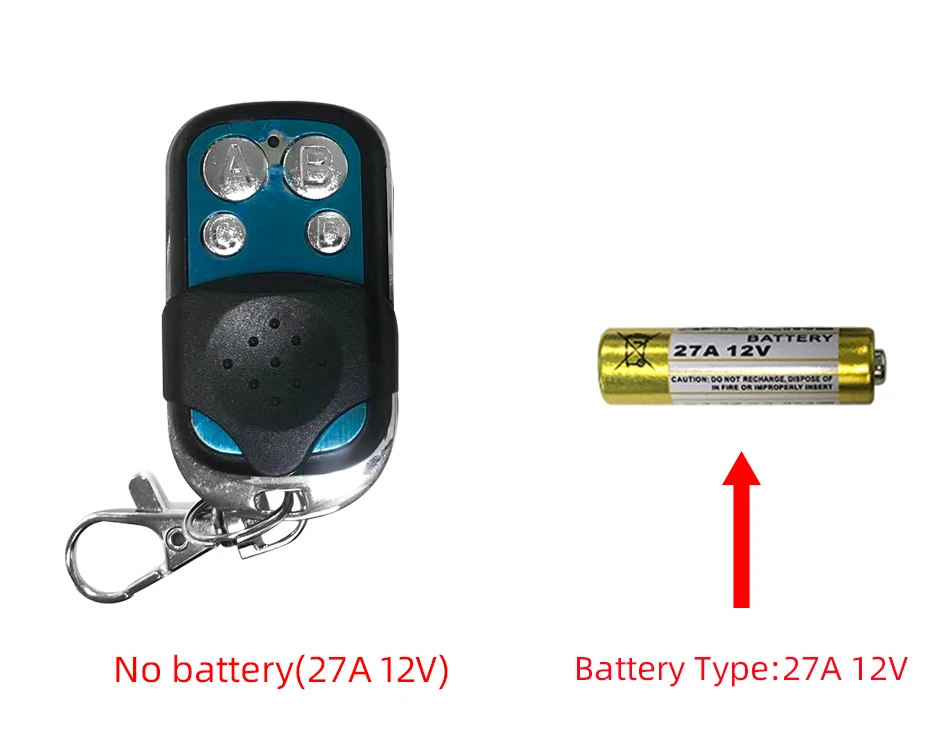
The RF433 remote controller (receiver) don't include battery
battery type;27A 12V,The picture of the battery is in the end of the page.
The WIFI module can be controlled by fix code EV1527 RF433 remote controller,and it can't controlled by rolling code remote controller.
Note
The relays is passive output(dry contact), No matter how many power you supply in the input, the output don't have any voltage, you also need to supply power in output.
The power supply in the input just can make PCB board work.if you do not supply power in output, the connectted device can't work.
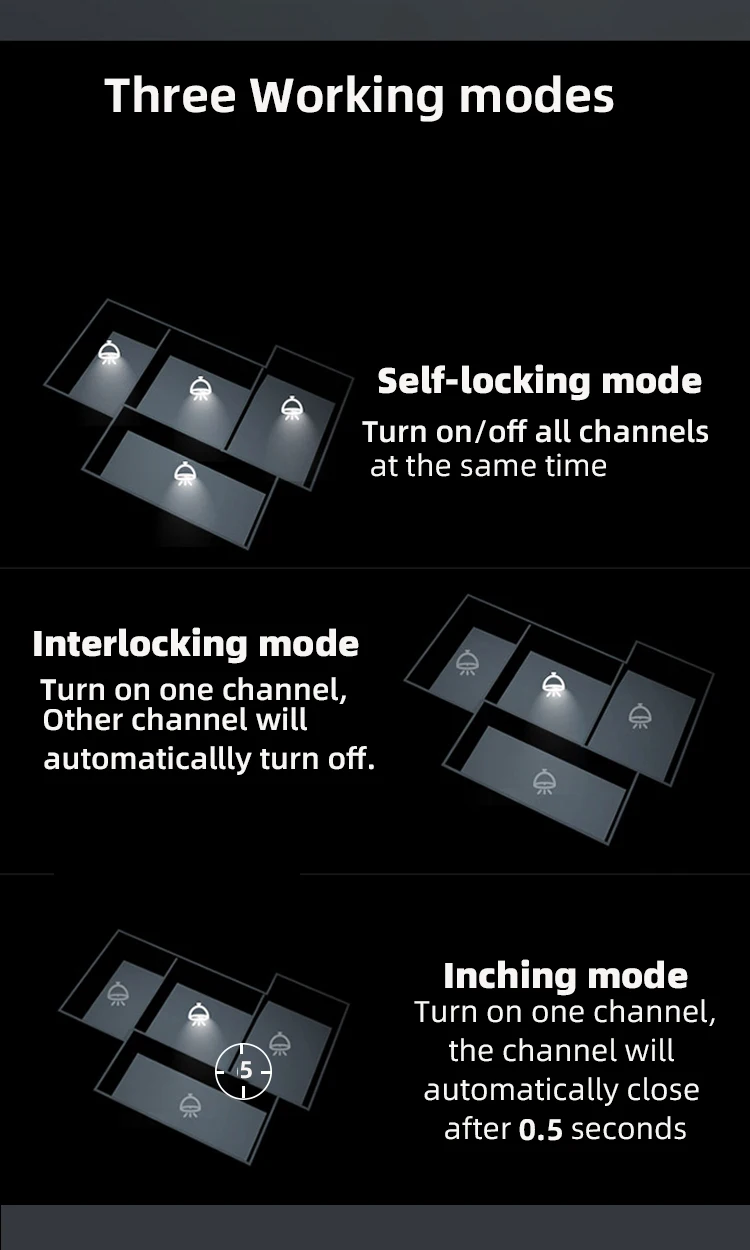
3 Working Modes
1.Self-locking :
each channel could be switched on/off seperately.You also can turn on/turn off all channel at the same time.
2.Interlocking mode :
Switch on any channel , other channels will be switched off automatically .
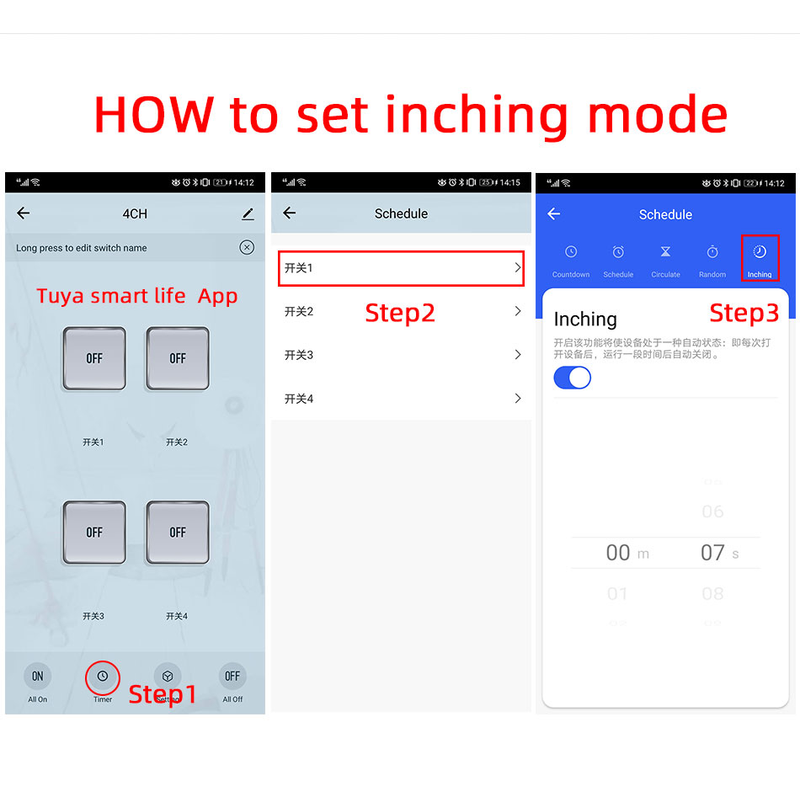
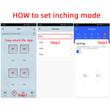
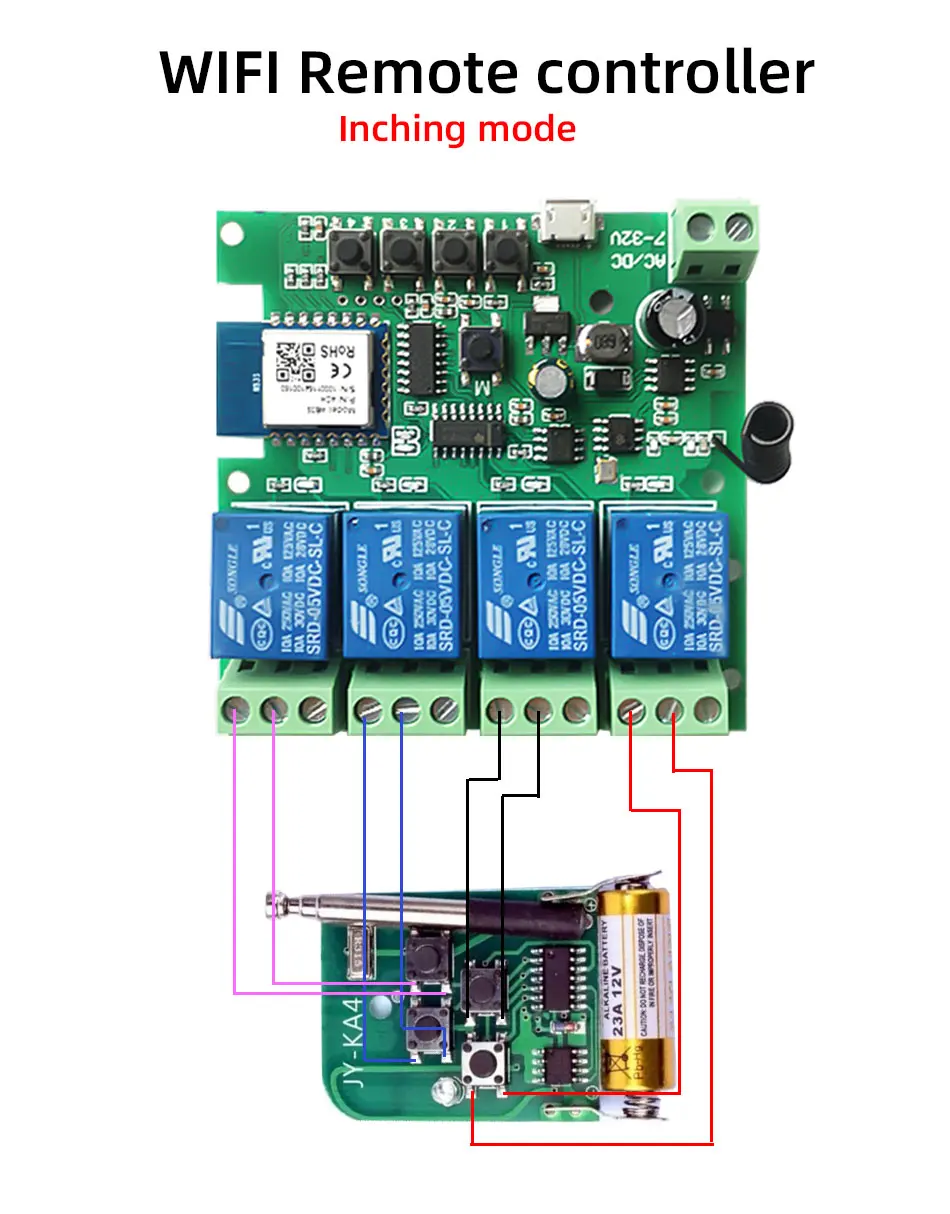
3.Inching mode(jog mode) :
Switch on one channel,the channel will be automatically closed after 0.5 seconds .Other channel is same as the channel.
If you need to change the mode,you need to press the mode button or active other working mode in the app.
How to Change the Inching Time
If you need to change the inching time.
You need to press the mode button to enter into self-locking mode or interlocking mode,so you can change the inching time on the APP.
The inching time only available in the self-locking or interlocking mode)
The time range is 2-3600 seconds.
Features:
【Two Input Ports】
You could choose USB 5V port or the screw terminal port to supply power in the input to make the pcb board board work.
【Dry Contact/Passive Output】
No matter the power you supply in the input, the output don't have any voltage
If you do not supply power in output port, the connectted home appliance can't work, you also need to supply power in output.
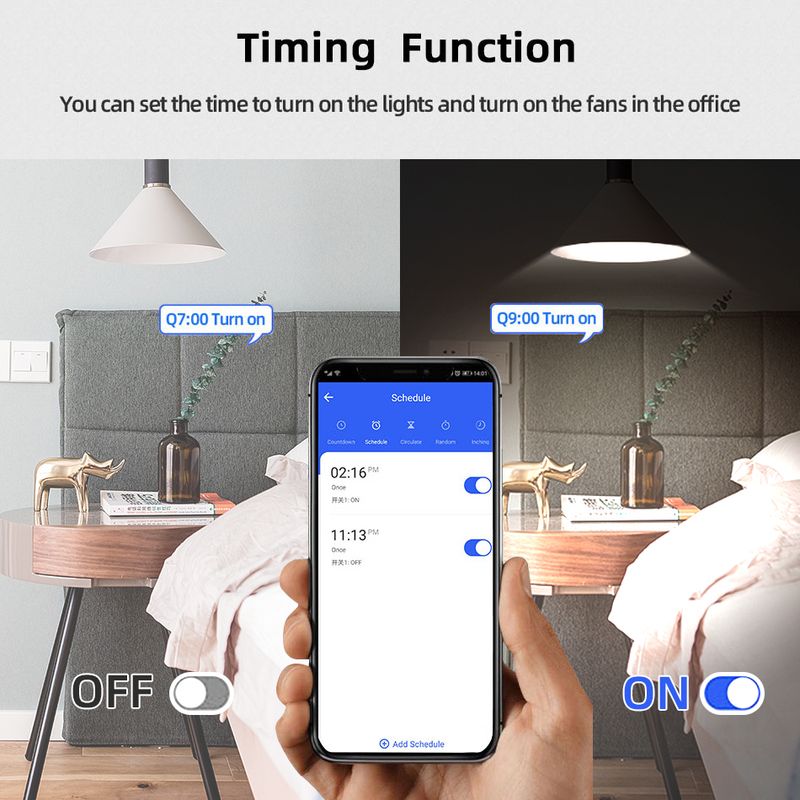
【Timer】
The connectted home appliances can be automatically turned on/off according to the time schedule.
Each channel can set different time schedule.
Different Ways to Control the WIFI Module
【APP Remote Control】
You can control the connectted home appliance in Tuya or smart life APP anywhere and anytime.Such as light, electric kettle, electric rice cooker, electric curtain, etc.
【RF433 Control】The WIFI Module support RF433 Frequency,and you can control the WIFI module by RF433mhz remote controller.
【 Mobile Phone Control】
When you go outside or at home,You could control the module in your smart phone by 2.4Ghz WIFI or 2G/3G/4G Mobile Network.
(Note:The router need to online and the WIFI module need to keep a close distance with the router)
【Voice Control 】
Compatible with Alexa and Google Assistant, you can use the voice control to turn it on/off the connectted home appliances .
【Share Control】
One device can control by Multiple phones,you can share the wifi module with your family member.
【Group Control】
one phone can control Multiple smart device.You can add the wifi module and other smart device in a group,and then turn on/off all smart device at the same time.
【Scene Linkage】
Creating smart scene to trigger ON/OFF all WIFI smart home appliances by departure mode, home mode, temperature, humidity, or other conditions.
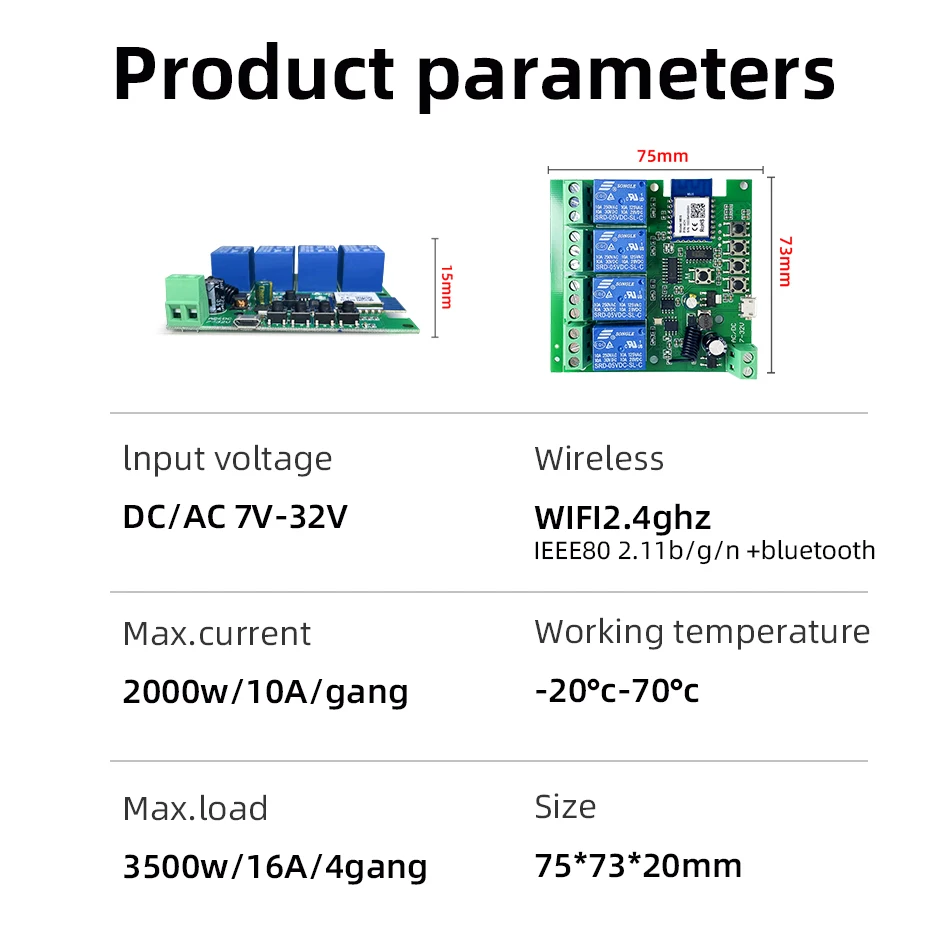
Description:
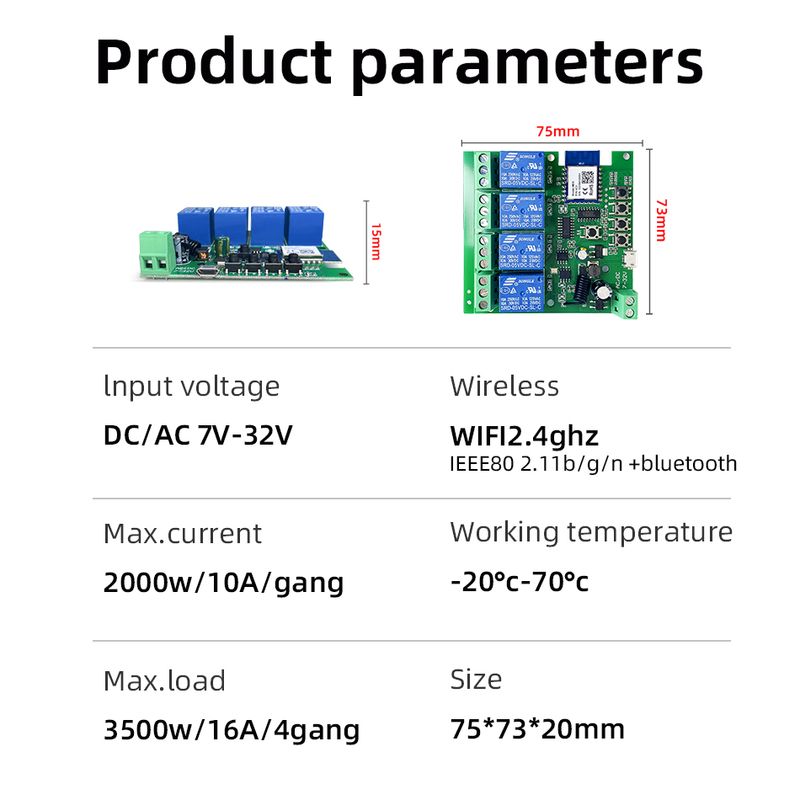
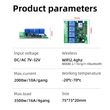
Input1: USB 5V Port
Input 2 :(screw terminal port): DC/AC 7-32V
Output:Passive Output(Dry contact)
Working frequency: 50-60Hz
RF433 Frequency
Working temperature: -20-70℃
Wifi standards/ protocol :IEEE 802.11b/g/n, WIFI 2.4Ghz
Total load power(Output): 2000W/10A/gang
Max Load(Output):3500w/16A/4 gang
Max current(Output):`10A
Size: 75*73*20 mm
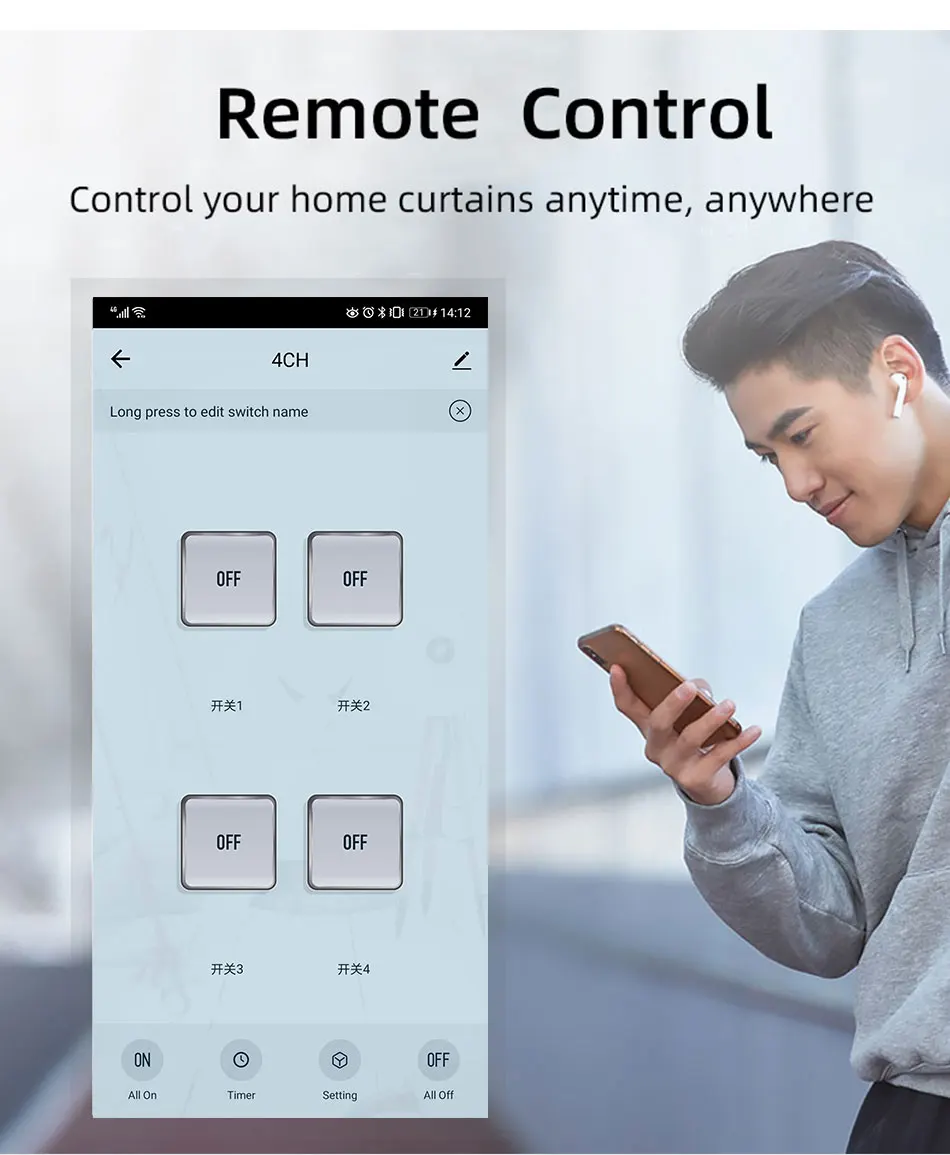
APP Remote Control
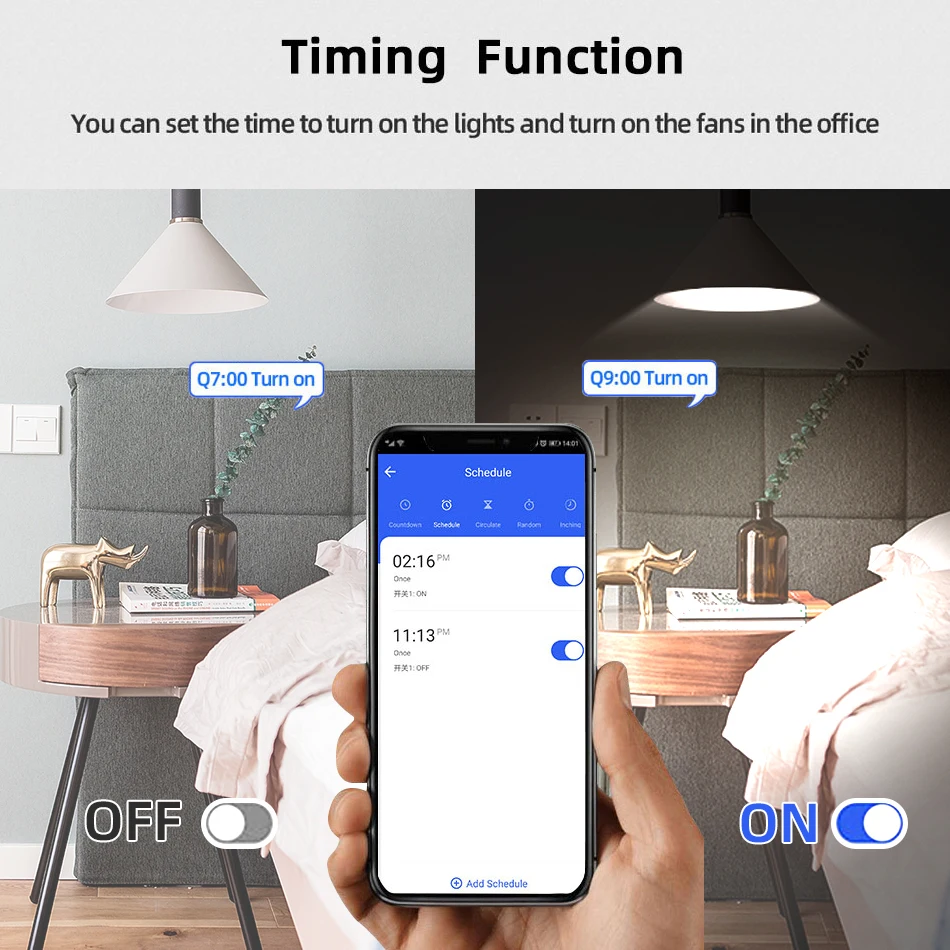
You can remote turn on/off household appliances and set timing schedules to turn on/off the household appliances via app Tuya/Smart life anywhere anytime.
such as lights, celectric curtains ,electric curtains fans. so you can enjoy an high-tech life.
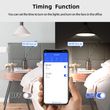
Timer
Via app,you can set time schedules to automatic turn on/off the household appliances , such as lights, celectric curtains ,electric curtains fans. so you can enjoy an high-tech life.
Case(Shell) Included
Type 3 and type 4 include case(shell),and you can use it in different environment.
Product Detail
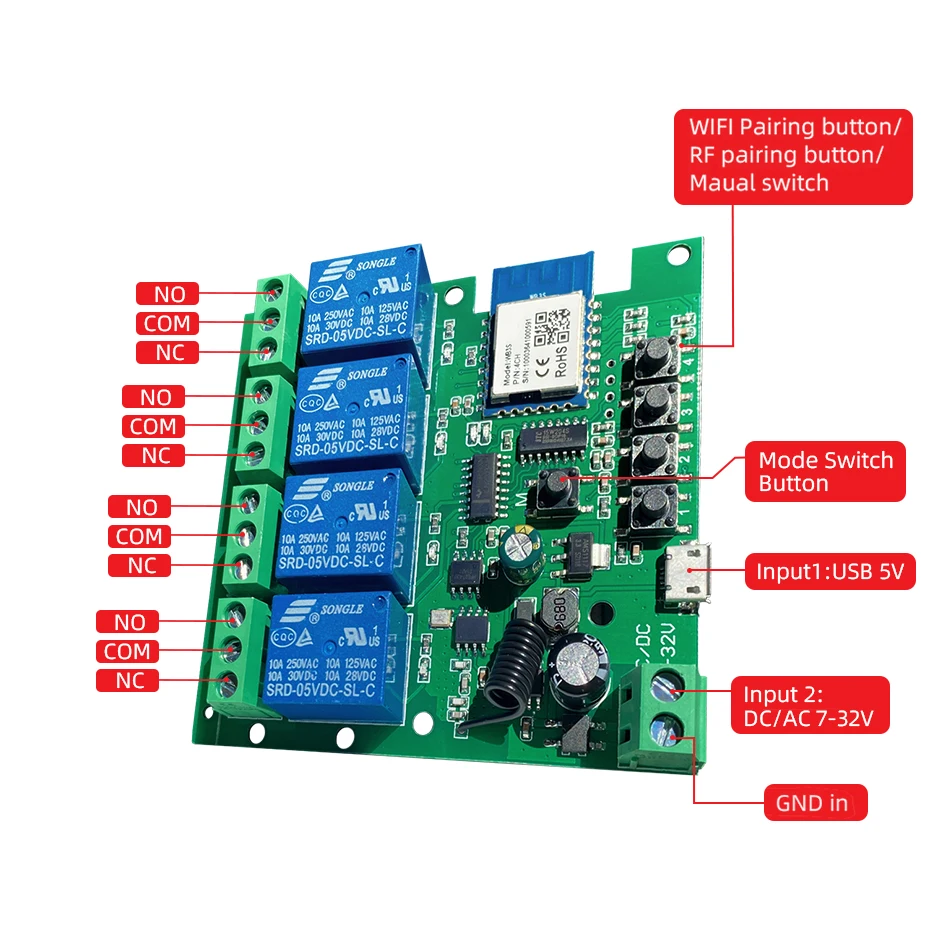
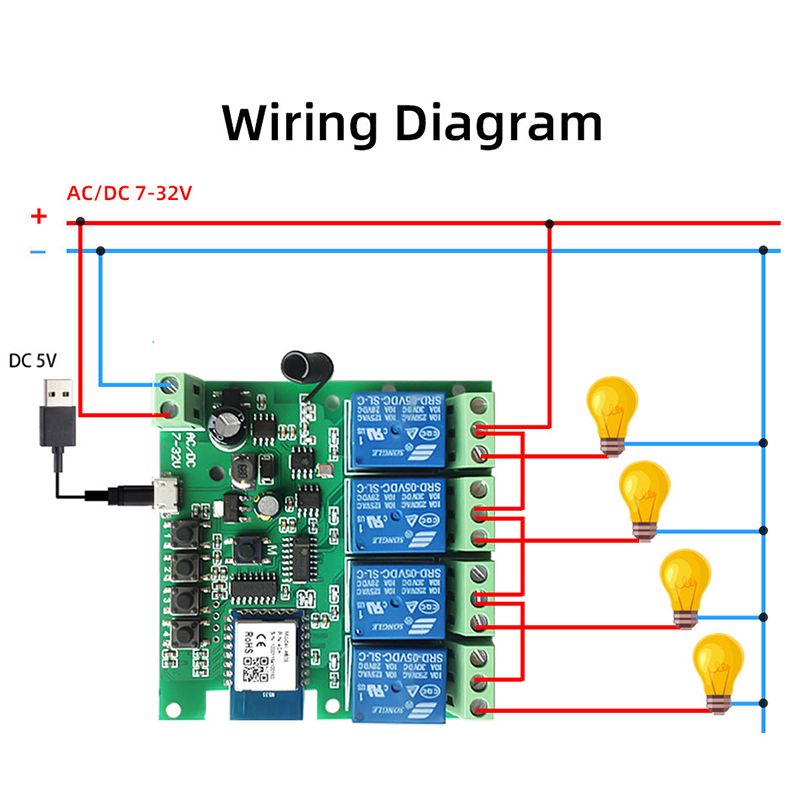
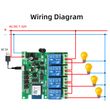
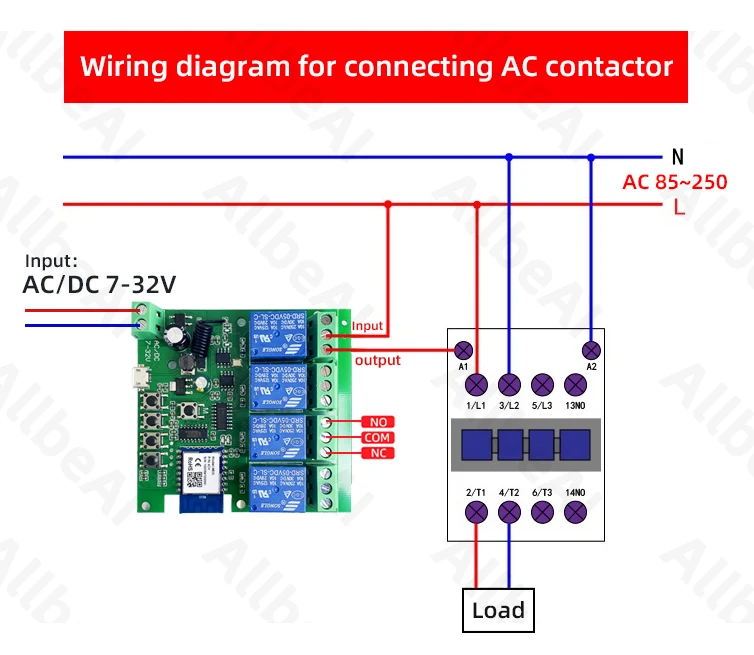
Wiring Diagram for Light/Lamp

Wiring Diagram for RF433 Remote Controller
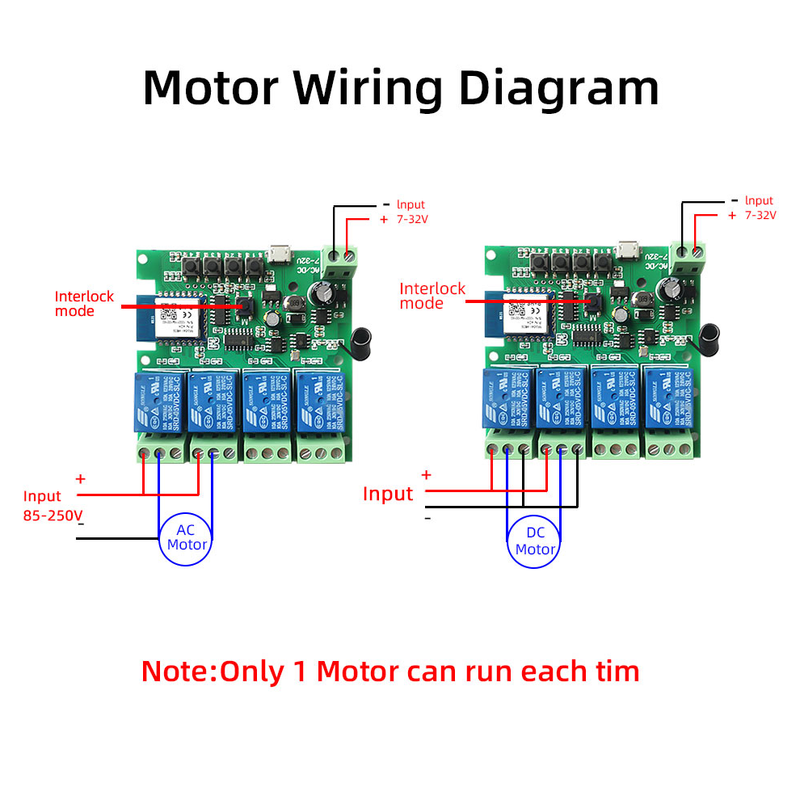
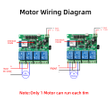
Wiring Diagram for AC/DC Motor
Only one motor can run each time.
You can't run two motor at the same time.
If you need to connect two motor at the same time, you can set interlocking mode to make sure only one motor to run each time.
Wiring Diagram for Door Access
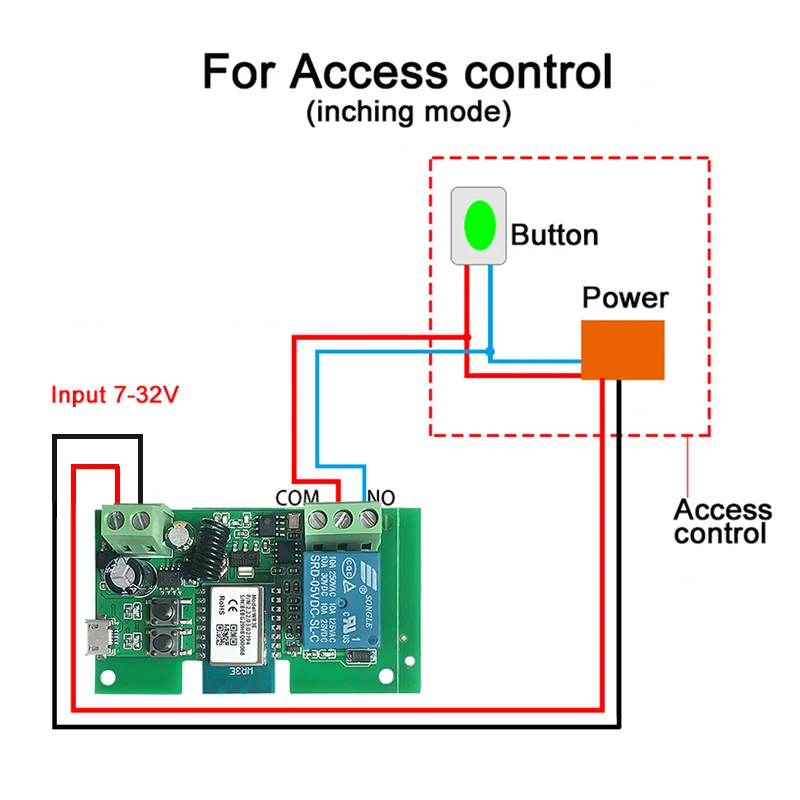
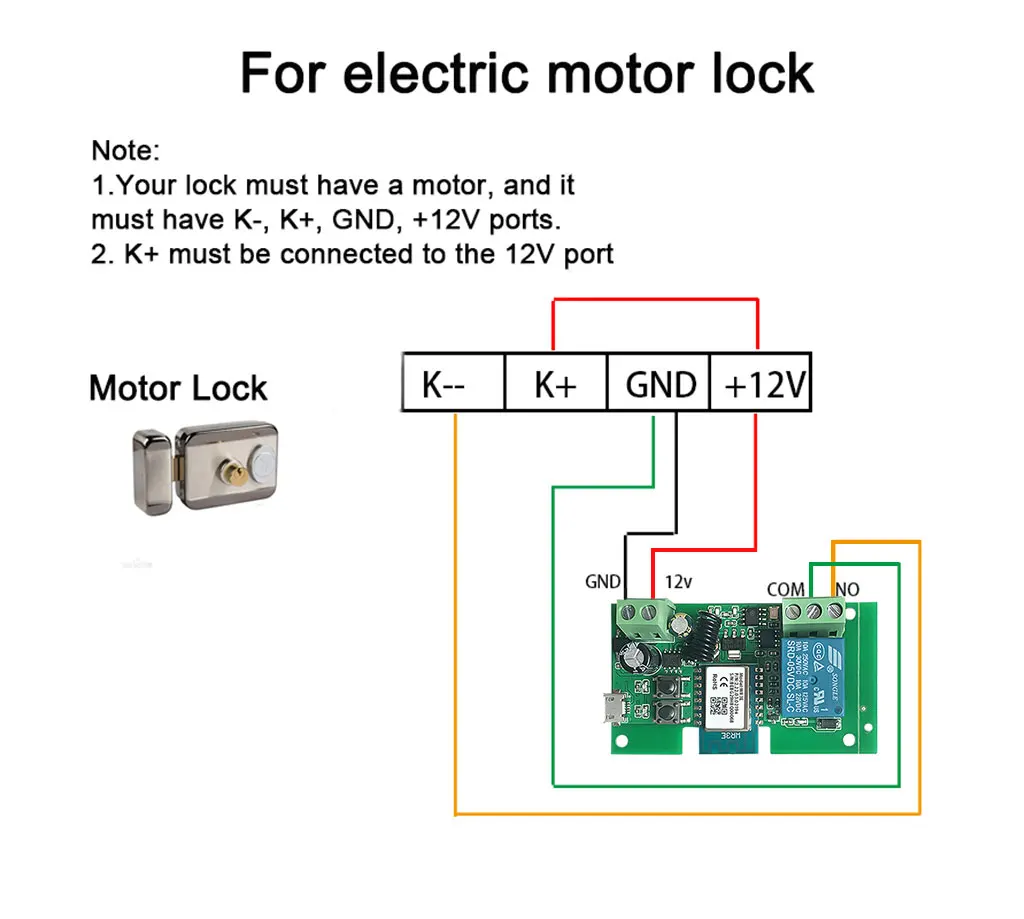
Wiring Diagram for Electric Motor Lock
The Electric Motor Lock must have K-, K+, GND, +12V ports.
2. K+ must be connected to the 12V port
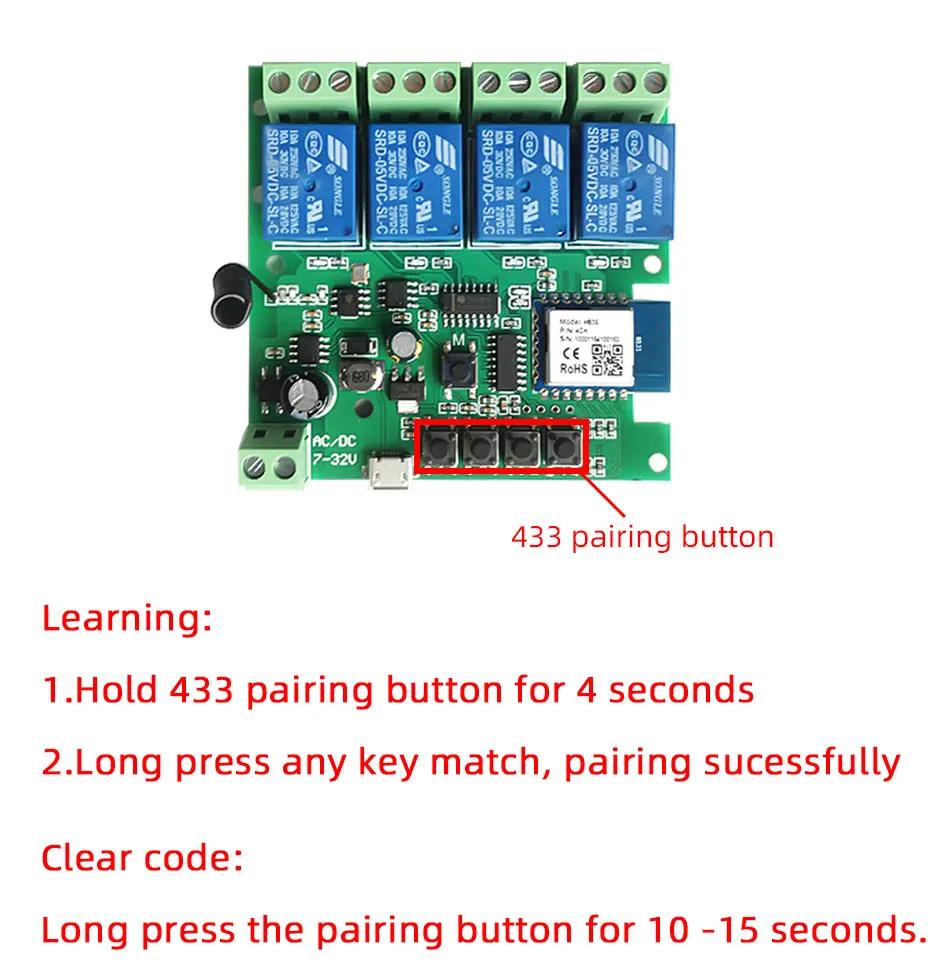
How to pair RF433 remote controller with with the devices.
1.Press the RF433 pairing button for 4 seconds,and wait until the blue led indicator turn on.
2.press any key of RF433 remote controller, and then you can pair the channel with one key of RF433 remote controller successfully
If you need to pair other key of the RF433 Remote controller and other channel, you need to repeat the step.
How to clear the pairing RF433 remote controller with with the devices.
1.Press the RF433 pairing button for15 seconds,and wait until the blue led indicator turn off.
If you need to clear the pairing between other key of the RF433 Remote controller and other channel, you need to repeat the step.
Battery of RF433 Remote Controller(Not included)
Shop Policies
Payment Policy
Payment Policy – BILLIONS BIRDS
At BILLIONS BIRDS, we are committed to providing a safe, secure, and seamless payment experience for our customers.
1. Accepted Payment Methods
We accept the following payment options:
Major Credit & Debit Cards (Visa, MasterCard, American Express)
Secure Online Payment Gateways (such as PayPal, Stripe, or other providers available at checkout)
Any additional payment methods displayed during checkout
All payments must be completed in full at the time of purchase.
2. Secure Transactions
All transactions are processed through encrypted and secure payment systems to protect your personal and financial information. We do not store your full payment details on our servers.
3. Currency
Prices are displayed in the currency indicated on the website. If you are purchasing from another country, your bank may apply currency conversion fees.
4. Order Confirmation
Once your payment has been successfully processed, you will receive an order confirmation email containing your purchase details.
5. Failed or Declined Payments
If your payment is declined, please verify your billing information or contact your bank. Orders will only be processed after successful payment confirmation.
6. Fraud Prevention
BILLIONS BIRDS reserves the right to cancel or refuse any order if fraud or unauthorised activity is suspected.
Delivery Policy
Delivery Policy – BILLIONS BIRDS
At BILLIONS BIRDS, we are dedicated to delivering your orders safely and efficiently.
1. Order Processing
All orders are processed within 1–3 business days after payment confirmation. Orders are not processed or shipped on weekends or public holidays.
2. Shipping Times
Estimated delivery times vary depending on your location:
Domestic Shipping: 3–7 business days
International Shipping: 7–15 business days
Please note that delivery times are estimates and may vary due to customs procedures, carrier delays, weather conditions, or other unforeseen circumstances.
3. Shipping Costs
Shipping fees are calculated at checkout based on your location and selected shipping method. Any customs duties, taxes, or import fees are the customer's responsibility.
4. Tracking Information
Once your order has been shipped, you will receive a confirmation email with tracking details (if available) so you can monitor your package.
5. Delivery Issues
If your order is delayed, lost, or arrives damaged, please contact us within 7 days of the expected delivery date. We will work with the shipping carrier to resolve the issue as quickly as possible.
6. Incorrect Shipping Information
Customers are responsible for providing accurate shipping details at checkout. BILLIONS BIRDS is not responsible for orders shipped to incorrect addresses provided by the customer.
Refund Policy
Refund Policy – BILLIONS BIRDS
At BILLIONS BIRDS, customer satisfaction is our top priority. If you are not completely satisfied with your purchase, we’re here to help.
1. Return Eligibility
You may request a return within 14 days of receiving your order. To qualify for a return:
The item must be unused, unworn, and in the same condition as received.
The item must be in its original packaging.
Proof of purchase (order confirmation or receipt) is required.
Certain items may not be eligible for return, including clearance items, gift cards, or personalised/custom products.
2. Non-Refundable Items
The following items are non-refundable:
Final sale or discounted items
Gift cards
Items damaged due to misuse, negligence, or improper care
3. Return Process
To initiate a return, please contact our customer support team with your order number and reason for return. If your return is approved, you will receive instructions for returning the item.
Unless the item is defective or incorrect, customers are responsible for return shipping costs.
4. Refund Processing
Once we receive and inspect your returned item:
We will notify you of the approval or rejection of your refund.
If approved, the refund will be issued to your original payment method within 5–10 business days.
Please note that banks or payment providers may require additional time to process refunds.
5. Damaged or Incorrect Items
If you receive a damaged, defective, or incorrect item, please contact us within 7 days of delivery and provide clear photos of the product and packaging. We will arrange a replacement or full refund at no additional cost.
6. Late or Missing Refunds
If you have not received your refund:
Check your bank account again.
Contact your credit card company or payment provider.
If the issue persists, don't hesitate to contact our support team for assistance.
Recommended Products
Customer reviews
Share your thoughts with other customers
Be the first one to write a review!

Items (0)
