
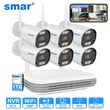
Smar Wireless CCTV System Wifi Camera Kit 3MP/5MP HD Security Audio Human body Detect IP 8CH NVR Video Surveillance Set ICSEE
Includes all taxes
Meet your Seller
-
$792.10Sold by BILLIONS BIRDS
Description
Shipping Policy for Hard Drive Installation:
Feature
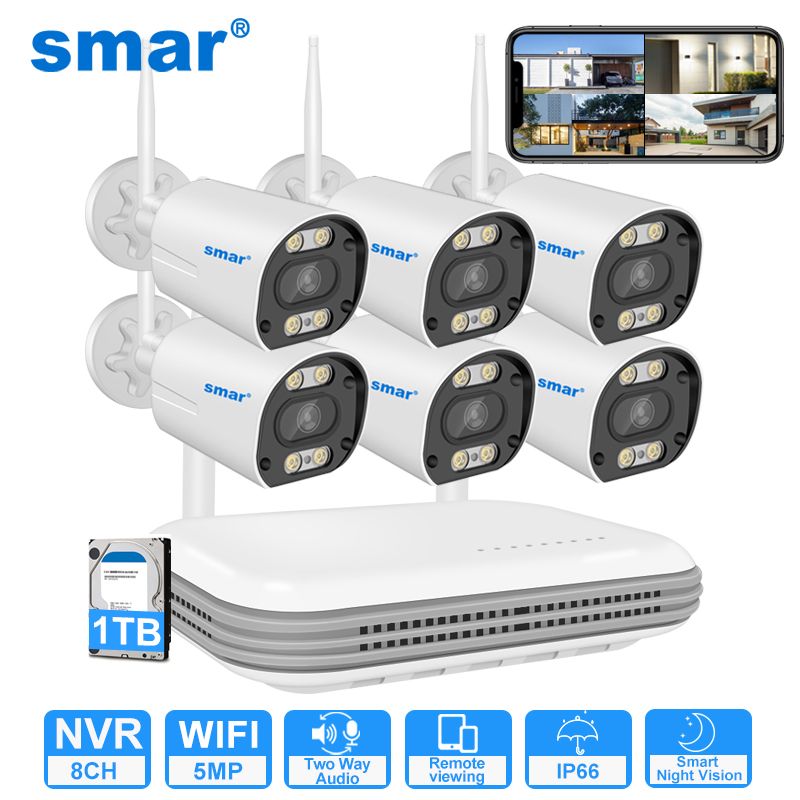
1. The camera supports 3MP/5MP ultra-clear resolution;
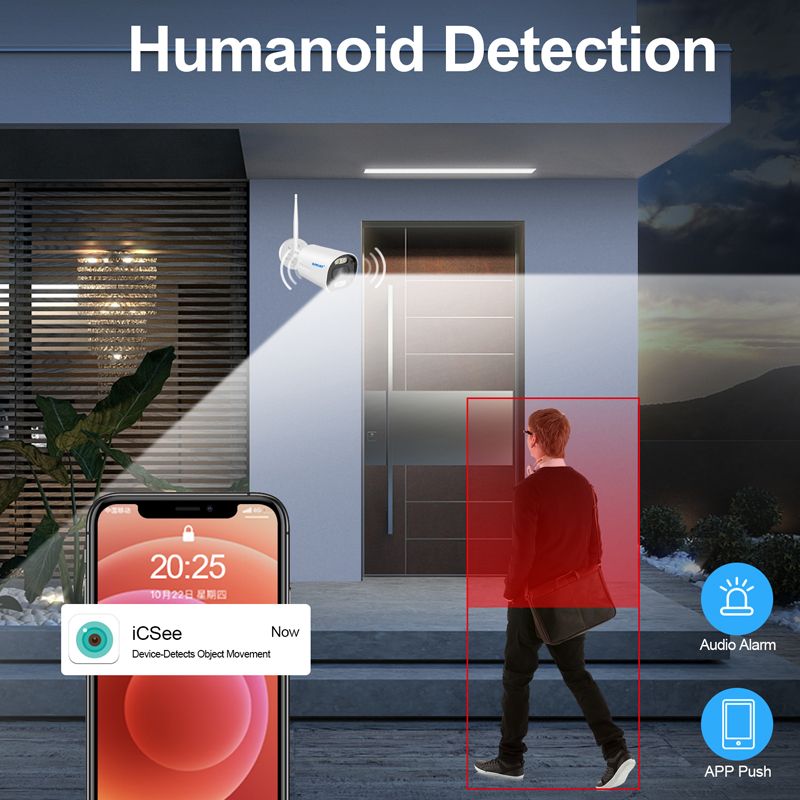
2. The kit supports human form detection ;
3. Support h.265ai / h.265 + (compatible with h.265 / H.264) video compression technology;
4.Support onvif protocol and access to third-party backend / platform;
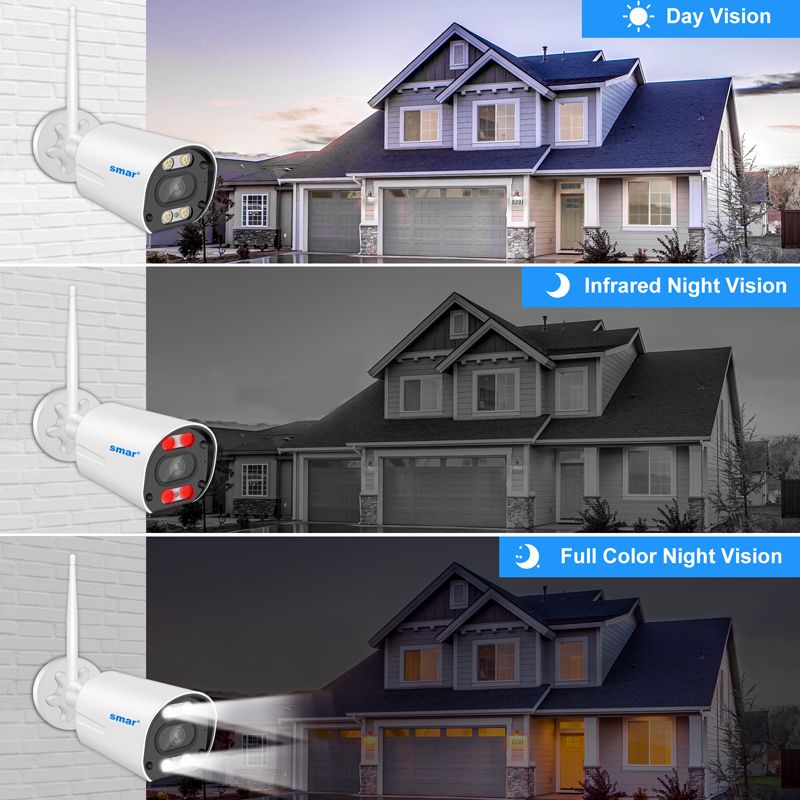
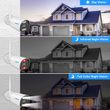
5. The camera has 4pcs dual light wick led and supports three modes (Day Vision, Night Vision, Full Color Night Vision), when movement is deteced, turn on full color mode.
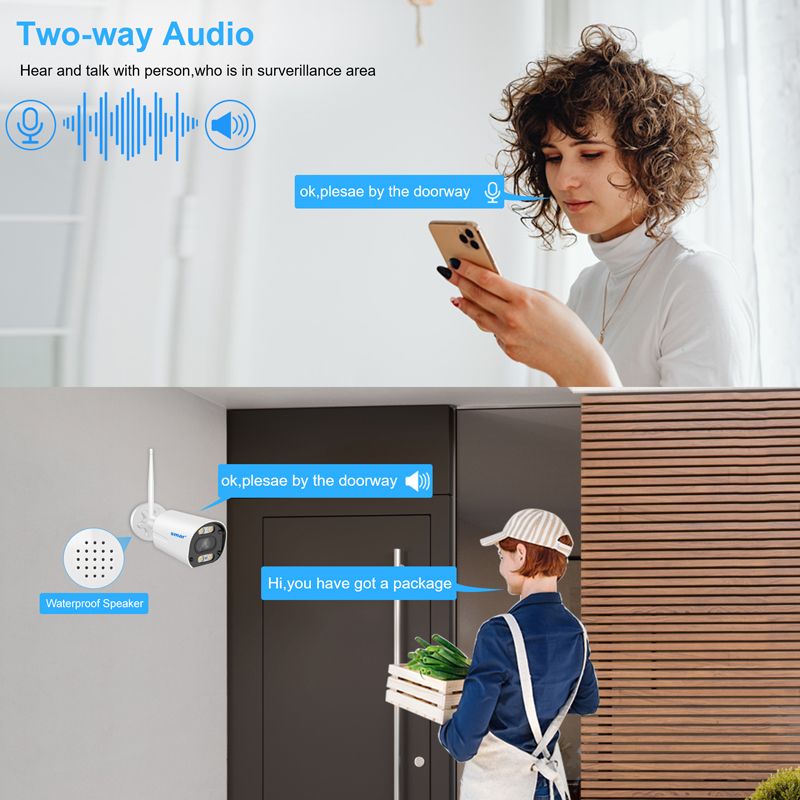
6. The built-in Speakers and microphones of the camera,Two way audio function;
6. Mini NVR support Wifi / Wired IP Camera, built-in Micro SD card slot,Support SSD port, maximum support 128GB Micro SD card and 8TB 2.5“HDD (optional at the time of purchase)
7. The latest WIFI cascading technology perfectly solves the problem of WIFI signal weakening and instability after long distances and through walls;
8. Plug and play, just connect the camera and the NVR to the power supply, and connect the NVR to the router to use, which is very convenient;
9. The kit supports 7x24 hours loop recording, motion detection recording, and other recording modes, you can playback the recording to view;
10. Support web side, CMS, central management platform software XMEYE;
11.Supprt Cloud technology,Realize network penetration, front and rear end docking, and push alarm information to mobile phones

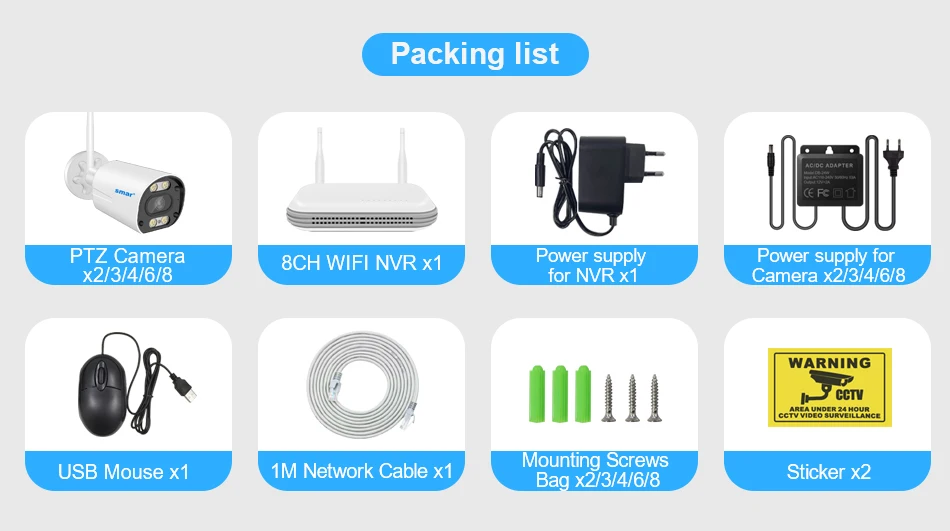
Packing List
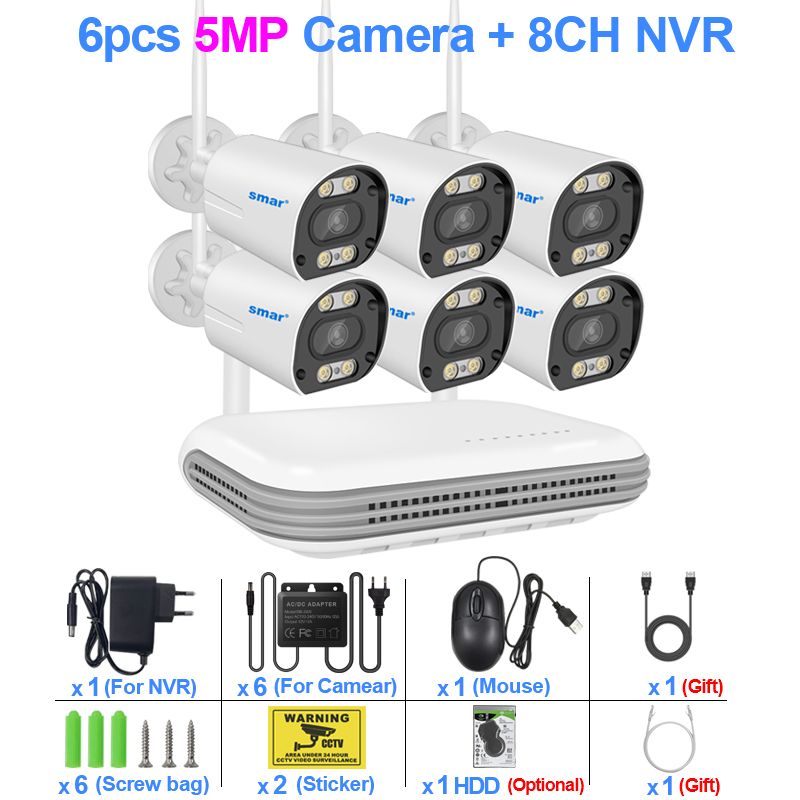
1*8CH Wifi NVR
2/3/4/6/8* 3MP/5MP Wifi Camera(According to your transaction option)
1* Power adapter for NVR
2/3/4/6/8 *Power adapter for Camera(According to your transaction option)
1*USB Mouse
2/3/4/6/8* Mounting Screws Bag (According to your transaction option)
1/2/2/3/4*Sticker (According to your transaction option)
Support 3MP HD Display
Show Higher-Quality Images, With Better Experience.

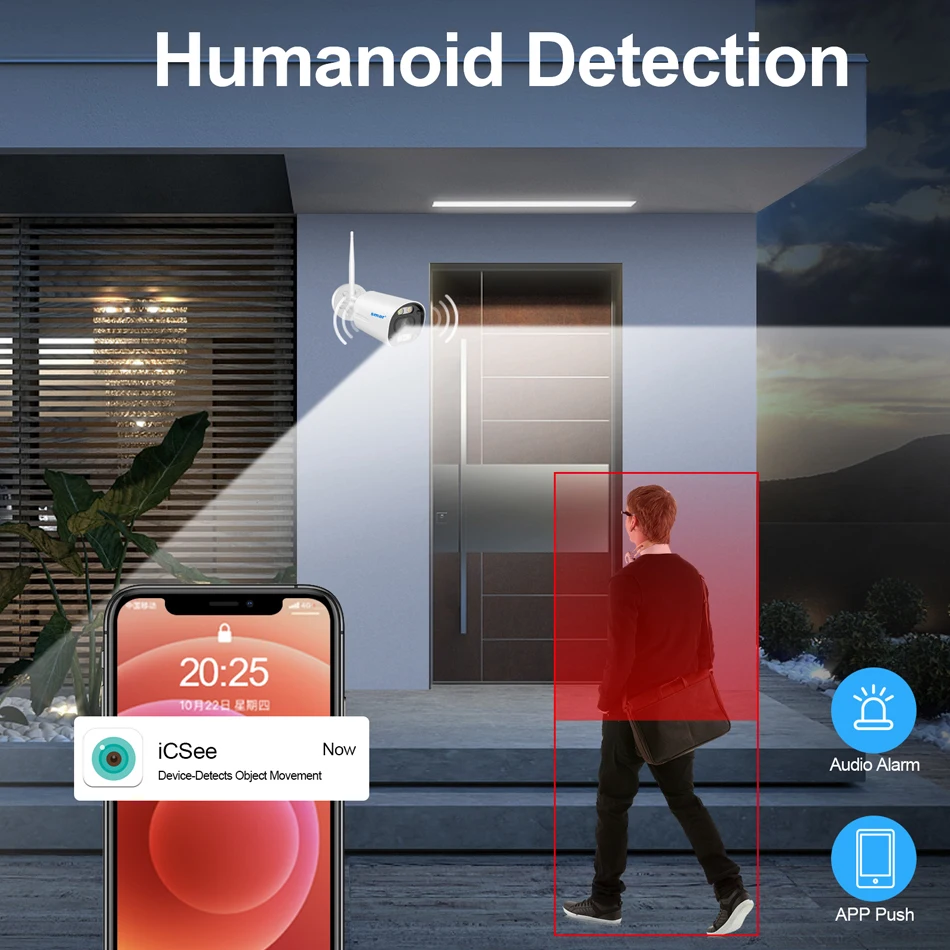
AI Humanoid Motion Detection & Email Alert/Record
You can createmultiple motion detection settings for camera, including Human Body Detection,Line Crossing Detection, Intrusion Detection and Specific Region Detection;
When motion is detected, the NVR can send email or start record to the hard disk without missing any important events.
Note:
If you want add new Camera of other brand, Your camera must support XM human detection, or will not work
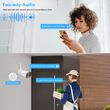
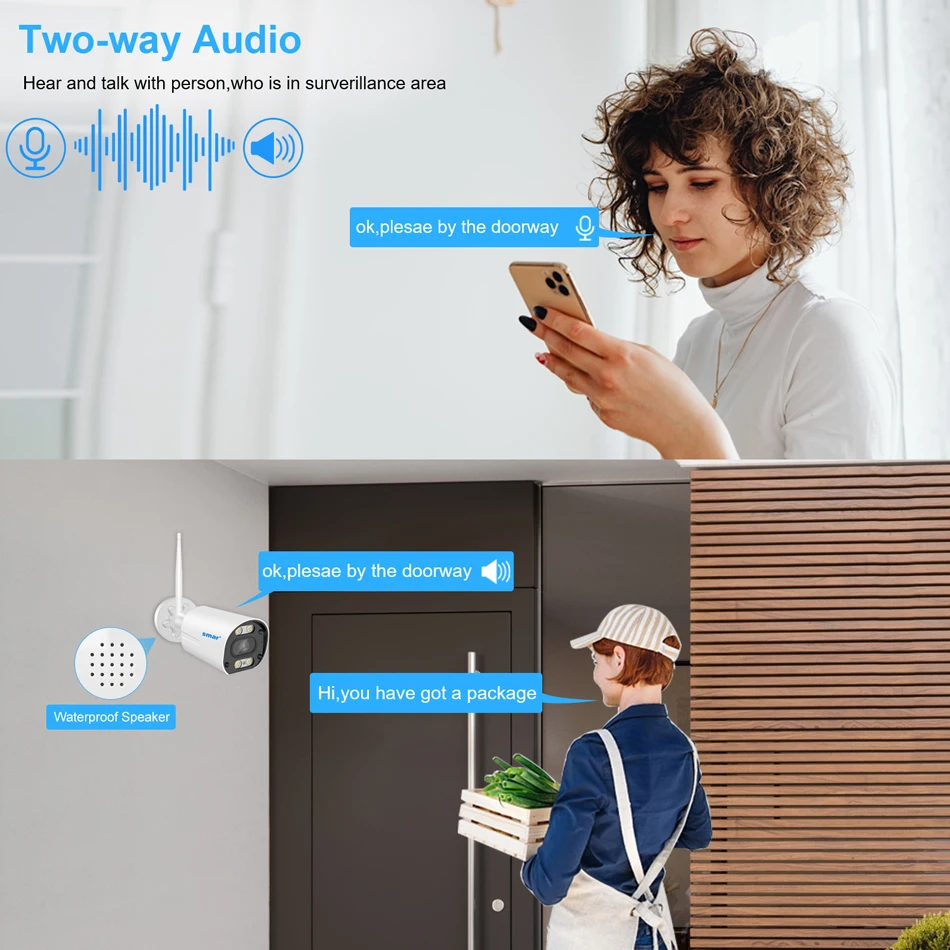
Real Two Way Audio
Built-in microphone and speaker / Customized new speakers with loud volume .
You could talk to anyone nears the camera ( Warn someone to leave your house )
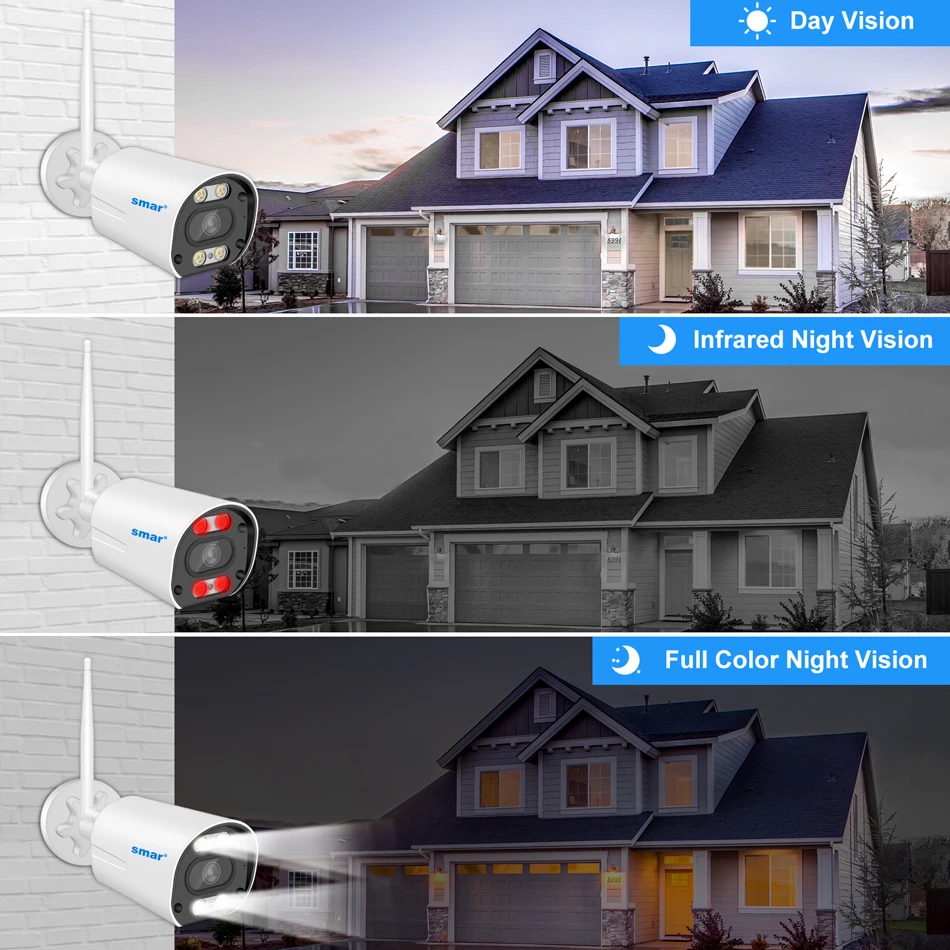
Smart IR-Cut Full Color Night Vision
The Bullet Camera has 4pcs dual light wick led and supports three modes (Day Vision, Night Vision, Full Color Night Vision), when movement is deteced, turn on full color mode.
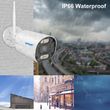
IP66 Waterproof
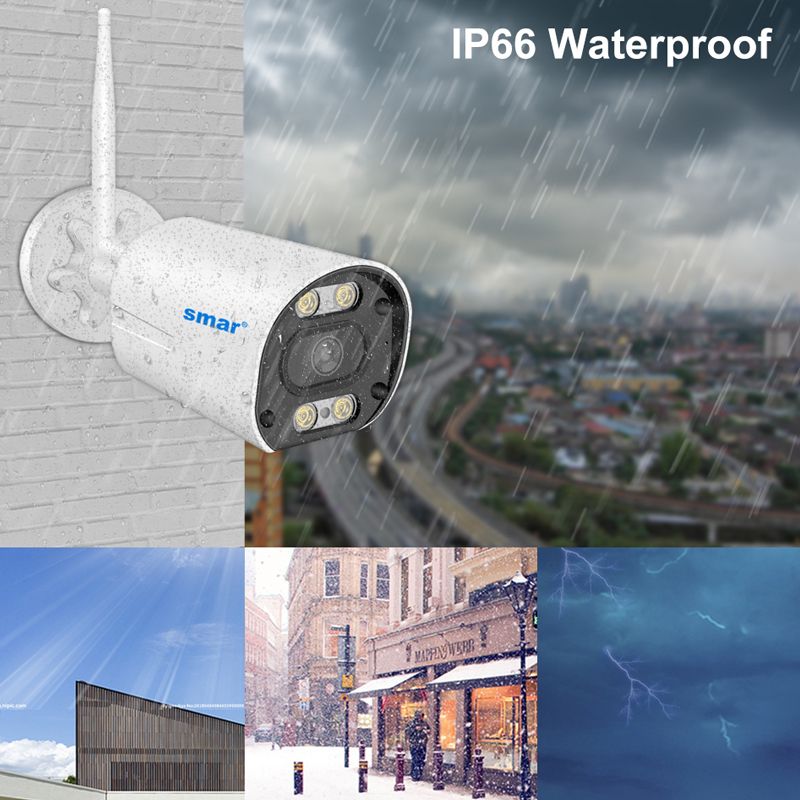
The camera case is made of high-quality Semi metal and plasitc, which is Water-proof, Sun-proof, Snow-proof and Lightning-proof, It can work in the temperature range of -25℃-+50℃,Resistance to severe cold.

Advanced H.265++ Video Compression
H.265 (HEVC) doubles the coding efficiency compared with its predecessor H.264. That means H.265++ video saves around 70% of the bit rate at the same quality of coding.

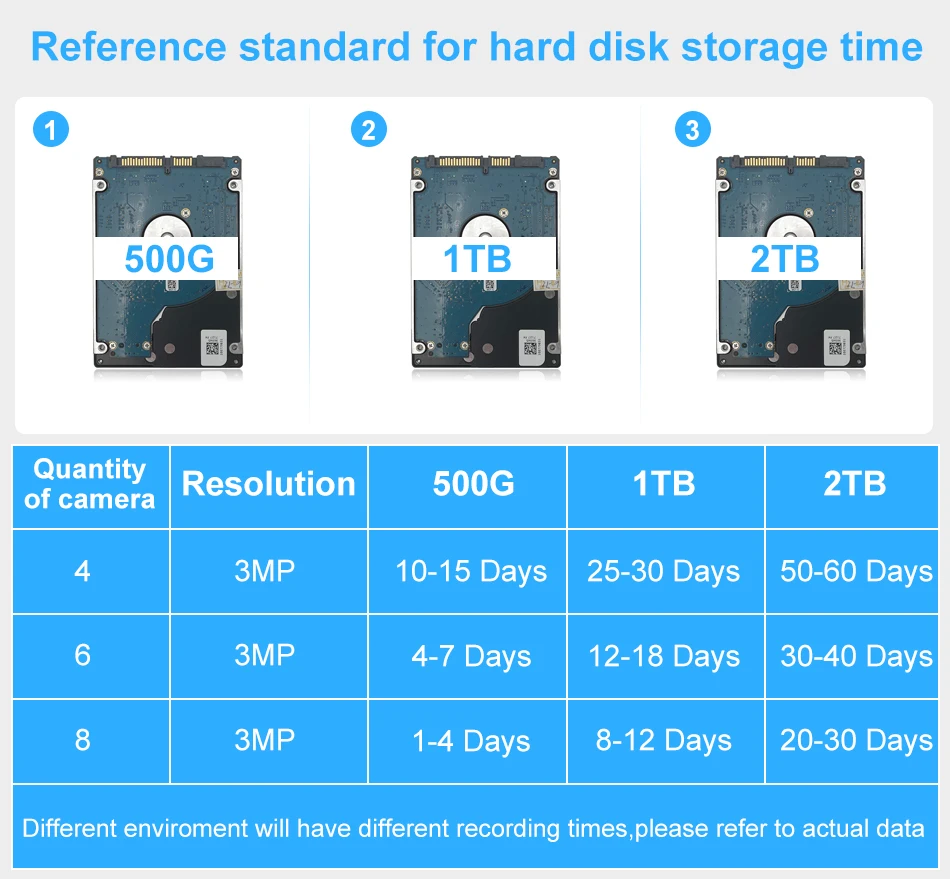
How to choose a hard drive ?
Hard disk is necessary for video recording ,thanks to the H.265 High Efficiency Video Coding Technology ,the 1TB Hard disk enables to continuous record about 30 days video footage for 4 cameras
500G can record about 15 days for 4 cameras
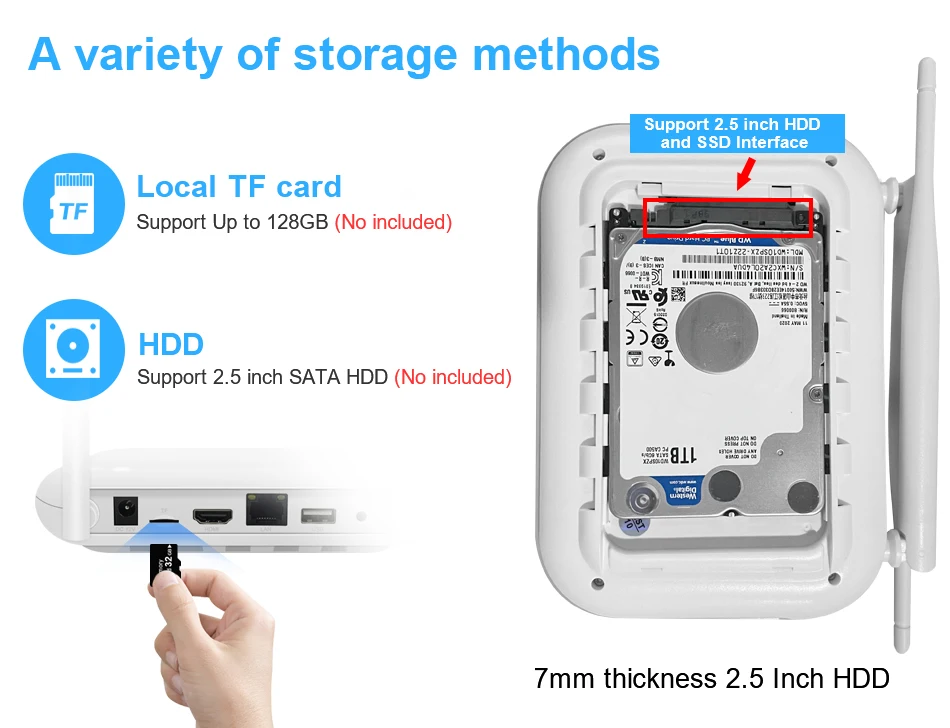
The NVR Support TF Card and HDD
Max support 128G TF Card, and support 2.5 inch SATA HDD and SSD Interface.

Support 2.5"SSD Interface
Auto Paired,True Plug and Play
Our WiFi Camera has been auto paired before factory, When you power on the Camera, the NVR will be automatically paired with the Camera, one step get ready to use, very easy.
But please connect WiFi NVR to Wifi Router through Network Cable( Note: Unable to connect Wirelessly),Please refer to the system connection diagram below;

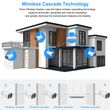
Wireless Cascade Technology
What is cascading technology?
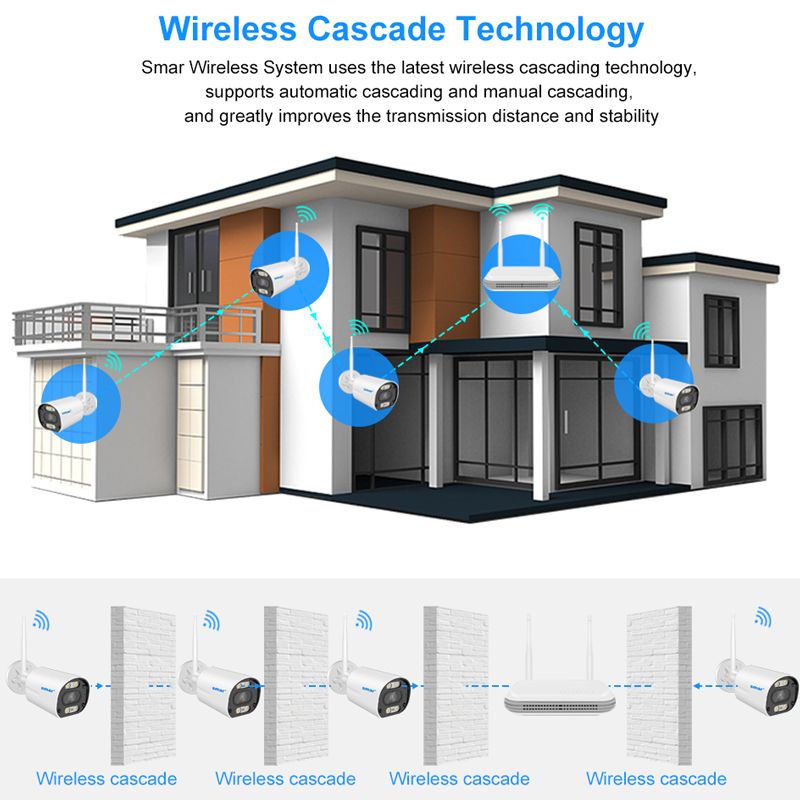
Usually, the camera is a transmitter; The purpose of the cascade technology is that it can turn each WiFi camera into a transmitter and a receiver. It can receive WiFi NVR signals and then transmit the signals to nearby WiFi cameras, the cascading module is built into the body of each WiFi camera.
Smar Wireless System uses the latest wireless cascading technology, supports automatic cascading and manual cascading, and greatly improves the transmission distance and stability.

How to check the NVR connect with network successfully?
Note:The NVR can't be connected to WiFi wirelessly at present. it can be only fonnected by network cable.
Two ways to check the network status:
(1) Right Click the mouse- NetDetect- Remote Net Detect- Diagnosis Result, If it shows Test Success, the network is connected.

(2) Go to Mian Menu- Advanced-Version, check Net Status is connected which means your NVR is connected with the network.

Wireless Configuration/Channel Set.
Note: The original cameras are paired with NVR at manufacturing site. This instruction is for the extra cameras and connected failed cameras.
Wireless NVR supports wired and wireless two ways to access the camera(supported by some models). The two modes are set as follows:
1. Wireless configuration: right click mouse- Wireless/Channel Set, Delete the Offline Cameras first, then click on the Wireless code to Pair/QuickPair, then the image will automatically show after pairing successully.
2. Wired configuration: Connecting NVR to camera with an Ethernet cable will automatically obtain network settings for automatic internet access, After the Ethernet cable is plugged in, NVR will give priority to wired access, and the cameras will show on the screen automatically.

3. Repeat Setting interface descrition
Right click the mouse- Wireless/Channel set- Repeat Set.
There are three Repeat Modes: Auto Repeat, OpenRepeat, CloseRepeat. Under normal circumstances, it is recommanded to set to Auto Repeat mode, Repeat Modes can be set in the pop-up option box when clicking the corresponding IPC Cameras.

AutoRepeat:
AutoRepeat mode, at most two levels of repeat can be realized, NVR→IPC1→IPC2.The IPC devices connected to the NVR will automatically turn on the repeat function. If the repeat fundtion is turned on, the corresponding IPC font is green (IPC1) And device connected to IPC will not enable the repeat function, If the repeat function is not turned on, the corresponding IPC font is white (IPC2,that is , the device cannot be repeated after IPC2)
OpenRepeat:
This mode will forcibly open the repeat mode(restart is still maintained) . This mode is used for three-level or above repeat , it is not reconmended to turn on this mode because the transmission load of the WIFI module during the three-level or above repeat is big.
CloseRepeat:
This mode will forcibly close the repeat mode (restart remains),this mode is used when is a complex environment,IPC maybe repeated to an undesirable IPC, at this time you can turn off the repeated equipment to prevent wrong repeat (or use forced connection function).
NVR Size and Multi angle display:

Multi Languages of WiFi NVR:
1. The WiFi NVR Support Multi Language, as English,Russian,Italian,Portuguese,Spanish,French,Germany.,etc...Total 28 languages
2. Support 4CH 5MP/ 8CH 3MP Wifi Model,Playback 4CH 5MP/ 8CH 3MP ( If your camera is Wird 4K camera, it will support).


Easy access via multi-platform
Support Mobile Phone iOS, Android System,Remote view of mobile phones, any time... any where...
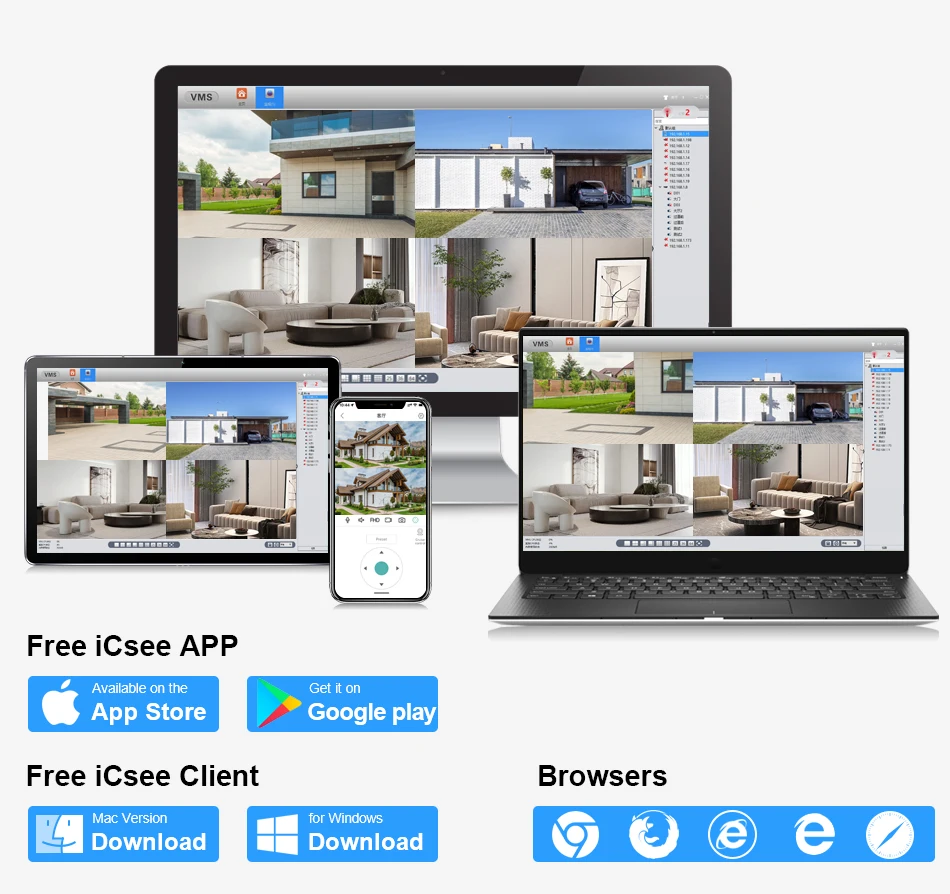
Camera Features:
Image Sensor: HD Color CMOS.
Image Resolution: 2048*1536P
Lens: 3.6MM HD Mega Pixels Lens.
IR Night Vision: It has 4pcs dual light wick led and supports three modes (Day Vision, Night Vision, Full Color Night Vision,IR distance:10-20M), when movement is deteced, turn on full color mode..
Weatherproof: Yes(IP66).
The built-in Speakers and microphones of the camera,Two way audio function;
Minimum Illumination: Colour 0.1 Lux, B/W 0.01Lux
2/3/4 x Colorful CMOS 2.0MP IR LEDs IP Cameras for option.

Camera Size and Multi angle display:

How to remote view through Mobile phone?
1. You must be download ICSee APP in your mobile phone;
2. Open software,register account and login;
3. Click "+" to ADD Device ( Scan QR Code Serial Number);
4. Add successfully, Live video.
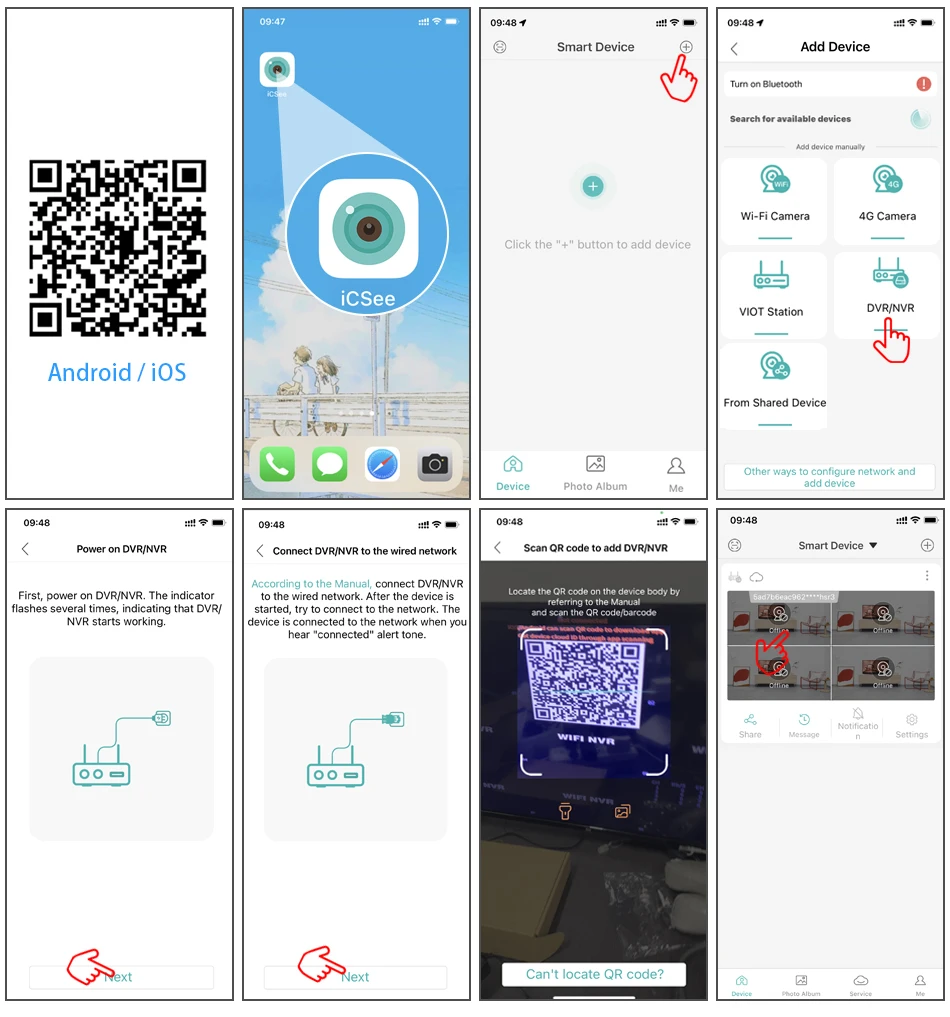
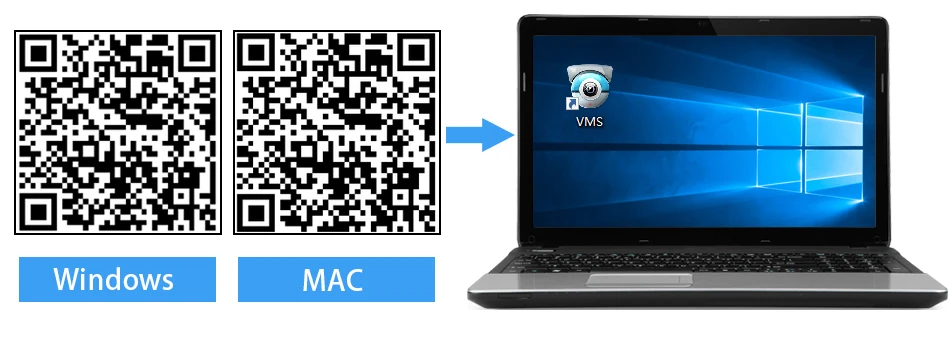
How to manage the cameras through PC client?
1. Please used your mobile phone to scan the QR code as below, and then click to download;
2. Please install VMS software on your computer, then login VMS Software, Username: admin, Password:admin

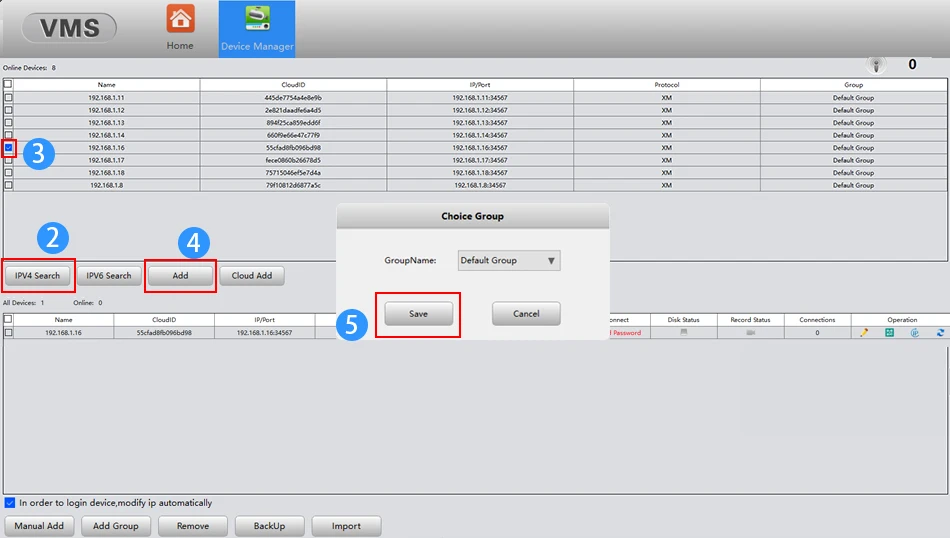
3. Please click the Device Manager-IPV4 Search-choose address of IP Camera- ADD-SAVE,Search and Camera successfully;
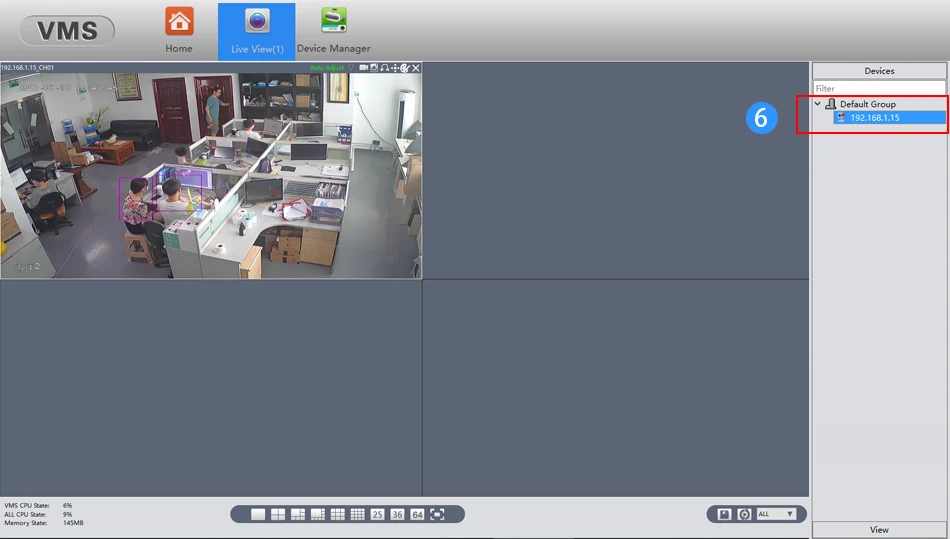
4. Click t he Live View, then click IP Address of Default Group, then you will can Watching Video.





We truly value your satisfaction. If you’re pleased with your purchase, we’d appreciate your positive feedback and a 5-star rating.
If you have any concerns, please reach out to us first—we’re here to help and resolve any issues quickly.
the distance of WiFi NVR can reach within 100m; (field test required)
|
|||
|
|||
|
|||
|
|||
|
|||
|
|
|
|







Shop Policies
Payment Policy
Payment Policy – BILLIONS BIRDS
At BILLIONS BIRDS, we are committed to providing a safe, secure, and seamless payment experience for our customers.
1. Accepted Payment Methods
We accept the following payment options:
Major Credit & Debit Cards (Visa, MasterCard, American Express)
Secure Online Payment Gateways (such as PayPal, Stripe, or other providers available at checkout)
Any additional payment methods displayed during checkout
All payments must be completed in full at the time of purchase.
2. Secure Transactions
All transactions are processed through encrypted and secure payment systems to protect your personal and financial information. We do not store your full payment details on our servers.
3. Currency
Prices are displayed in the currency indicated on the website. If you are purchasing from another country, your bank may apply currency conversion fees.
4. Order Confirmation
Once your payment has been successfully processed, you will receive an order confirmation email containing your purchase details.
5. Failed or Declined Payments
If your payment is declined, please verify your billing information or contact your bank. Orders will only be processed after successful payment confirmation.
6. Fraud Prevention
BILLIONS BIRDS reserves the right to cancel or refuse any order if fraud or unauthorised activity is suspected.
Delivery Policy
Delivery Policy – BILLIONS BIRDS
At BILLIONS BIRDS, we are dedicated to delivering your orders safely and efficiently.
1. Order Processing
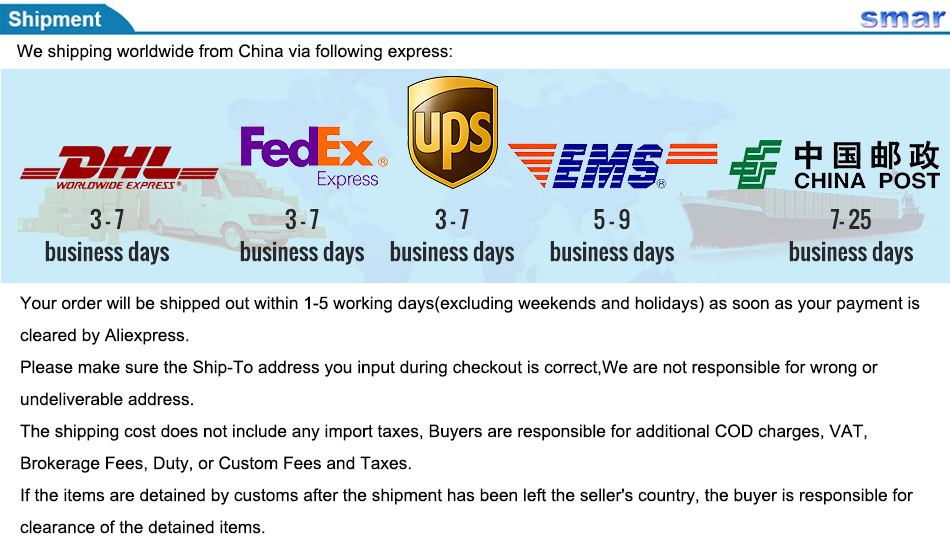
All orders are processed within 1–3 business days after payment confirmation. Orders are not processed or shipped on weekends or public holidays.
2. Shipping Times
Estimated delivery times vary depending on your location:
Domestic Shipping: 3–7 business days
International Shipping: 7–15 business days
Please note that delivery times are estimates and may vary due to customs procedures, carrier delays, weather conditions, or other unforeseen circumstances.
3. Shipping Costs
Shipping fees are calculated at checkout based on your location and selected shipping method. Any customs duties, taxes, or import fees are the customer's responsibility.
4. Tracking Information
Once your order has been shipped, you will receive a confirmation email with tracking details (if available) so you can monitor your package.
5. Delivery Issues
If your order is delayed, lost, or arrives damaged, please contact us within 7 days of the expected delivery date. We will work with the shipping carrier to resolve the issue as quickly as possible.
6. Incorrect Shipping Information
Customers are responsible for providing accurate shipping details at checkout. BILLIONS BIRDS is not responsible for orders shipped to incorrect addresses provided by the customer.
Refund Policy
Refund Policy – BILLIONS BIRDS
At BILLIONS BIRDS, customer satisfaction is our top priority. If you are not completely satisfied with your purchase, we’re here to help.
1. Return Eligibility
You may request a return within 14 days of receiving your order. To qualify for a return:
The item must be unused, unworn, and in the same condition as received.
The item must be in its original packaging.
Proof of purchase (order confirmation or receipt) is required.
Certain items may not be eligible for return, including clearance items, gift cards, or personalised/custom products.
2. Non-Refundable Items
The following items are non-refundable:
Final sale or discounted items
Gift cards
Items damaged due to misuse, negligence, or improper care
3. Return Process
To initiate a return, please contact our customer support team with your order number and reason for return. If your return is approved, you will receive instructions for returning the item.
Unless the item is defective or incorrect, customers are responsible for return shipping costs.
4. Refund Processing
Once we receive and inspect your returned item:
We will notify you of the approval or rejection of your refund.
If approved, the refund will be issued to your original payment method within 5–10 business days.
Please note that banks or payment providers may require additional time to process refunds.
5. Damaged or Incorrect Items
If you receive a damaged, defective, or incorrect item, please contact us within 7 days of delivery and provide clear photos of the product and packaging. We will arrange a replacement or full refund at no additional cost.
6. Late or Missing Refunds
If you have not received your refund:
Check your bank account again.
Contact your credit card company or payment provider.
If the issue persists, don't hesitate to contact our support team for assistance.
Recommended Products
Customer reviews
Share your thoughts with other customers
Be the first one to write a review!

Items (0)
