
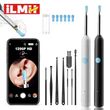
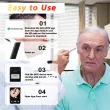
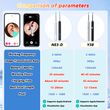
Visual Ear Wax Cleaner with Camera Safe Earwax Removal Endoscope with 5M Camera Luminous Otoscope Ear Cleaning Tools Ear Care
Includes all taxes
Meet your Seller
-
$19.98Sold by BILLIONS BIRDS
Description
Visual Ear Wax Cleaner with Camera Safe Earwax Removal Endoscope with 5M Camera Luminous Otoscope Ear Cleaning Tools Ear Care

Warm Reminder
1. Image/Display Issues (No image, frozen screen, artifacts)
2. Power Issues (Won't turn on, LED flashing)
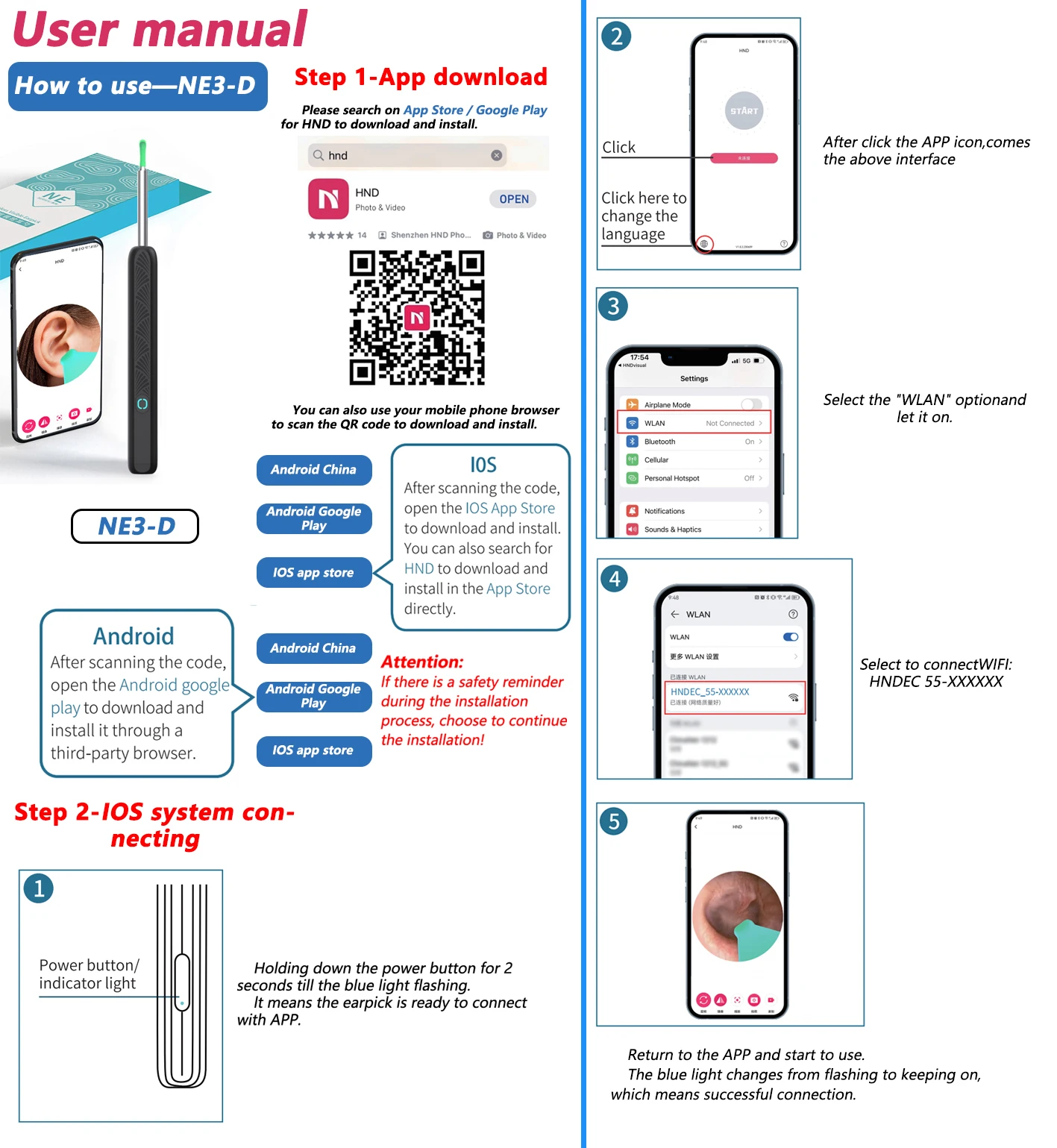
3. Connection Failure ("Unable to establish connection")
4. Indicator Light Status
5. Positioning for Clear View
6. Optimal Focus
7. Precautions
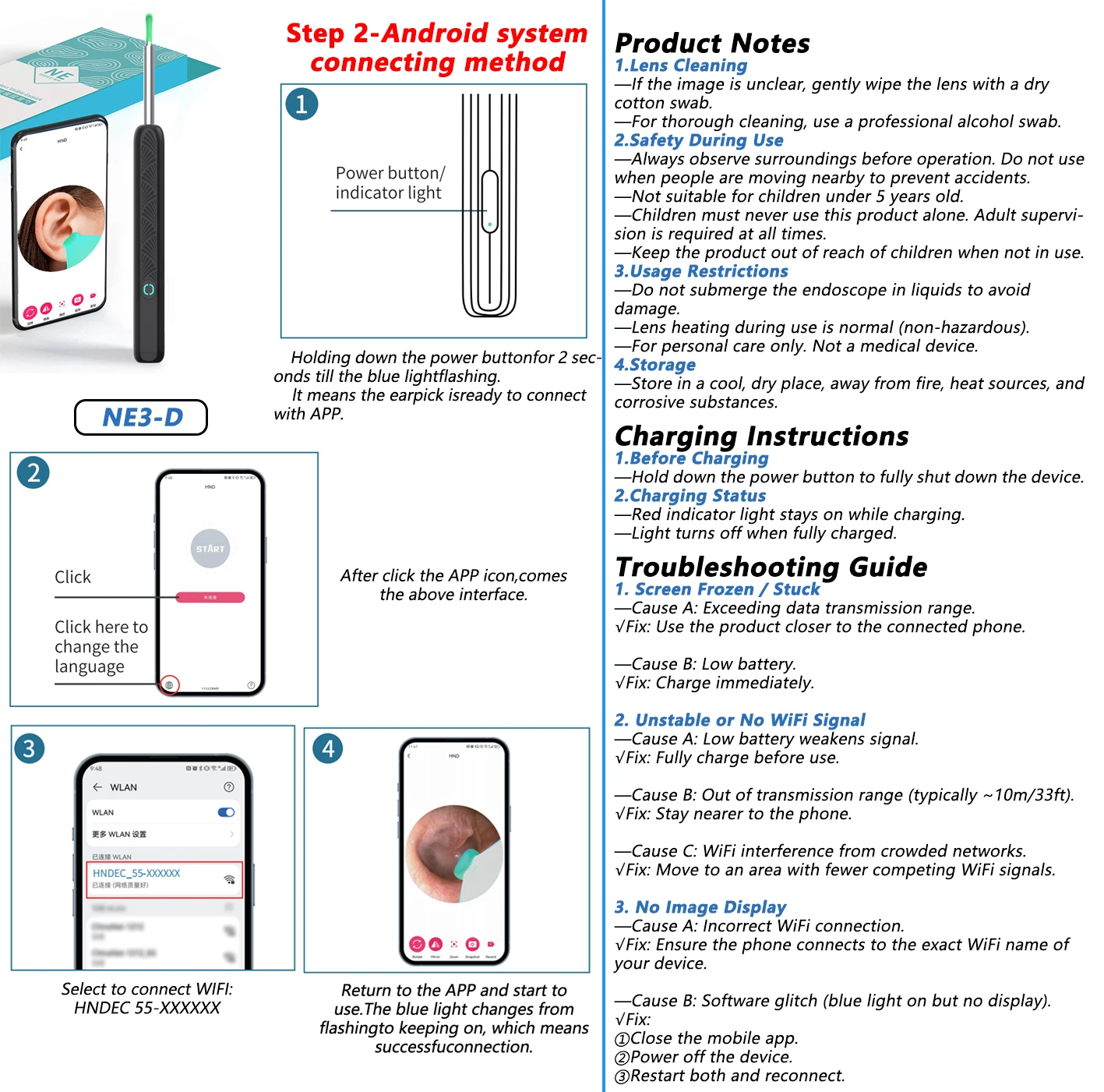
Product Notes
Lens Cleaning
Safety During Use
Usage Restrictions
Storage
Charging Instructions
Troubleshooting Guide
🔥 Features
1. 📸 Ultra-High-Definition Imaging
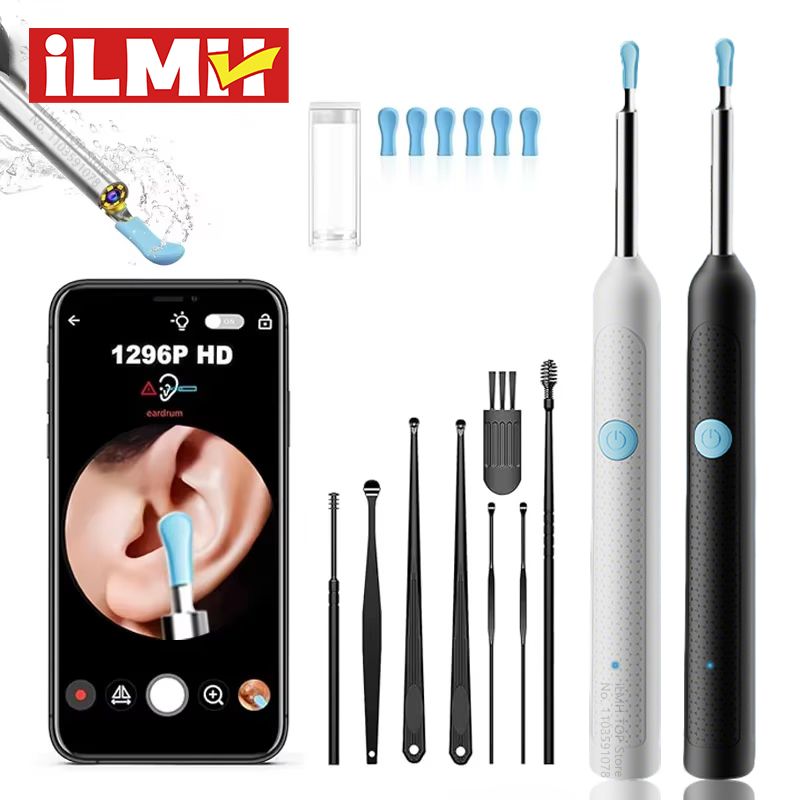
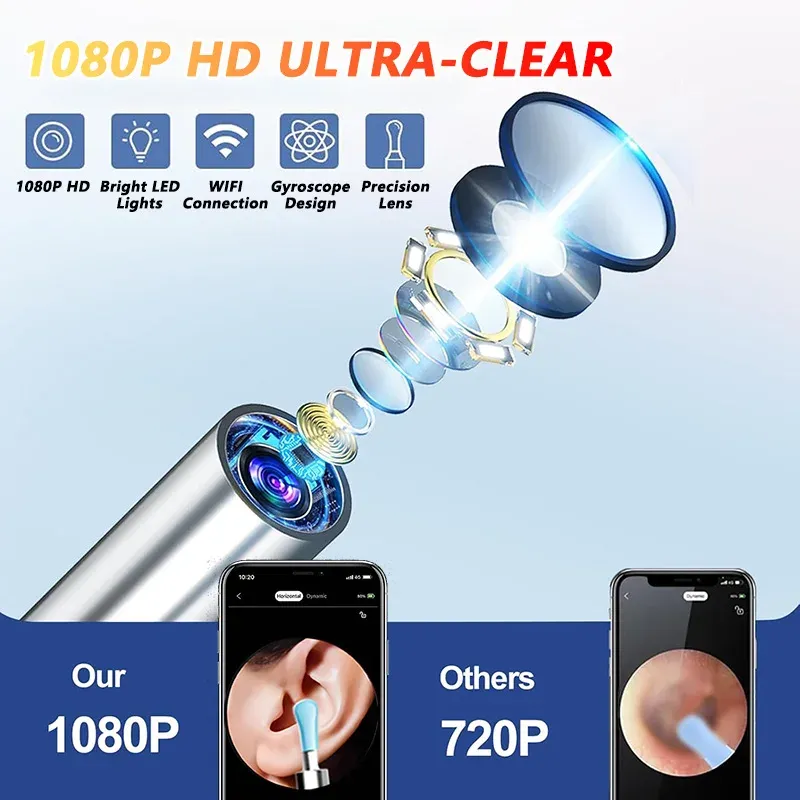
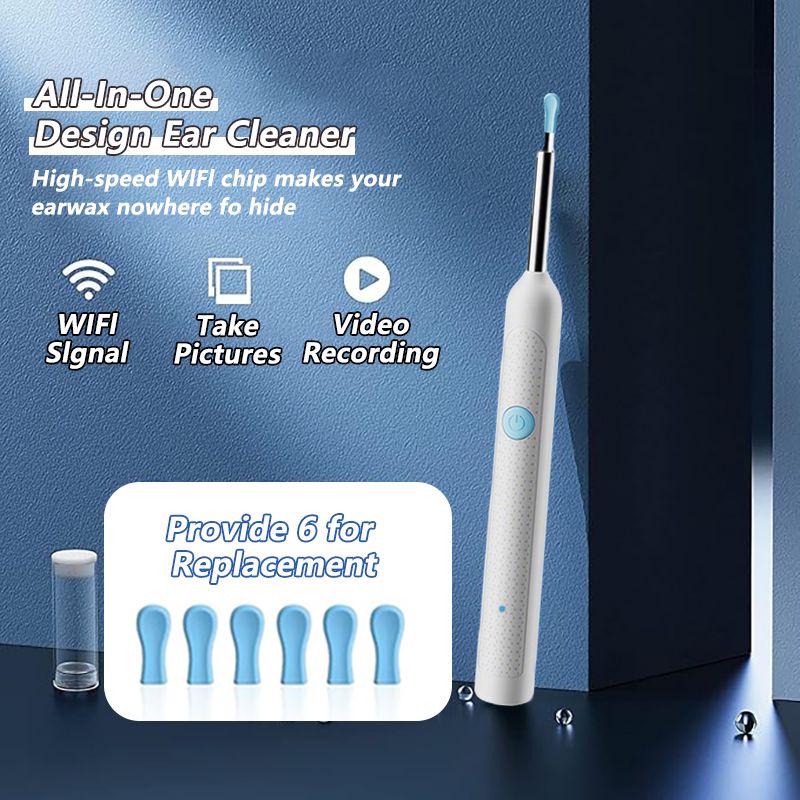
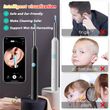
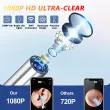
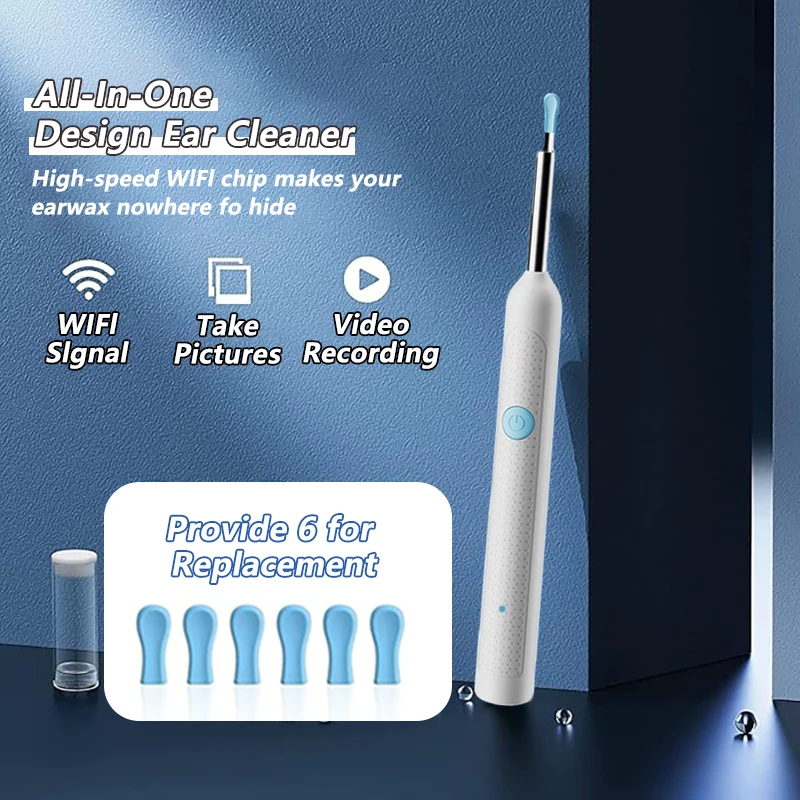
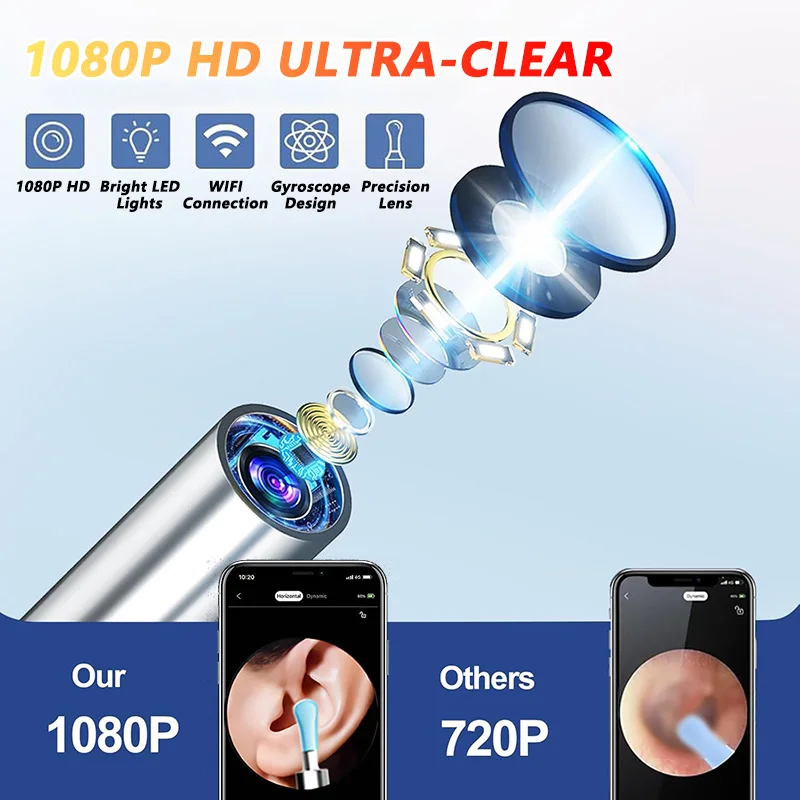
✅ Equipped with dual-resolution options (1080P HD cameras) and cold-light LEDs, the device offers a 360° wide-angle view for crystal-clear visualization of ear canals, nasal cavities, and oral areas.
2. 🌡️ Body-Safe Temperature Design
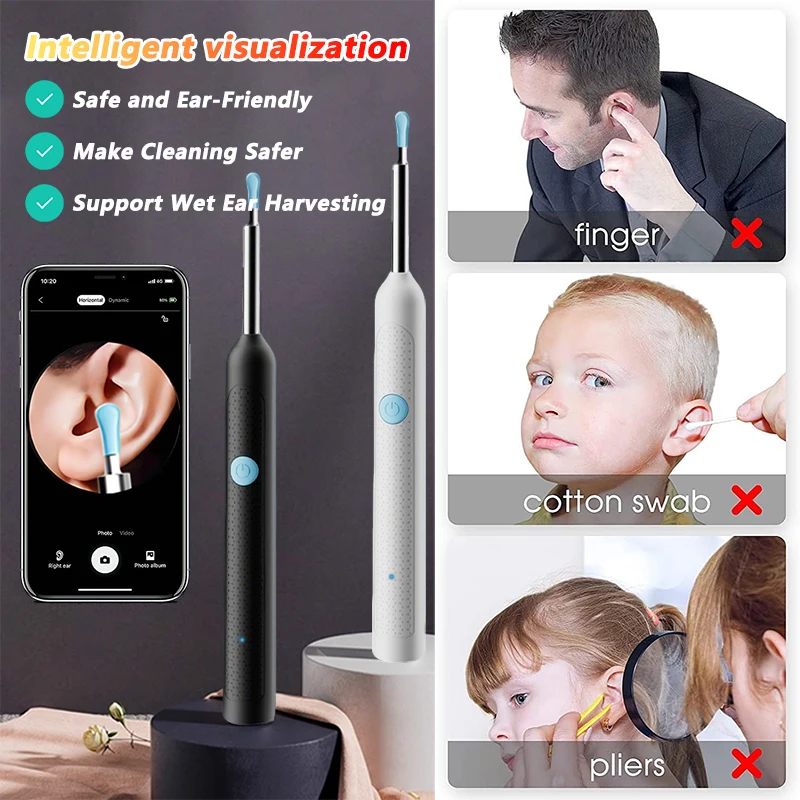
✅ The camera’s surface temperature mimics human body warmth, ensuring comfort during use for adults, children, and even pets.
3. 📱 Seamless Cross-Platform Compatibility
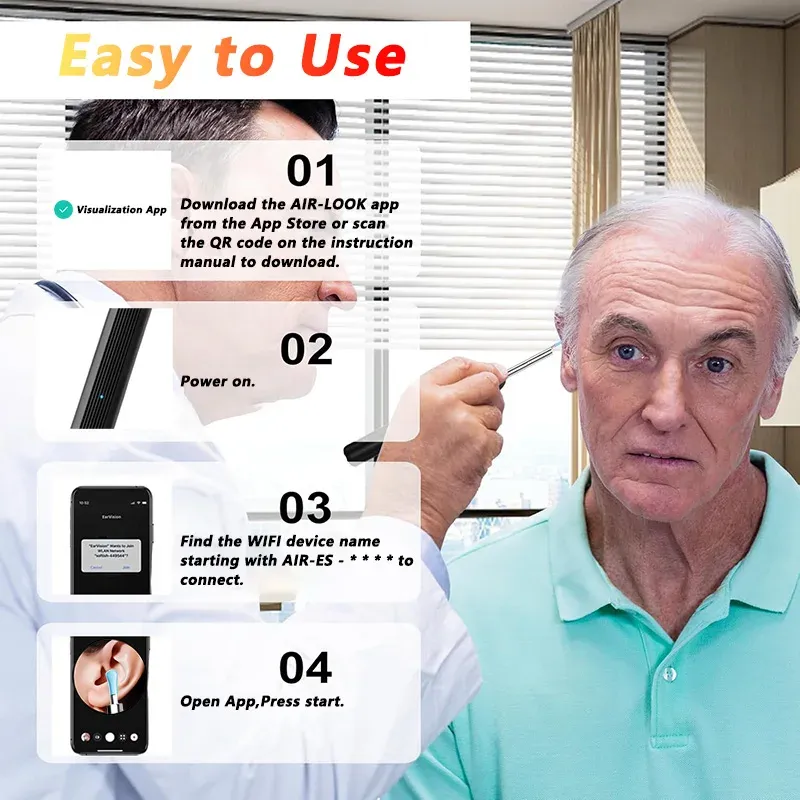
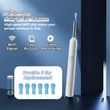
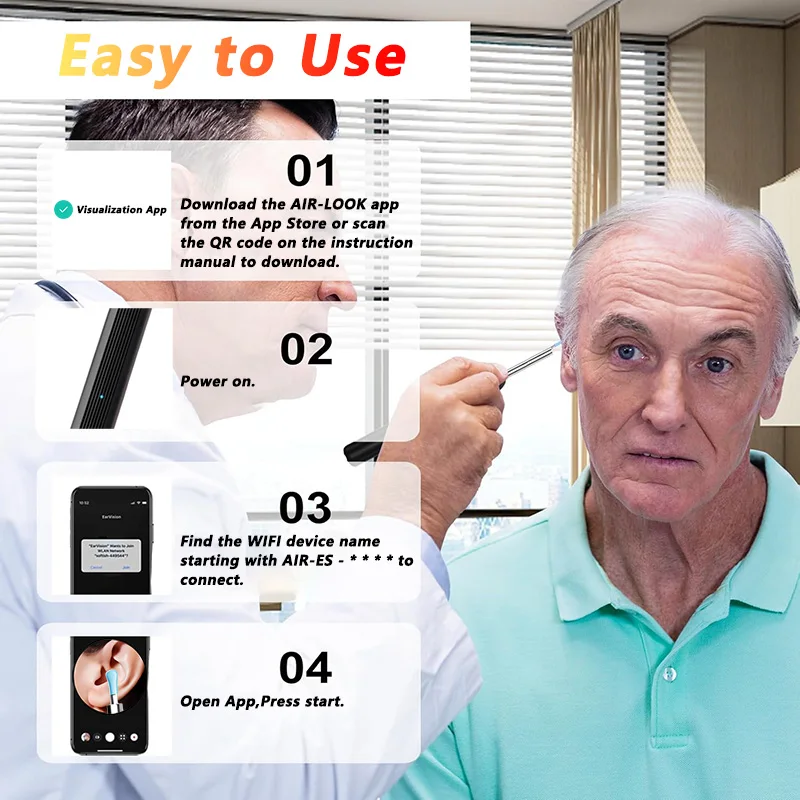
✅ Works effortlessly with iOS and Android devices via Wi-Fi connectivity. The intuitive app stores images/videos and allows easy transfer to phone album.
4 .IP67 Waterproof & Long-Lasting Battery
✅ Waterproof lens enables easy cleaning, and the 130mAh rechargeable battery lasts up to 30 days on a single charge (Type-C fast charging) .
5. 🎁 Comprehensive All-in-One Kit
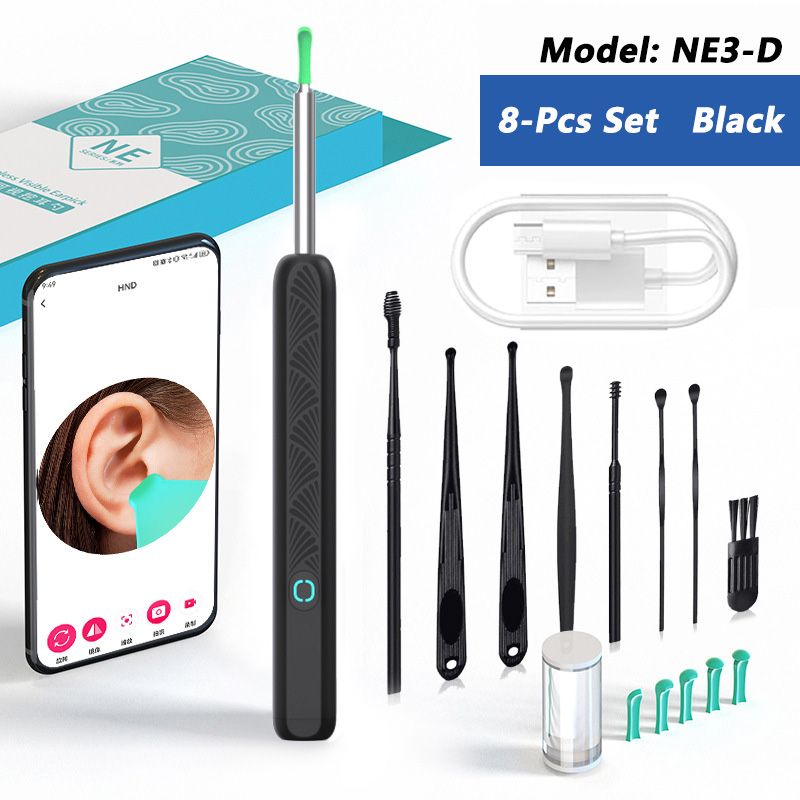
✅Earwax Removal Kit with camera and LED light*1, ear scoops*6, Daily ear care kits*8, earbud storage bottle*1, Charging Cable*1, Easy-to-follow instruction manual*1. You can use it at any time for convenient and efficient earwax removal.
⚙️ Material: Medical-grade silicone (ear scoops), ABS plastic (camera body)
✅ Suitable For: Adults, children, pets, healthcare professionals
🎯 Applications: Earwax removal, oral/nasal inspections, pre-doctoral examinations, acne/blackhead extraction
🔥 Product list
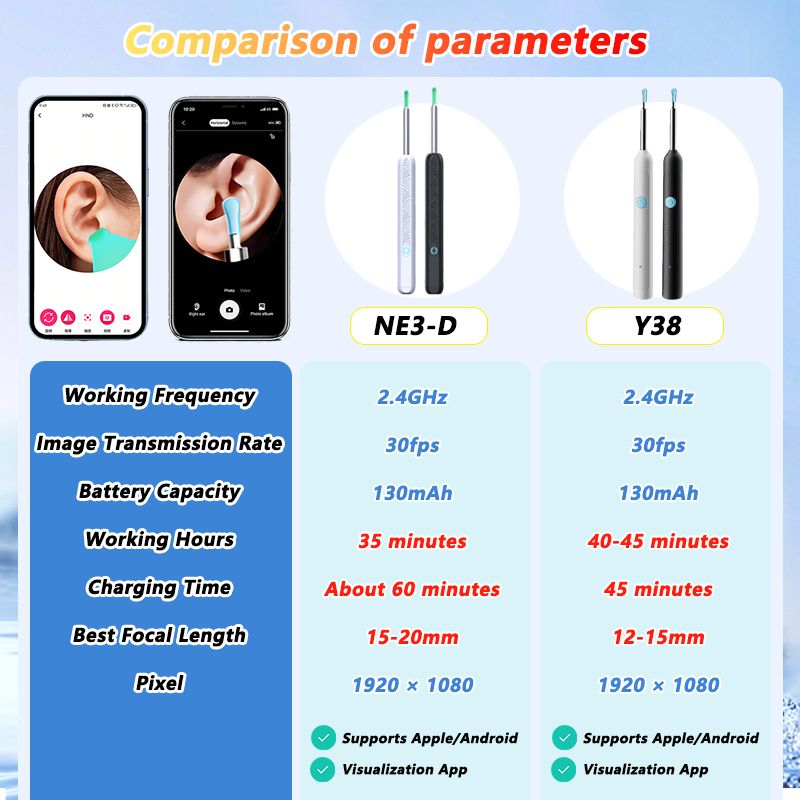
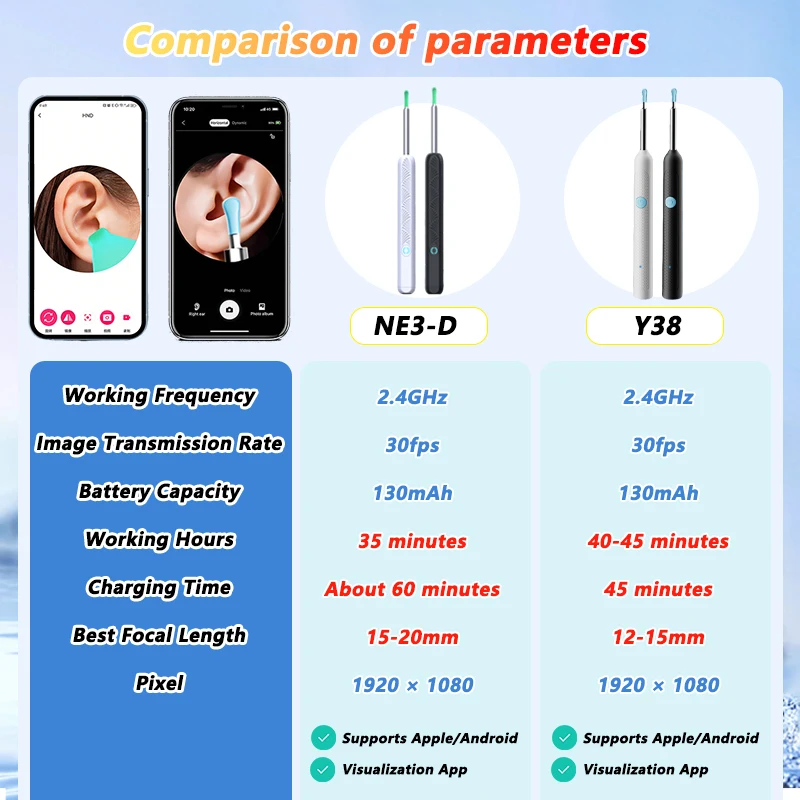
Option 2: NE3-D Basics Black/White ×1
Option 3: Y38 8Pcs Set Black/White ×1
Option 4: NE3-D 8Pcs Set Black/White ×1
❓ Why Choose Us?
🛡️ Tech-Driven Precision: Dual HD cameras + medical-grade safety.
⏱️ Effortless Convenience: 30-day battery, waterproof, and cross-device support.
🎯 Versatile Value: From ear care to skincare, one tool solves multiple needs.
🏥 Application Scenarios
Scenario 1: Family Ear Hygiene
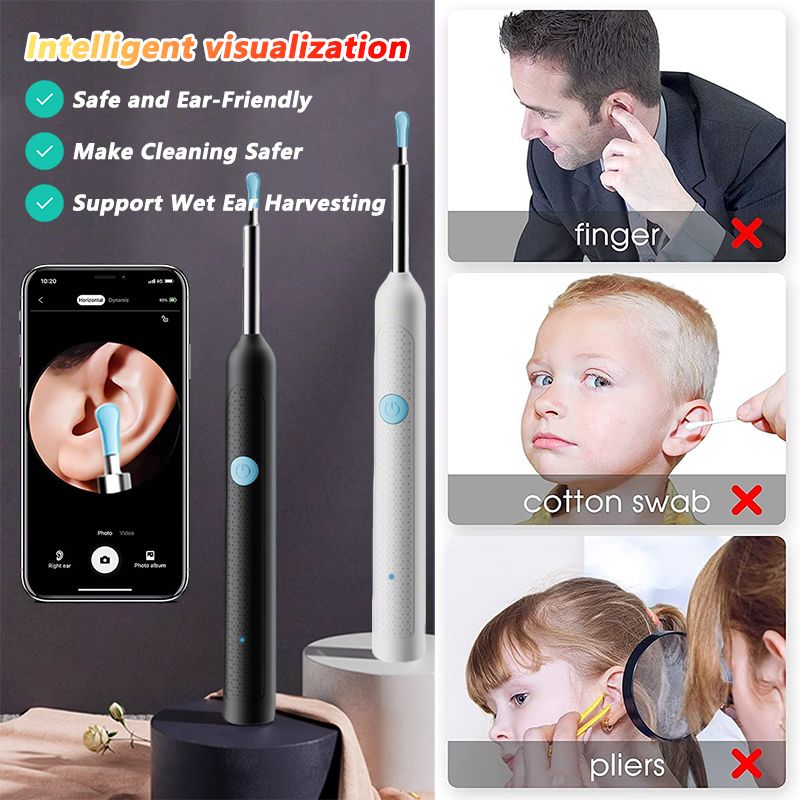
👉 Pain Point: Traditional methods risk eardrum damage and lack visibility.
👉 Solution: Use the camera to safely guide earwax removal with real-time visuals.
✅Outcome: 90% reduction in accidental injuries; kids/pets cooperate better.
👉 Pain Point: Anxiety about unknown ear/nasal issues before clinic visits.
👉 Solution: Perform preliminary inspections at home, capture images for professional analysis.
Product Q&A Knowledge Base
Y38 Smart Otoscope
🛠 Troubleshooting
🔹 No image/frozen screen/artifacts?
"Ensure Wi-Fi is stable, then restart the device and app."
🔹 Device won’t turn on + LED flashing?
"Battery critically low! Charge immediately with the included 5V charger."
🔹 Can’t establish connection?
"Device may be paired elsewhere. Power off, reboot, and reconnect."
💡 Indicator Lights
🔵 Blinking blue at startup?
"Searching for Wi-Fi network. Solid blue = connected."
🔴 Rapid red flashing (2Hz)?
"Battery below 10%! Charge ASAP."
🔋 Charging status?
"Red light = charging. Off = fully charged (100%)."
📸 Usage Guidance
👂 Clear eardrum view?
"Gently rotate and adjust angle until membrane is visible."
🎯 Optimal focus distance?
"Keep 15-20mm from eardrum. Use focus ring if available."
⚠️ Safety Precautions
🚫 Crowded areas?
"No. Sudden movements risk injury—use in stable environments."
👶 Children under 15?
"Adults must operate. No independent use."
🌊 Waterproof?
"IPX4 splash-resistant only. Never submerge!"
NE3-D Digital Endoscope
🧼 Maintenance
🧽 Blurry lens?
"1. Microfiber cloth → 2. 70% alcohol swab (gentle circles)."
⚠️ Safety Precautions
🧒 Minimum age?
"Under 5: Not suitable. 5-12: Adult supervision required."
💧 Underwater use?
"Absolutely not! Water = instant damage."
🔥 Lens heating?
"Normal (40-45°C with prolonged use). Safety compliant."
🔋 Charging Process
⚡ Prepare to charge?
"Hold power 3 sec (lights off) → plug in USB-C."
🔴 Charging status?
Solid red = 0-80%
Blinking red = 80-99%
Off = 100%
🛠 Troubleshooting
❄️ Screen freezes?
Stay within 3m of phone
Charge if battery <20%
Close other camera apps
📶 Wi-Fi drops?
Charge to 50%+ before use
Avoid microwaves/Bluetooth
Change Wi-Fi channel in app
🖥️ No image display?
Confirm connection to "NE3D-XXXX"
Force-stop and reopen app
Check camera permissions
Shop Policies
Payment Policy
Payment Policy – BILLIONS BIRDS
At BILLIONS BIRDS, we are committed to providing a safe, secure, and seamless payment experience for our customers.
1. Accepted Payment Methods
We accept the following payment options:
Major Credit & Debit Cards (Visa, MasterCard, American Express)
Secure Online Payment Gateways (such as PayPal, Stripe, or other providers available at checkout)
Any additional payment methods displayed during checkout
All payments must be completed in full at the time of purchase.
2. Secure Transactions
All transactions are processed through encrypted and secure payment systems to protect your personal and financial information. We do not store your full payment details on our servers.
3. Currency
Prices are displayed in the currency indicated on the website. If you are purchasing from another country, your bank may apply currency conversion fees.
4. Order Confirmation
Once your payment has been successfully processed, you will receive an order confirmation email containing your purchase details.
5. Failed or Declined Payments
If your payment is declined, please verify your billing information or contact your bank. Orders will only be processed after successful payment confirmation.
6. Fraud Prevention
BILLIONS BIRDS reserves the right to cancel or refuse any order if fraud or unauthorised activity is suspected.
Delivery Policy
Delivery Policy – BILLIONS BIRDS
At BILLIONS BIRDS, we are dedicated to delivering your orders safely and efficiently.
1. Order Processing
All orders are processed within 1–3 business days after payment confirmation. Orders are not processed or shipped on weekends or public holidays.
2. Shipping Times
Estimated delivery times vary depending on your location:
Domestic Shipping: 3–7 business days
International Shipping: 7–15 business days
Please note that delivery times are estimates and may vary due to customs procedures, carrier delays, weather conditions, or other unforeseen circumstances.
3. Shipping Costs
Shipping fees are calculated at checkout based on your location and selected shipping method. Any customs duties, taxes, or import fees are the customer's responsibility.
4. Tracking Information
Once your order has been shipped, you will receive a confirmation email with tracking details (if available) so you can monitor your package.
5. Delivery Issues
If your order is delayed, lost, or arrives damaged, please contact us within 7 days of the expected delivery date. We will work with the shipping carrier to resolve the issue as quickly as possible.
6. Incorrect Shipping Information
Customers are responsible for providing accurate shipping details at checkout. BILLIONS BIRDS is not responsible for orders shipped to incorrect addresses provided by the customer.
Refund Policy
Refund Policy – BILLIONS BIRDS
At BILLIONS BIRDS, customer satisfaction is our top priority. If you are not completely satisfied with your purchase, we’re here to help.
1. Return Eligibility
You may request a return within 14 days of receiving your order. To qualify for a return:
The item must be unused, unworn, and in the same condition as received.
The item must be in its original packaging.
Proof of purchase (order confirmation or receipt) is required.
Certain items may not be eligible for return, including clearance items, gift cards, or personalised/custom products.
2. Non-Refundable Items
The following items are non-refundable:
Final sale or discounted items
Gift cards
Items damaged due to misuse, negligence, or improper care
3. Return Process
To initiate a return, please contact our customer support team with your order number and reason for return. If your return is approved, you will receive instructions for returning the item.
Unless the item is defective or incorrect, customers are responsible for return shipping costs.
4. Refund Processing
Once we receive and inspect your returned item:
We will notify you of the approval or rejection of your refund.
If approved, the refund will be issued to your original payment method within 5–10 business days.
Please note that banks or payment providers may require additional time to process refunds.
5. Damaged or Incorrect Items
If you receive a damaged, defective, or incorrect item, please contact us within 7 days of delivery and provide clear photos of the product and packaging. We will arrange a replacement or full refund at no additional cost.
6. Late or Missing Refunds
If you have not received your refund:
Check your bank account again.
Contact your credit card company or payment provider.
If the issue persists, don't hesitate to contact our support team for assistance.
Recommended Products
Customer reviews
Share your thoughts with other customers
Be the first one to write a review!

Items (0)
