
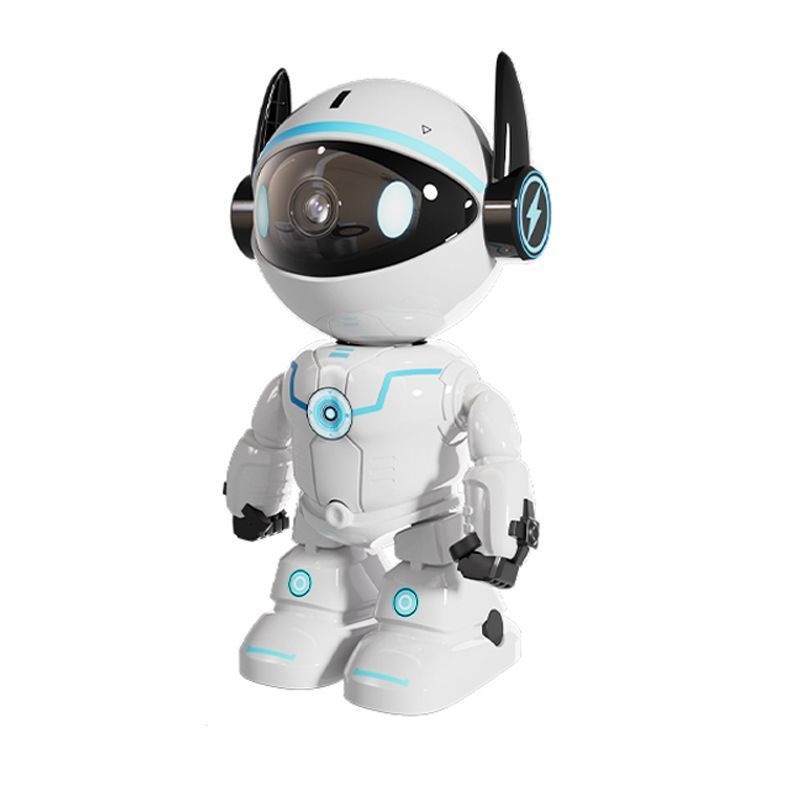

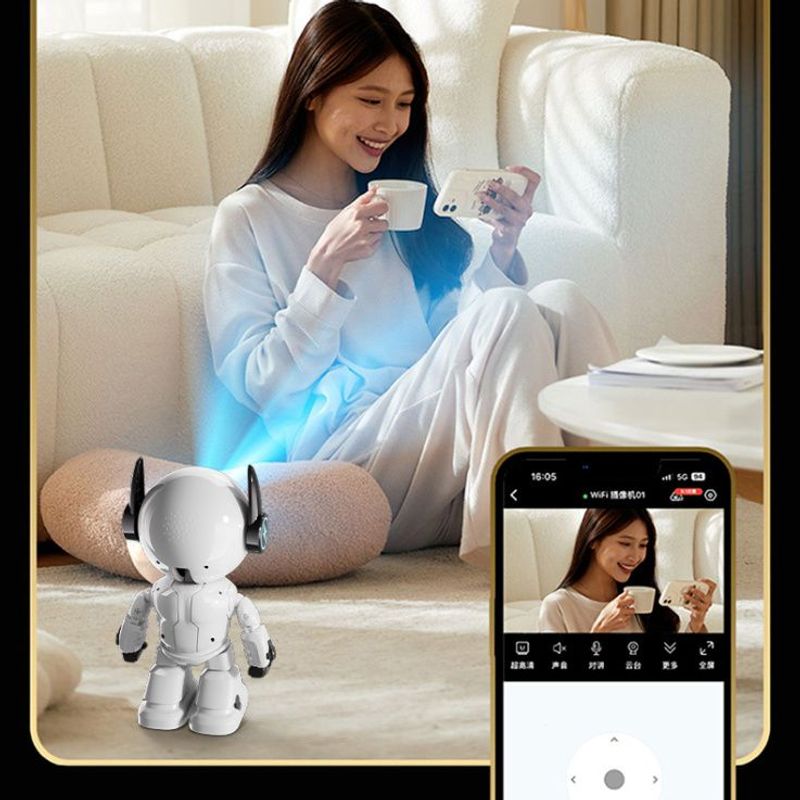
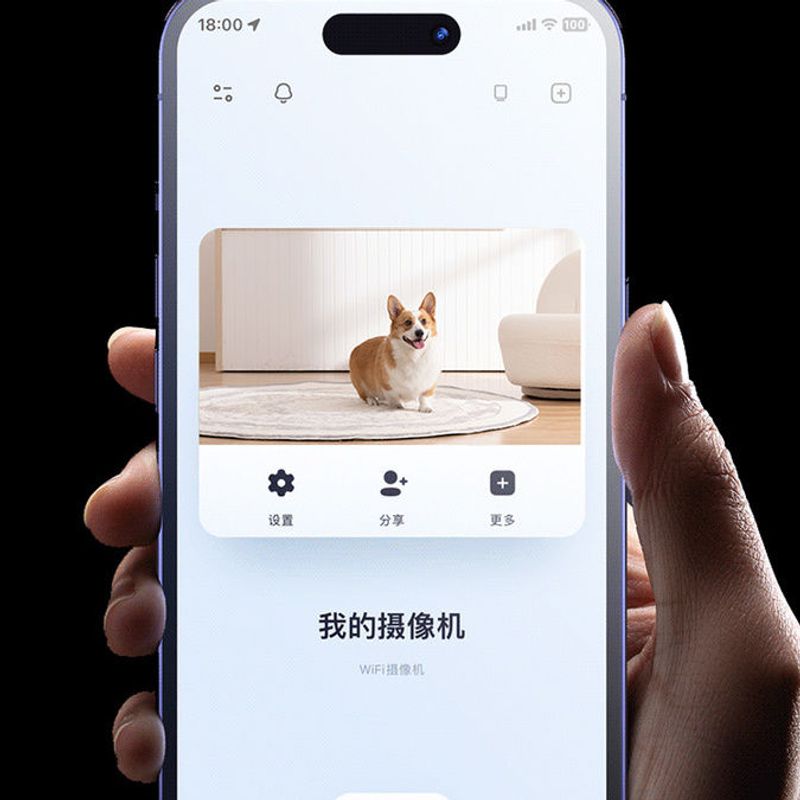






1080P Robot IP Camera Security Camera WiFi Wireless 2MP CCTV Camera Smart Home Video Surveillance P2P Pets Baby Monitor
Includes all taxes
Meet your Seller
-
$40.77Sold by BILLIONS BIRDS
Description
Description:
AI Functions:Motion Detection
Shell Material: Plastic
Power Mode: Mains Electricity
Scene: Indoor
Digital Zoom: 4X
Megapixels: 2MP
Color White
Viewing Angle:70°
Video Compression Format: H.264
IR Distance(m): 0-10m
Dimensions (L x W x D)(mm): 73*70*170mm
Power Supply(V): 5V
Special Features: Vandal-proof
Sensor CMOS
Model Number: K-A160
Supported Operating Systems: Windows 98,Windows XP,Windows 7,Windows 8,Windows 10
Lens (mm): 3.6mm
Connectivity: WIFI
High Definition: 1080P(Full-HD)
Smart home platform Other
APP.:YCC365Plus
Two colors are available.
Image sensor: 2.0M HD CMOS
Pan or tilt rotation: Pan 355° , Tilt 45°
Lens: 3.6mm
Resolution: 1920 * 1080P
Video compression: H.264 / MJPEG
Frame rate: 30fps
Audio compression: G.711A
Audio input: built-in microphone -58dB
Audio output: built-in speaker
Trigger alarm: motion detection
Wifi : only support 2.4g wifi,not support 5g
Memory: Max up to 128G TF card
Power supply: DC5V / 1A~2A
Working environment: temperature: 0℃ ~ 55 ℃
Package list:1*rabot camera 1*manual 1*cable
Frequently asked questions
1,Can't add the device?
A,Please make sure the camera has been reset. Press the Reset button until hear the prompt tone
B,Only support 2.4GHZ Wi-Fi, if your Wi-Fi router is 5GHZ, please switch to 2.4/5GHZ dual mode.
C,Please turn on the GPS service before adding the device on the Android mobile phone . After installation is complete, you will be asked to turn on GPS service when you use the app at the first time, if you choose not to turn on the GPS service, please uninstall and reinstall the app again
D,Please confirm the camera wasn't binding by the other account.
There are four voice prompts in the progress
(1)Please configure camera by scanning code or AP hot spot
(2)Select your Wi-Fi and login with your password, after the device makes a noise like "beep" you will hear this "Please wait for Wi-Fi connecting
(3)Please wait for internet connecting" after getting the Internet ip address.
(4)Internet connected welcome to use cloud camera
A,If you can't go to the second step, please check your Wi-Fi channel is not hidden, and the Wi-Fi router can't be so far from the camera. If this way doesn't work, please scan the QR code to add the camera.
B,If you can't go to the third step, please reduce the number of the Wi-Fi users, and delete the special characters of your Wi-Fi password.
C,If you can't go to the forth step, please try again, if it still doesn't work, please contact the seller.
2,Why does it have a interval while the video is recording to the TF card
The size of the video file is limited. Once the video size close to the critical value, the video file will be created and the next video will continue to be recorded, there is a interval but so short.
3,The TF card can't be identified?
Please check the TF card if it meets the quality requirements, when the Wi-Fi signal is not good, it also can't be identified.
4,The video recording timeline is blank after the cloud service expired.
The video can't be replayed after cloud service expired, if there is no TF card in the camera, the video can't be recorded.
If the TF card is always working, but the video files disappeared, please check the Check TF card state, if it is normal in the App but no video has been recorded, please format the TF card. If it still doesn't work, please get a new TF card and try again.
5,Why I can't get the notifications on my phone?
Make sure the App get the message pushing rights
Otherwise, when you are watching the real-time video in the App, there is no warning notifications, because it's unnecessary to send notifications when you are watching the video online.
Advanced message push system, the warning notifications won't be pushed to your phone all the time but it will record all the messages and videos.
6,Camera disconnect?
Please check the power and the Internet then restart the camera. If this way doesn't work please remove the camera and add it again in the App.
7,Circle in the video, video runs slowly?
Circle in the video means it's still loading, please check your network environment.
8,How do the other people watch the video?
Share the App account with the other people.
9,How many people can use the account simultaneously.
There is no theoretical limit.
10,Why adding camera to another account would fail??
One camera one account, if the other account needs to add the camera, please remove the camera in the current device.
11,How can I get my camera connected to the other Wi-Fi.
Two ways:
A:When you need to change to another Wi-Fi without moving the place.
Parameter setting >> Wi-Fi Network >> select the Wi-Fi
B: When the camera is moved to another place, please start the camera, you will see the
"Device disconnected" on the main page, and then click "TROUBLESHOOT" to connect
to the Wi-Fi again.


Shop Policies
Payment Policy
Payment Policy – BILLIONS BIRDS
At BILLIONS BIRDS, we are committed to providing a safe, secure, and seamless payment experience for our customers.
1. Accepted Payment Methods
We accept the following payment options:
Major Credit & Debit Cards (Visa, MasterCard, American Express)
Secure Online Payment Gateways (such as PayPal, Stripe, or other providers available at checkout)
Any additional payment methods displayed during checkout
All payments must be completed in full at the time of purchase.
2. Secure Transactions
All transactions are processed through encrypted and secure payment systems to protect your personal and financial information. We do not store your full payment details on our servers.
3. Currency
Prices are displayed in the currency indicated on the website. If you are purchasing from another country, your bank may apply currency conversion fees.
4. Order Confirmation
Once your payment has been successfully processed, you will receive an order confirmation email containing your purchase details.
5. Failed or Declined Payments
If your payment is declined, please verify your billing information or contact your bank. Orders will only be processed after successful payment confirmation.
6. Fraud Prevention
BILLIONS BIRDS reserves the right to cancel or refuse any order if fraud or unauthorised activity is suspected.
Delivery Policy
Delivery Policy – BILLIONS BIRDS
At BILLIONS BIRDS, we are dedicated to delivering your orders safely and efficiently.
1. Order Processing
All orders are processed within 1–3 business days after payment confirmation. Orders are not processed or shipped on weekends or public holidays.
2. Shipping Times
Estimated delivery times vary depending on your location:
Domestic Shipping: 3–7 business days
International Shipping: 7–15 business days
Please note that delivery times are estimates and may vary due to customs procedures, carrier delays, weather conditions, or other unforeseen circumstances.
3. Shipping Costs
Shipping fees are calculated at checkout based on your location and selected shipping method. Any customs duties, taxes, or import fees are the customer's responsibility.
4. Tracking Information
Once your order has been shipped, you will receive a confirmation email with tracking details (if available) so you can monitor your package.
5. Delivery Issues
If your order is delayed, lost, or arrives damaged, please contact us within 7 days of the expected delivery date. We will work with the shipping carrier to resolve the issue as quickly as possible.
6. Incorrect Shipping Information
Customers are responsible for providing accurate shipping details at checkout. BILLIONS BIRDS is not responsible for orders shipped to incorrect addresses provided by the customer.
Refund Policy
Refund Policy – BILLIONS BIRDS
At BILLIONS BIRDS, customer satisfaction is our top priority. If you are not completely satisfied with your purchase, we’re here to help.
1. Return Eligibility
You may request a return within 14 days of receiving your order. To qualify for a return:
The item must be unused, unworn, and in the same condition as received.
The item must be in its original packaging.
Proof of purchase (order confirmation or receipt) is required.
Certain items may not be eligible for return, including clearance items, gift cards, or personalised/custom products.
2. Non-Refundable Items
The following items are non-refundable:
Final sale or discounted items
Gift cards
Items damaged due to misuse, negligence, or improper care
3. Return Process
To initiate a return, please contact our customer support team with your order number and reason for return. If your return is approved, you will receive instructions for returning the item.
Unless the item is defective or incorrect, customers are responsible for return shipping costs.
4. Refund Processing
Once we receive and inspect your returned item:
We will notify you of the approval or rejection of your refund.
If approved, the refund will be issued to your original payment method within 5–10 business days.
Please note that banks or payment providers may require additional time to process refunds.
5. Damaged or Incorrect Items
If you receive a damaged, defective, or incorrect item, please contact us within 7 days of delivery and provide clear photos of the product and packaging. We will arrange a replacement or full refund at no additional cost.
6. Late or Missing Refunds
If you have not received your refund:
Check your bank account again.
Contact your credit card company or payment provider.
If the issue persists, don't hesitate to contact our support team for assistance.
Recommended Products
Customer reviews
Share your thoughts with other customers
Be the first one to write a review!

Items (0)
