
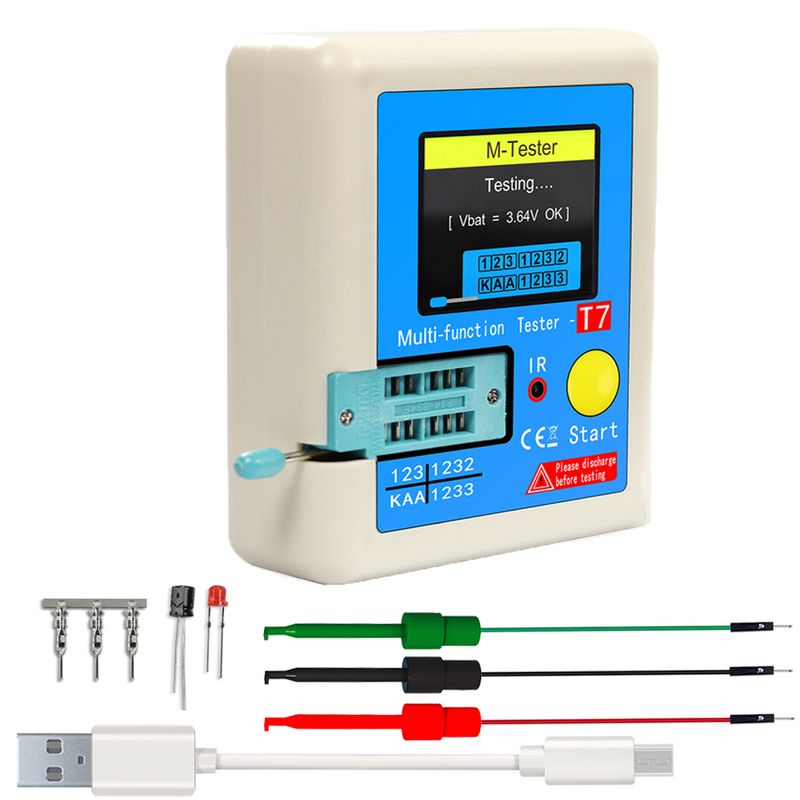
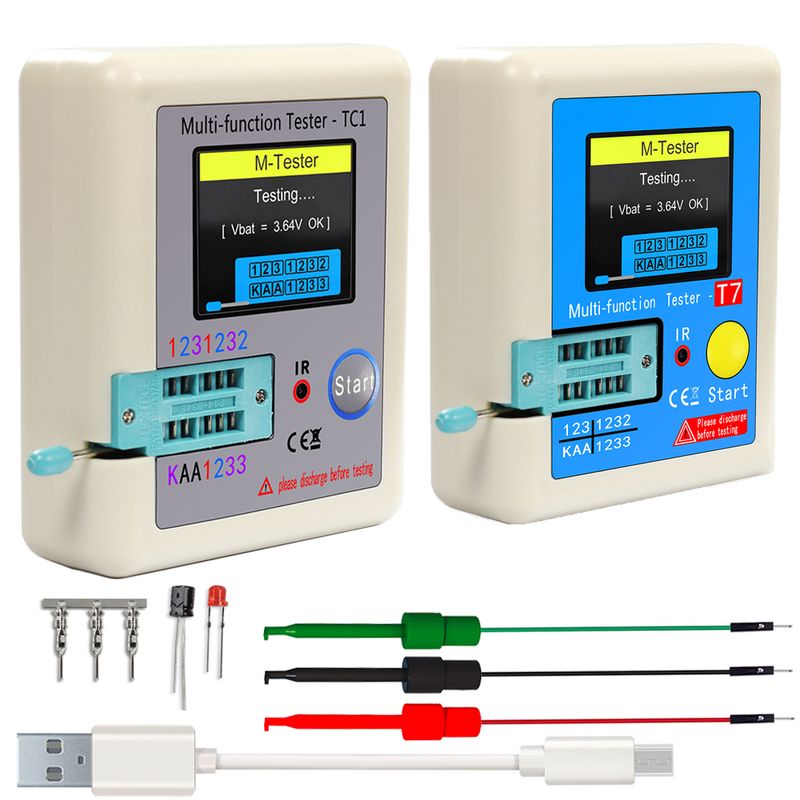
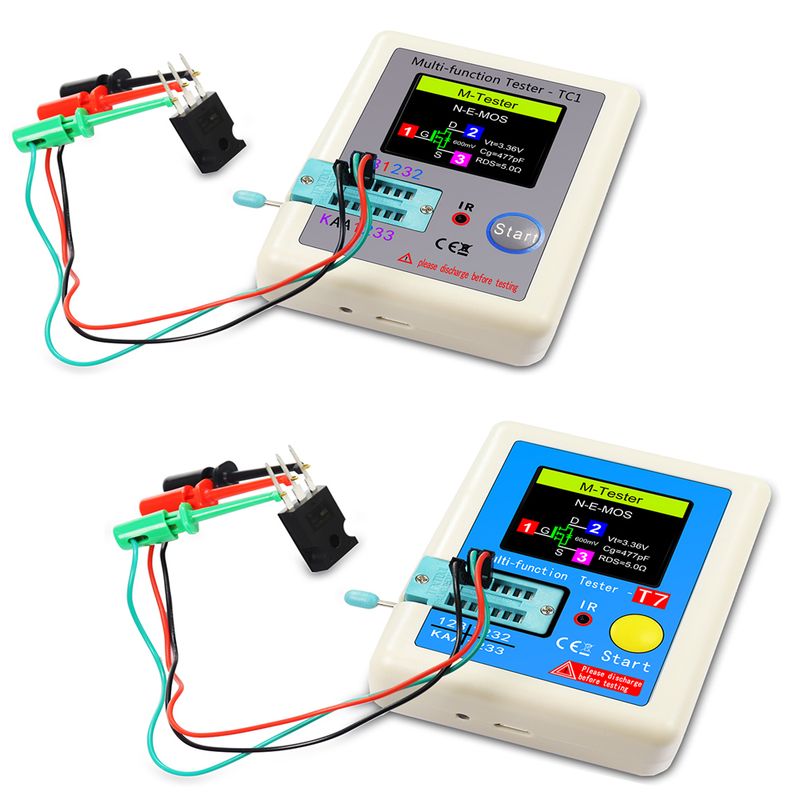
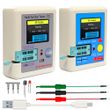
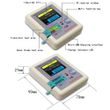
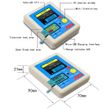
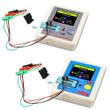
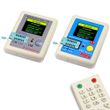
LCR-TC1 1.8" TFT LCD Display Multi-meter Transistor Tester Diode Triode Capacitor Resistor Test Meter MOSFET NPN PNP Triac MOS
Includes all taxes
Meet your Seller
-
$22.14Sold by BILLIONS BIRDS
Description


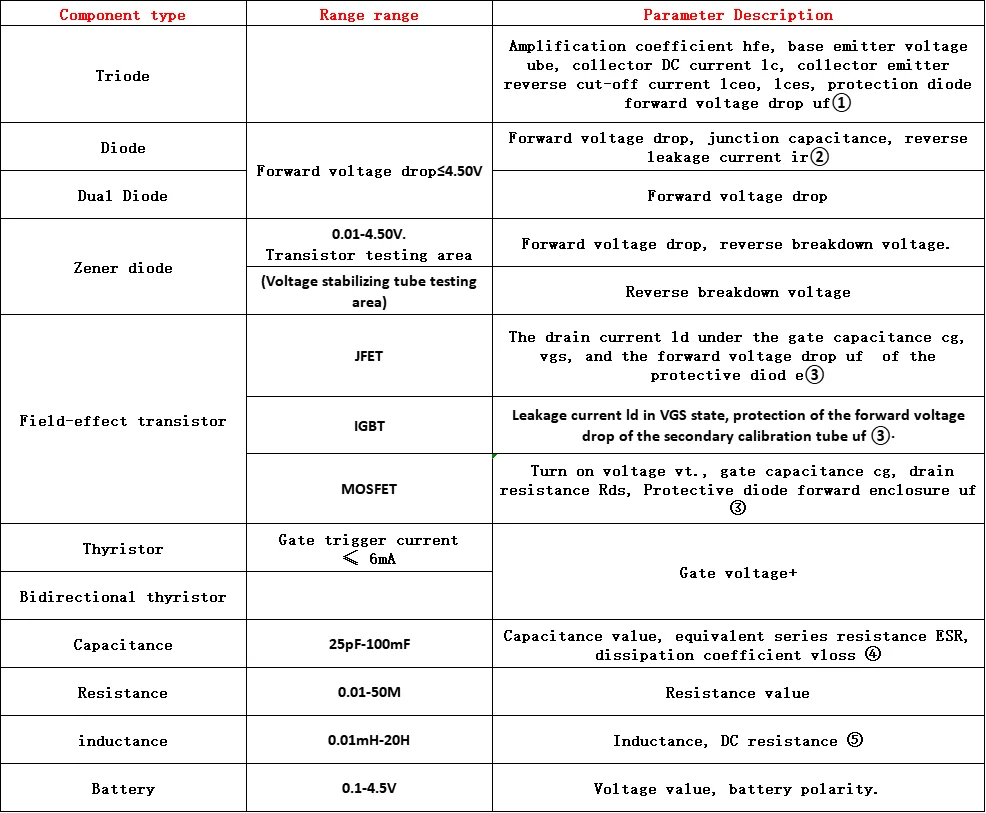
Note ①: Iceo, lces, and Uf are only displayed when they are valid.
Note ②: Junction capacitance and reverse leakage current are only displayed when they are valid.
Note ③: Only displayed when there is a protective diode present
Note ④: ESR and Vloss are only displayed when they are valid.
Note ⑤ When a single resistor and the resistance value is less than 2.1k, test the inductance.
Transistor tester:
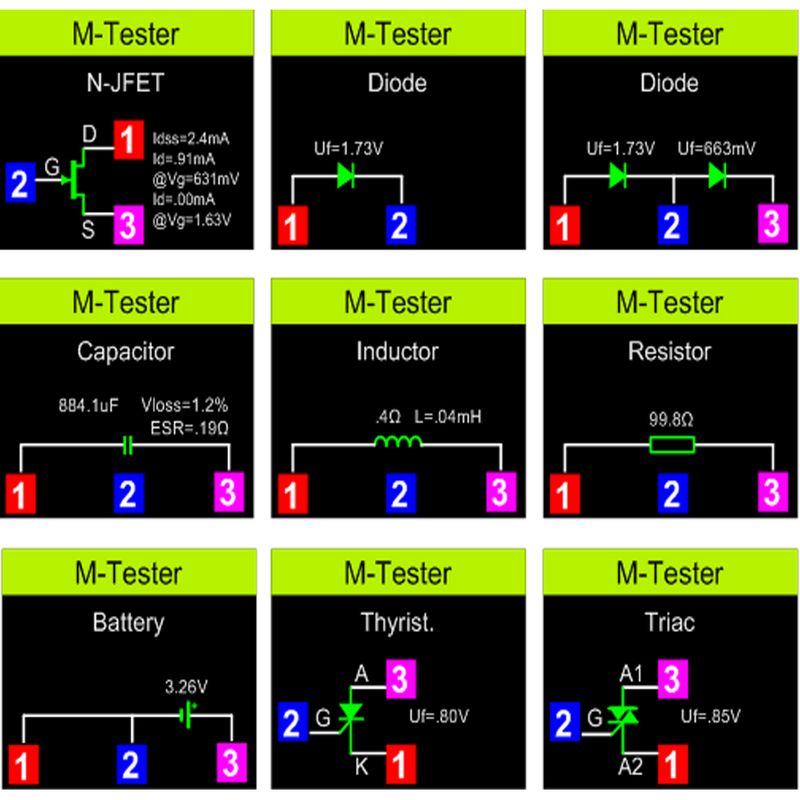
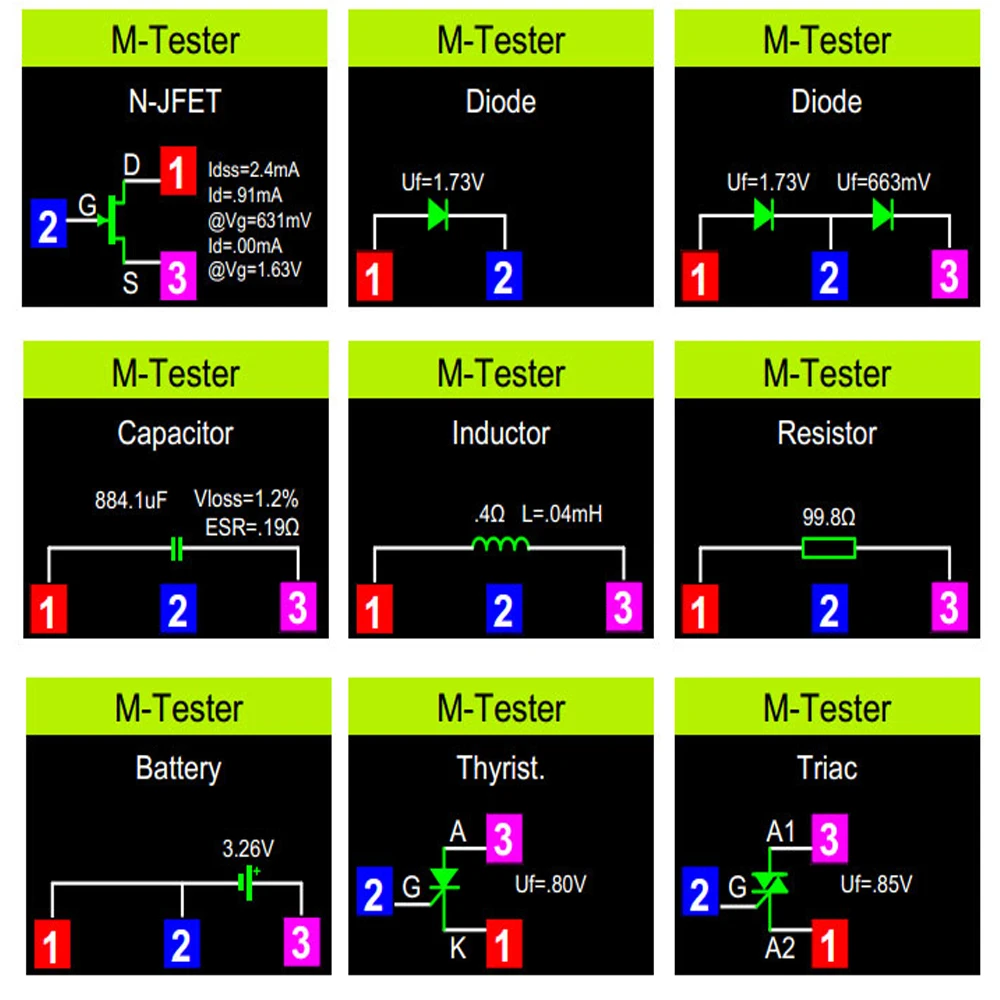
Automatic detection of NPN and PNP bipolartransistors.N-channel and P-chmnnel
MOSFETs,JFETs diodes(including double Diodes)
N.and P-IGBTS, resisiors, Inductors, capacitors, thyristors,triacand battery (0 .1-4.50V)
Automatie detection of zener diode (0.01-20v)Self test with automatic calibration
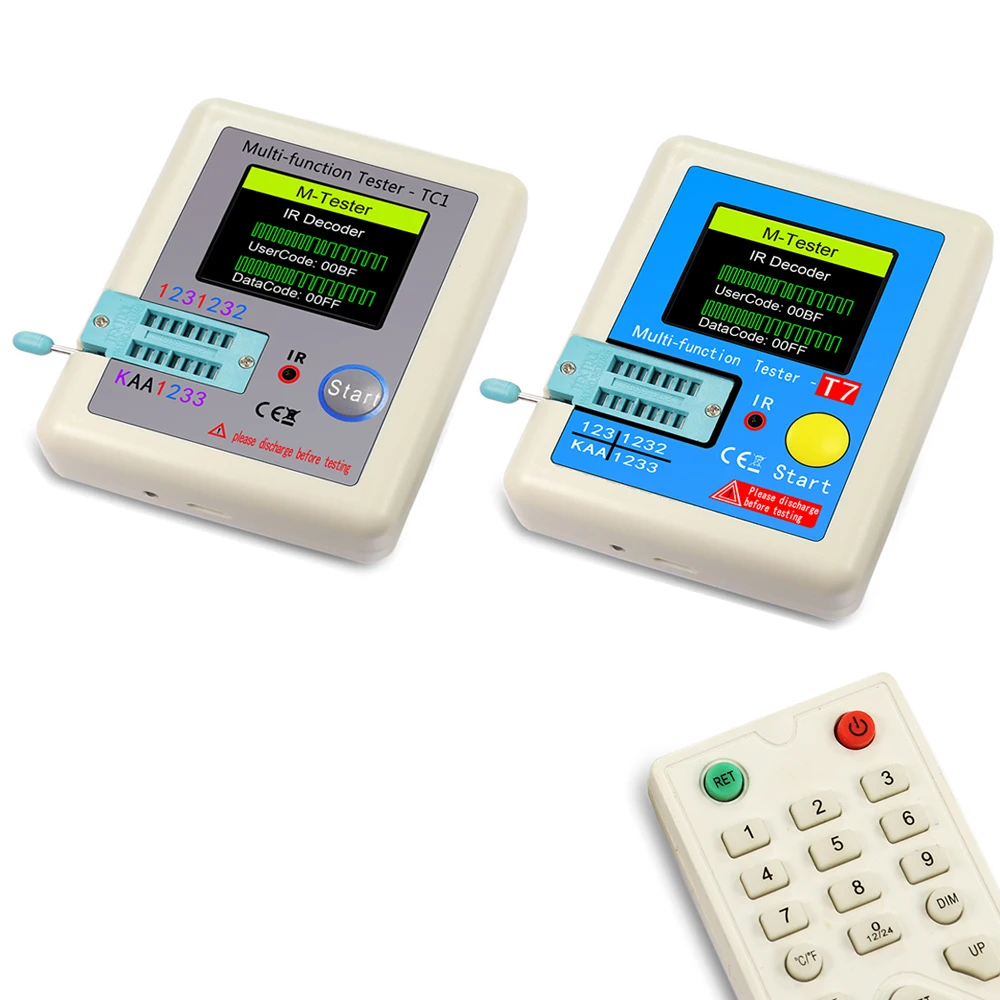
IR decoder:
Support Hitachi lR coding
-lR waveform display
Other:
Measurement results using TFT graphic display(160x128)Auto Power Off(Timeout Settable)
Built-in rechargeable Li-ion Battery
Li-ion Battery voltage detection - 160x128 TFT display
Warning: Built-in Li-ion Battery, it is strictly prohibited the testerimmersed in water, or near a heat source!
Warning: For your personal safety, please strictly comply withthe use of Li-ion Battery specifications and precautions!
Power on:
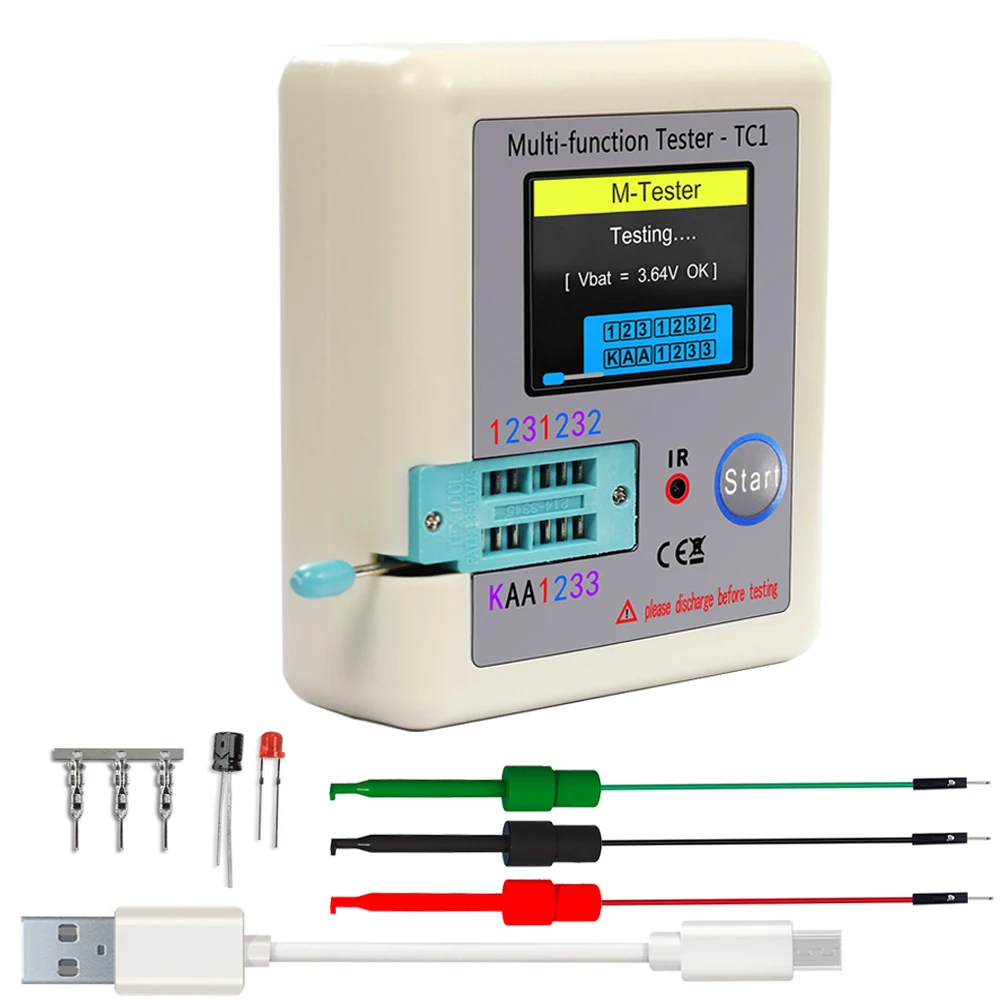
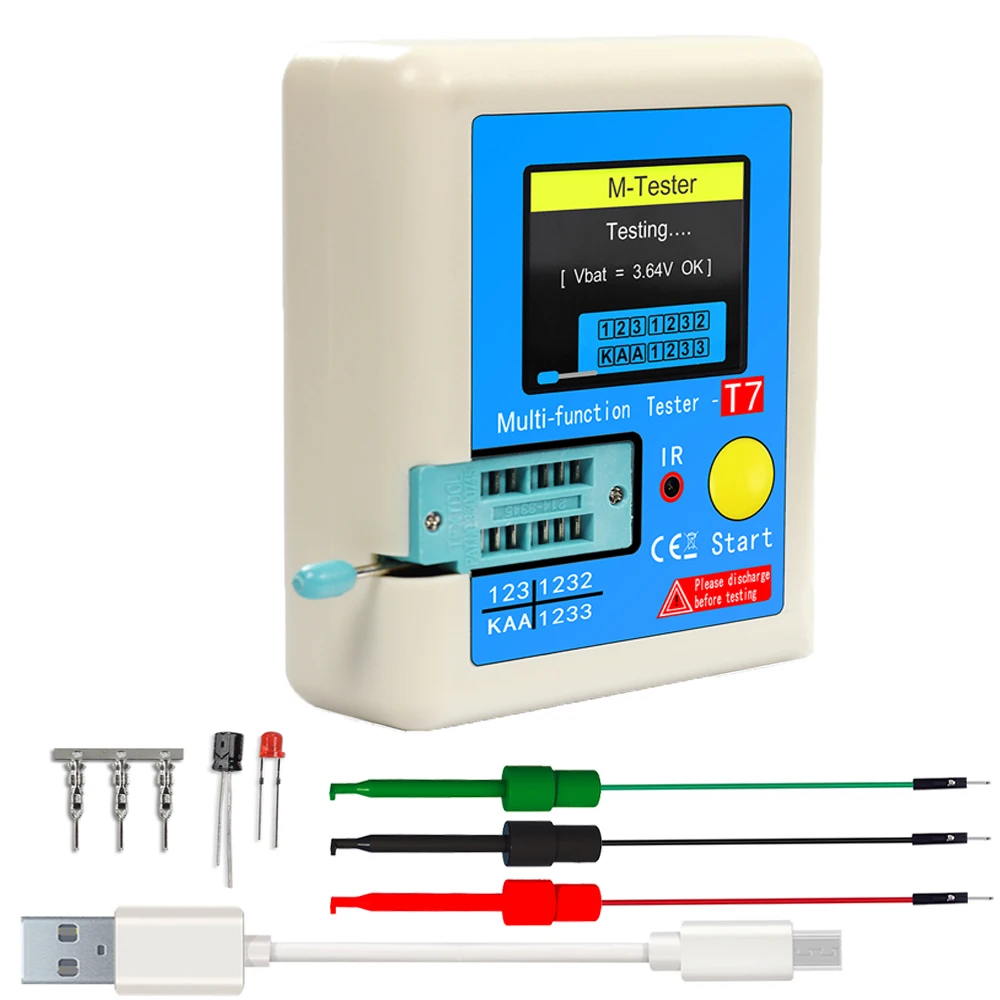
In the power off state, short press themultifunction key, the tester is turnedon and automatically measured.

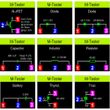
Power on & measurement interface
Detect transistor:
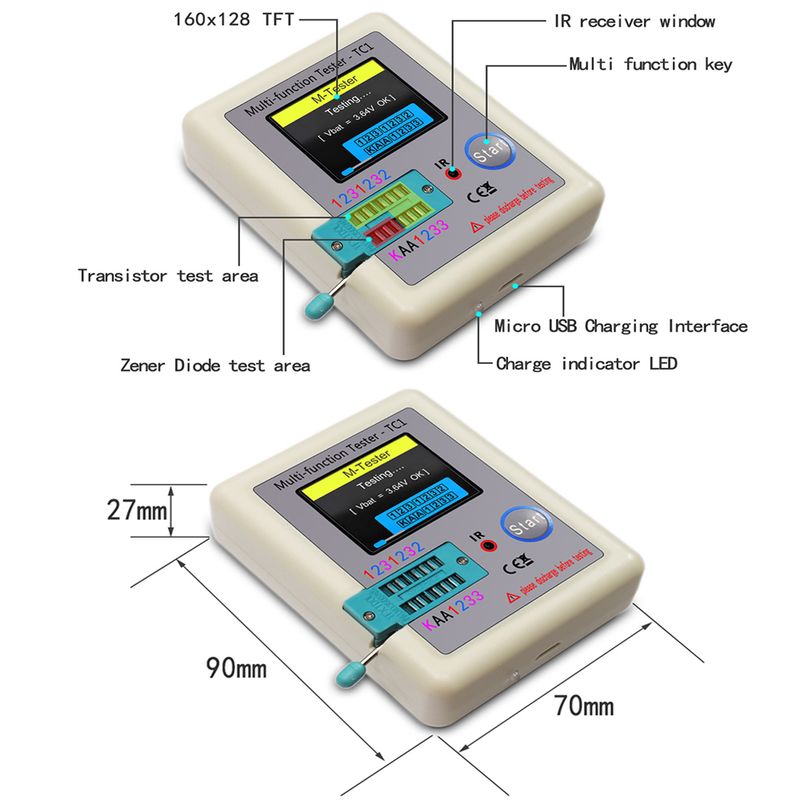
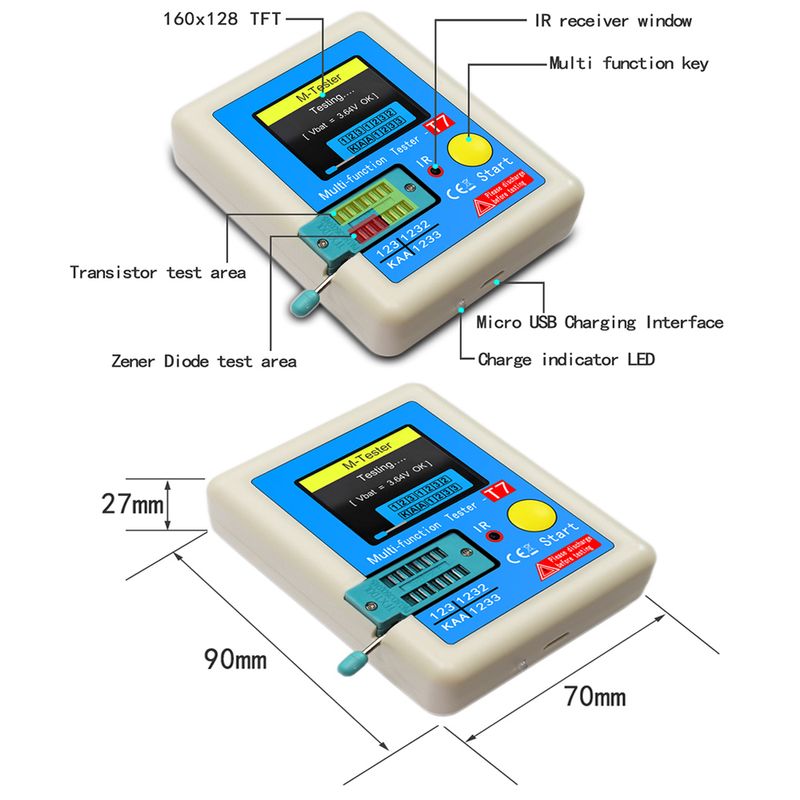
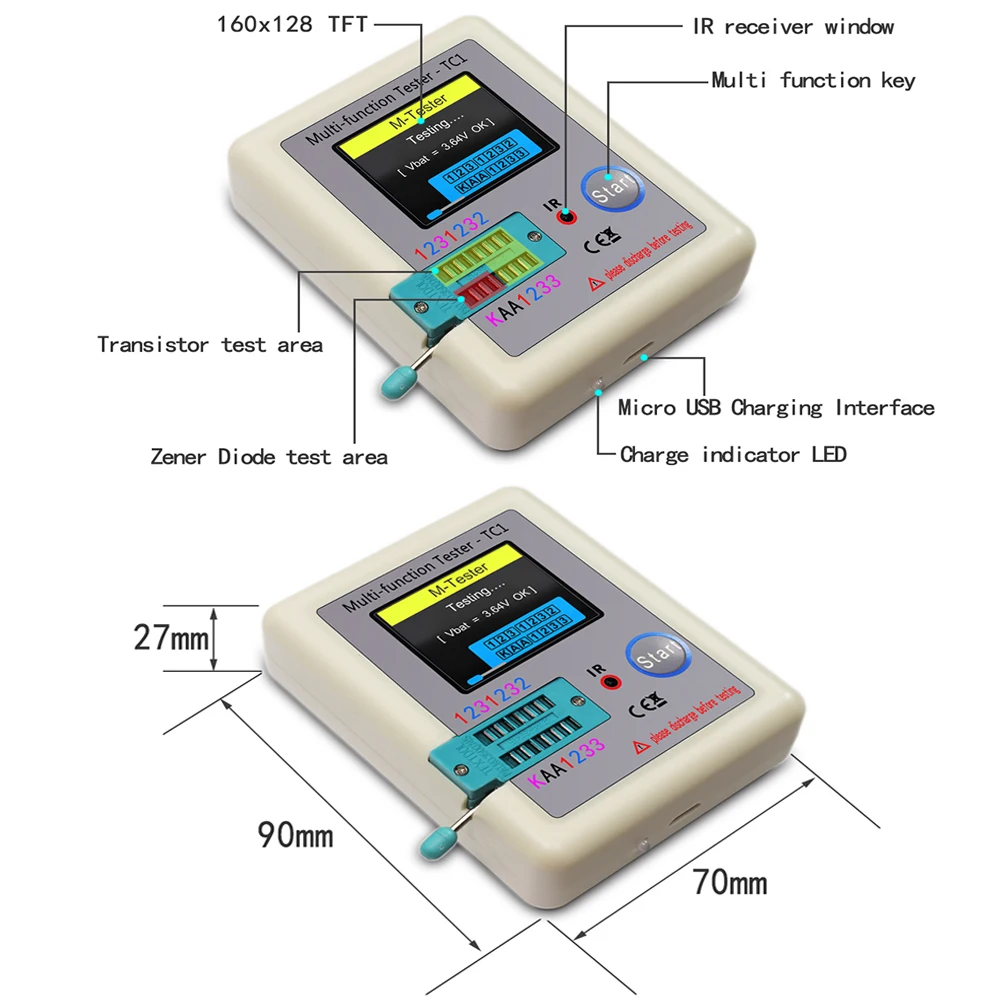
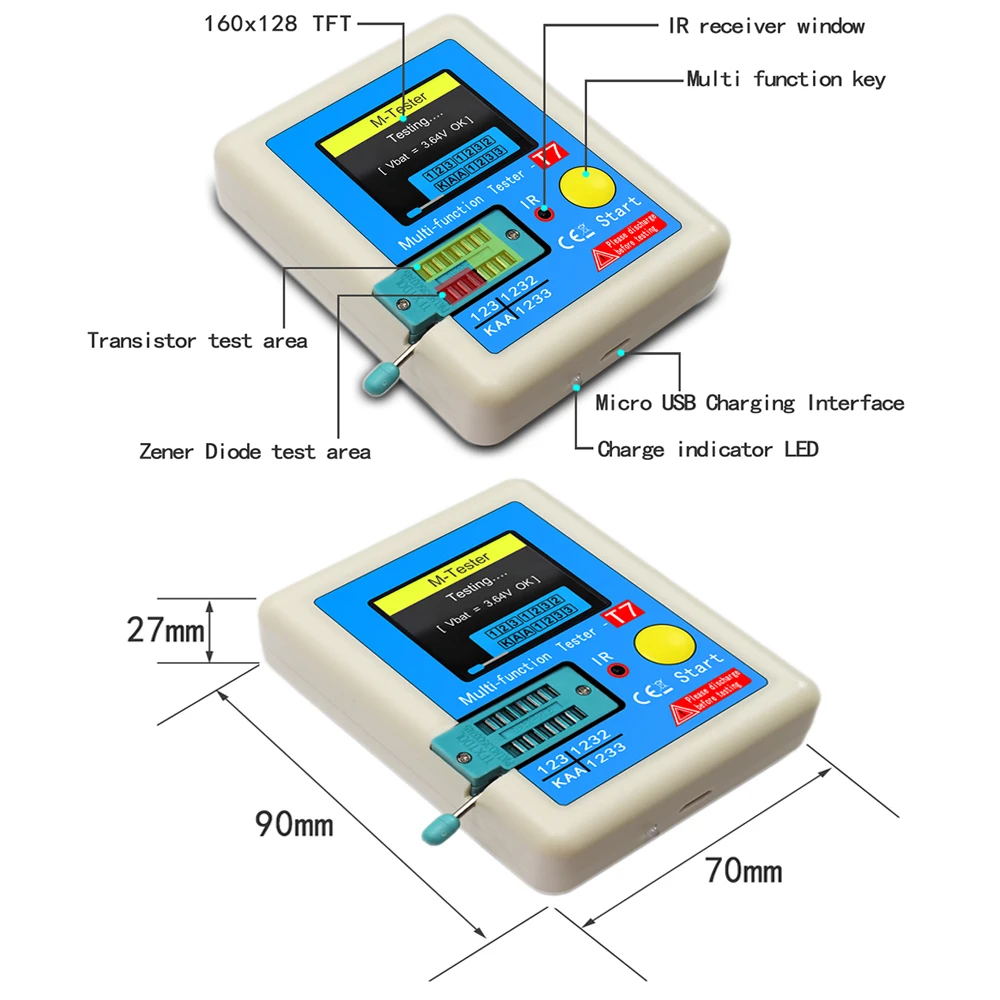
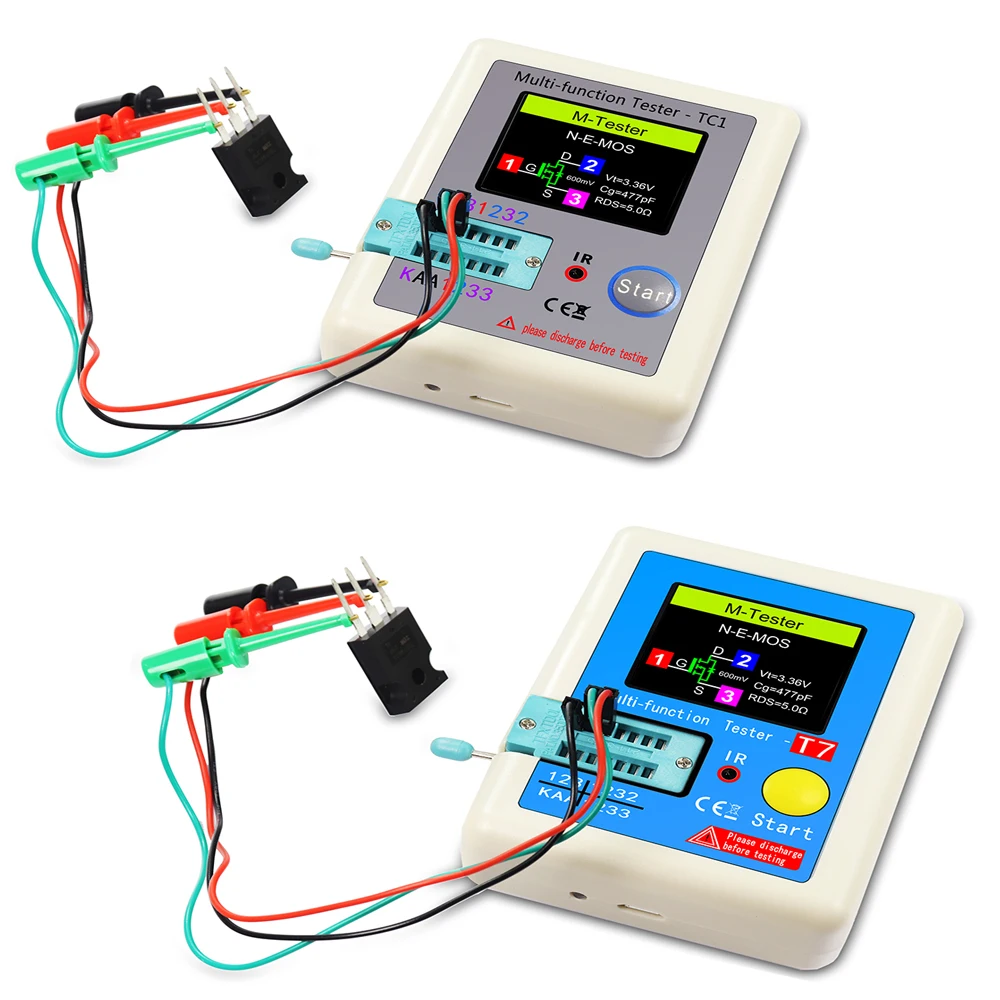
ln the power off state or the test is completed, put the test element into the transistor test area oftest seat, and press the locking handle, short press the multifunction key, the tester automaticallymeasure, graphical display of measurement results when testing is complete.
Warning: Always be sure to DISCHARGE capacitors before connectingthem to the tester! The tester may be damaged before you have switched it on!
Warning: Always be sure to DISCHARGE capacitors before connectingthem to the tester! The tester may be damaged before you have switched it on!
Warning: We do not recommend using the tester to measure thebattery! The battery voltage must be less than 4.5V, otherwise the testermay be damaged!

Detect Zener Diode:
When the device is turned off or the test is completed, put the Zener diode into the Zener diodetest area, press the locking handle, and briefly press the multi-function button.
Note: Do not put components in theTransistor test area, otherwise theZener diode cannot be tested!

Note: Do not put components in theTransistor test area, otherwise theZener diode cannot be tested!
lR decoder:
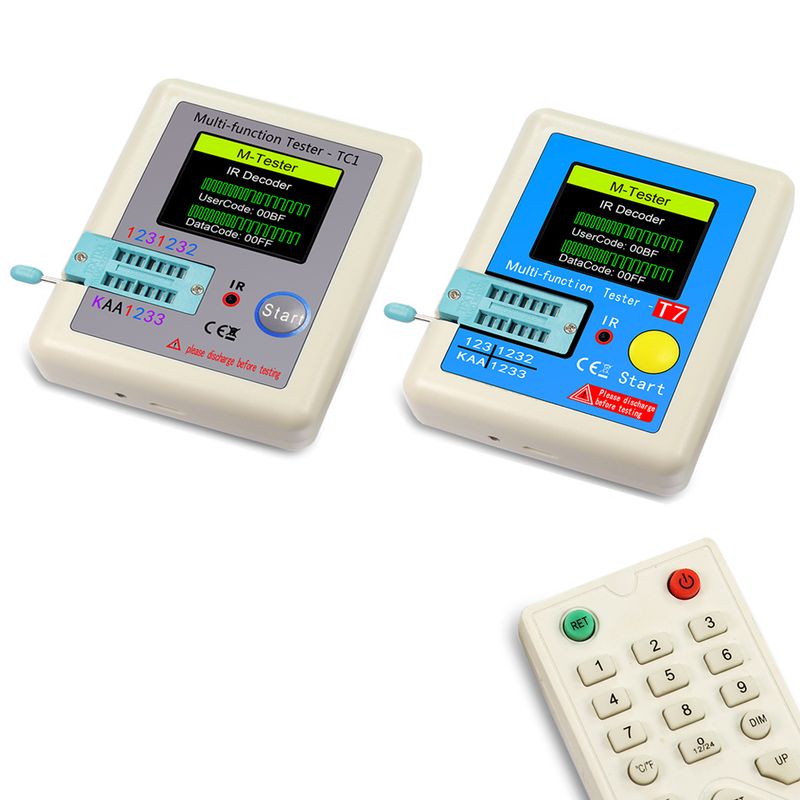
After the component test is completed, point the infrared remote control at the "IR" test hole of the tester. press the remote control button, the tester will display the user code and data code after successful decoding, and display the corresponding infrared waveform.
lf the decoding fails or the decoding fails, the user code and data code cannot be displayed.Atthis time, if you are in the tester interface, you cannot enter the infrared decoding interface. If youare in the infrared decoding interface, the last successful decoding information will still be displayed.

Note:This decoder only supportsinfrared encoding in Hitachi format.Other formats of infrared encodingare not supported
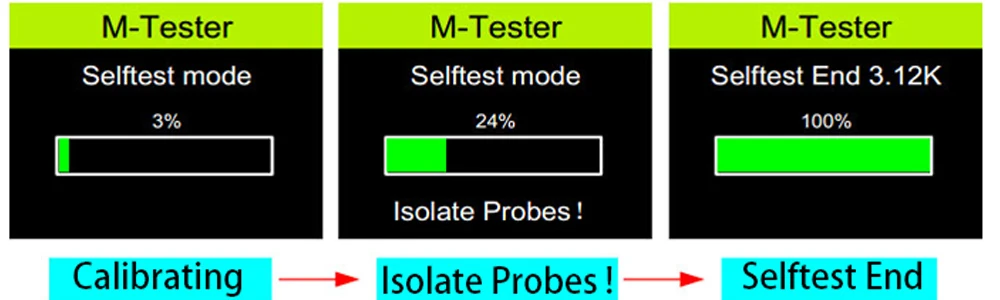
Automatic calibration:
Short-circuit three test sockets, short press the multi-function button, and the tester willautomatically calibrate.
During the calibration process, there is no need to perform other operations except to disconnectthe short wire according to the prompts.
Shutdown:
Automatic shutdown after timeout
When the component test is completed or the infrared decoding is completed, and the automaticshutdown time is reached, the tester will automatically shut down (overtime 30 seconds) Standby power consumption is 0 UA after shutdown.
Battery voltage measurem:
Before each component measurement, the built-in lithium battery voltage will be detected anddisplayed. When the battery voltage is less than 3.1V, it will be forced to shut down. Pleasecharge it at this time.

Battery charging circuit:
The charging interface is a standard Micro USB interface, please use an external 5V powersupply or USB power supply for charging.
Note: When the charging indicatoris red, it means charging, and greenmeans charging is complete.
FAQ:
The charging interface is a standard Micro USB interface, please use an external 5V powersupply or USB power supply for charging.
Question:can not power on
Cause:Lithium battery is low
Solution:Please charge until the light turns green
lnaccurate:Please re-calibrate
measurements:Please re-calibrate
Known errors and unsolved problems:
1.The current amplication factor of germanium transistors can be measured too high becauseof the high residual current. In this case the basis emitter voltage will be very low.
2.Capacity value in reverse direction for Power Schottk Diodes such as MBR3045PT can not be measured, if only one diode is connected.The reason is a too big residual current of thisdiode. Sometimes the measurement is possible by cooling down the device (with cooling sprayfor example).
3.The diode function of a triac gate can not be examined.
4.The Source and Drain pins can not be detected correctly with JFET's. The reason is thesymmetrical structure of this semiconductors. You can notice this problem with the elect,that the display shows the same layout with the same pal rameters, if the Source and Drain pinsare swapped.
5. The output current of the tester is 6MA/voltage <5V.High-power IGBTs, thyristors, andDarlington tubes that require higher current/higher voltage drive may not be measured. Air corecoils and power inductors cannot directly measure inductance. It is recommended to try seriesconnection. Appropriate color ring inductance test, capacitors below 20PF, it is recommended totest a 20PF capacitor
Shop Policies
Payment Policy
Payment Policy – BILLIONS BIRDS
At BILLIONS BIRDS, we are committed to providing a safe, secure, and seamless payment experience for our customers.
1. Accepted Payment Methods
We accept the following payment options:
Major Credit & Debit Cards (Visa, MasterCard, American Express)
Secure Online Payment Gateways (such as PayPal, Stripe, or other providers available at checkout)
Any additional payment methods displayed during checkout
All payments must be completed in full at the time of purchase.
2. Secure Transactions
All transactions are processed through encrypted and secure payment systems to protect your personal and financial information. We do not store your full payment details on our servers.
3. Currency
Prices are displayed in the currency indicated on the website. If you are purchasing from another country, your bank may apply currency conversion fees.
4. Order Confirmation
Once your payment has been successfully processed, you will receive an order confirmation email containing your purchase details.
5. Failed or Declined Payments
If your payment is declined, please verify your billing information or contact your bank. Orders will only be processed after successful payment confirmation.
6. Fraud Prevention
BILLIONS BIRDS reserves the right to cancel or refuse any order if fraud or unauthorised activity is suspected.
Delivery Policy
Delivery Policy – BILLIONS BIRDS
At BILLIONS BIRDS, we are dedicated to delivering your orders safely and efficiently.
1. Order Processing
All orders are processed within 1–3 business days after payment confirmation. Orders are not processed or shipped on weekends or public holidays.
2. Shipping Times
Estimated delivery times vary depending on your location:
Domestic Shipping: 3–7 business days
International Shipping: 7–15 business days
Please note that delivery times are estimates and may vary due to customs procedures, carrier delays, weather conditions, or other unforeseen circumstances.
3. Shipping Costs
Shipping fees are calculated at checkout based on your location and selected shipping method. Any customs duties, taxes, or import fees are the customer's responsibility.
4. Tracking Information
Once your order has been shipped, you will receive a confirmation email with tracking details (if available) so you can monitor your package.
5. Delivery Issues
If your order is delayed, lost, or arrives damaged, please contact us within 7 days of the expected delivery date. We will work with the shipping carrier to resolve the issue as quickly as possible.
6. Incorrect Shipping Information
Customers are responsible for providing accurate shipping details at checkout. BILLIONS BIRDS is not responsible for orders shipped to incorrect addresses provided by the customer.
Refund Policy
Refund Policy – BILLIONS BIRDS
At BILLIONS BIRDS, customer satisfaction is our top priority. If you are not completely satisfied with your purchase, we’re here to help.
1. Return Eligibility
You may request a return within 14 days of receiving your order. To qualify for a return:
The item must be unused, unworn, and in the same condition as received.
The item must be in its original packaging.
Proof of purchase (order confirmation or receipt) is required.
Certain items may not be eligible for return, including clearance items, gift cards, or personalised/custom products.
2. Non-Refundable Items
The following items are non-refundable:
Final sale or discounted items
Gift cards
Items damaged due to misuse, negligence, or improper care
3. Return Process
To initiate a return, please contact our customer support team with your order number and reason for return. If your return is approved, you will receive instructions for returning the item.
Unless the item is defective or incorrect, customers are responsible for return shipping costs.
4. Refund Processing
Once we receive and inspect your returned item:
We will notify you of the approval or rejection of your refund.
If approved, the refund will be issued to your original payment method within 5–10 business days.
Please note that banks or payment providers may require additional time to process refunds.
5. Damaged or Incorrect Items
If you receive a damaged, defective, or incorrect item, please contact us within 7 days of delivery and provide clear photos of the product and packaging. We will arrange a replacement or full refund at no additional cost.
6. Late or Missing Refunds
If you have not received your refund:
Check your bank account again.
Contact your credit card company or payment provider.
If the issue persists, don't hesitate to contact our support team for assistance.
Recommended Products
Customer reviews
Share your thoughts with other customers
Be the first one to write a review!

Items (0)
