
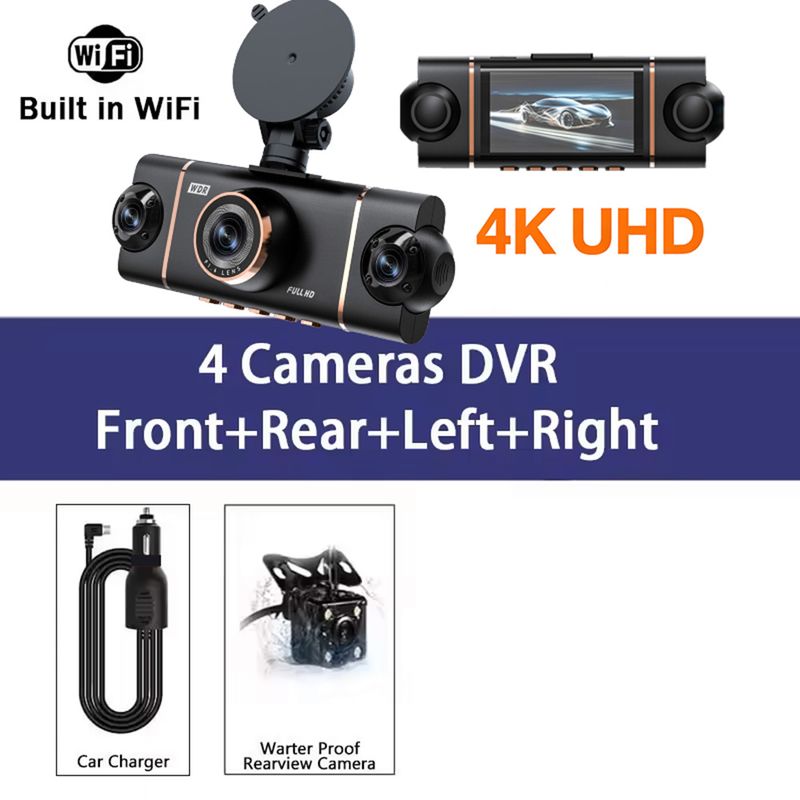
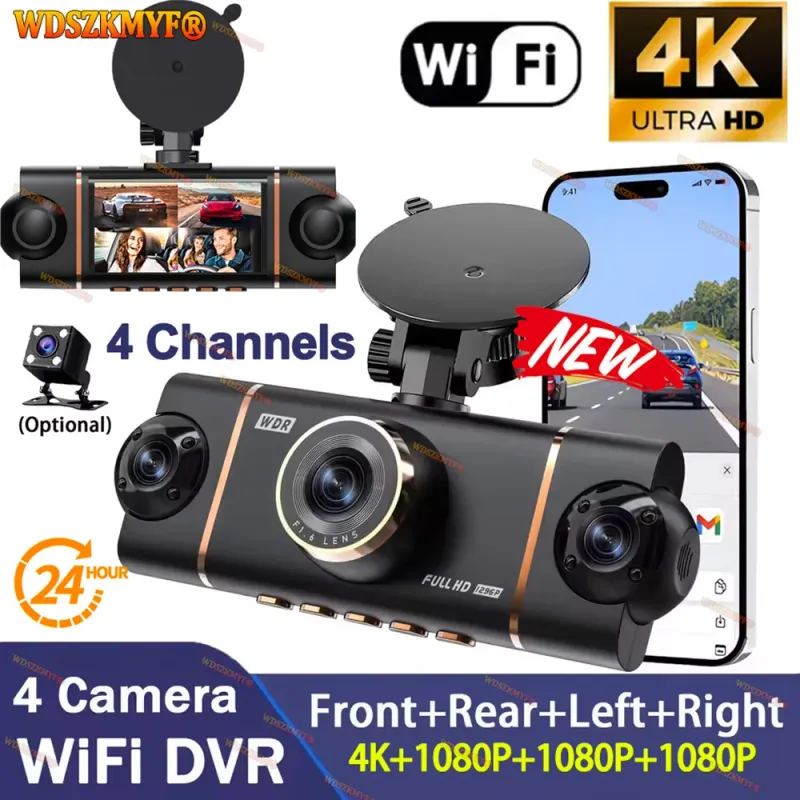






New 4CH Car DVR UHD 4K 1080P Car Dash Cam 360° WIFI APP Video Recorder Front With Rear View Night Vision 4K Black Box
Includes all taxes
Meet your Seller
-
$130.67Sold by BILLIONS BIRDS
Description

↓↓↓↓↓Installation video ↓↓↓↓↓
Memory card requirements: You must use a Class 10 or U3 high-speed TF memory card; please do not use memory cards with a capacity of 256GB or more.
Power requirements: For the dashcam, please ensure you connect the power adapter included in the package to the car’s cigarette lighter socket.
The standard package for this product does not include a memory card; please purchase one separately.
new square lens four channels 4K/1080P cameras WIFI high-end recorder
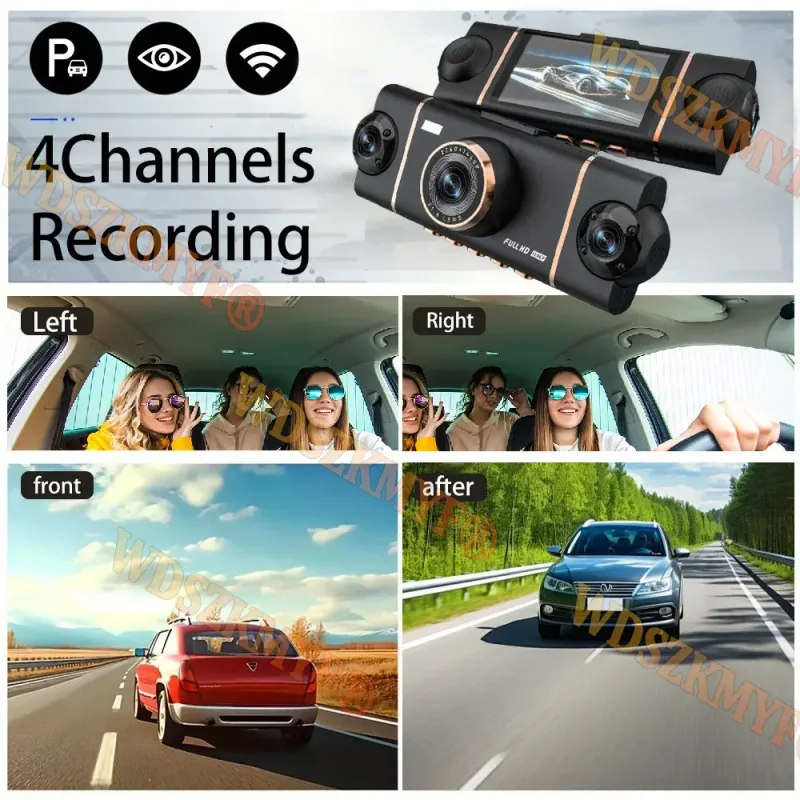
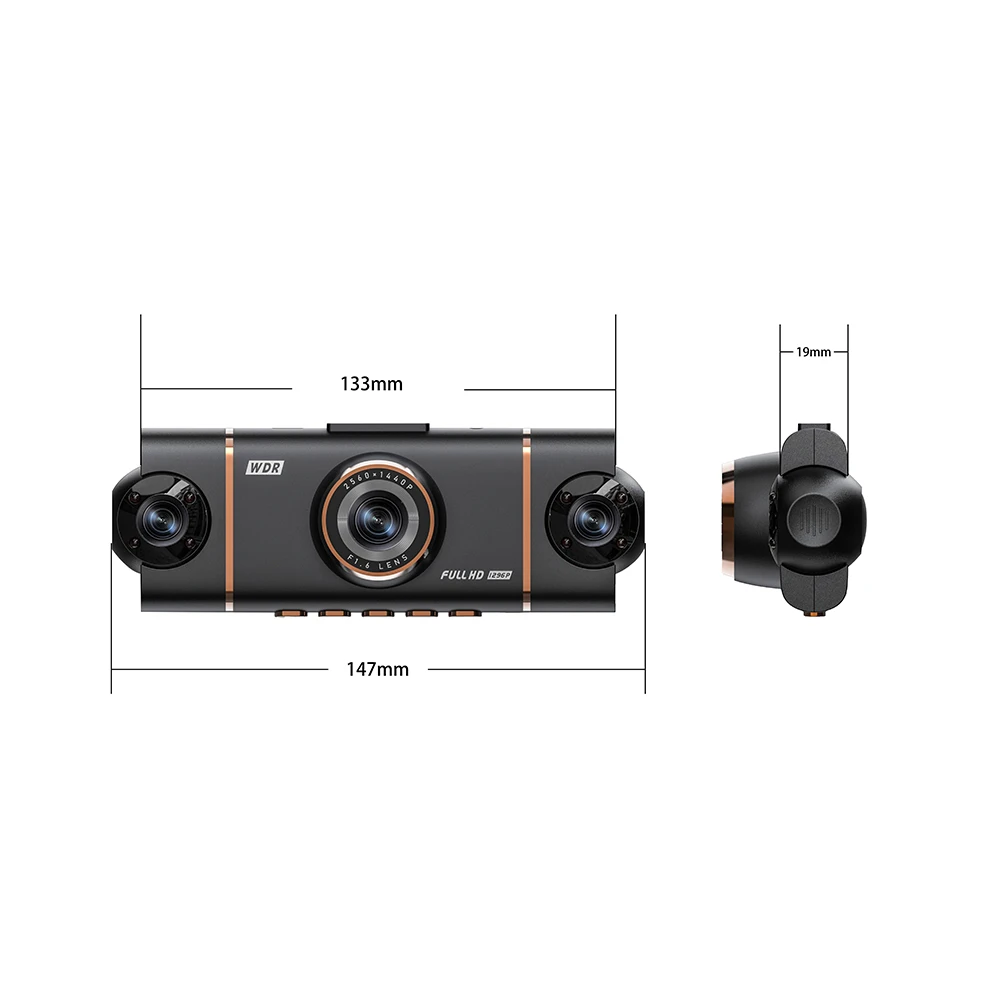
Our 4-channel dashcam, equipped with a 3-inch IPS screen, synchronises four lenses to record the front and rear dashcams, as well as the left and right sides of your vehicle, simultaneously in high definition. With a crisp 4K front camera and three adjustable 1080p lenses, it captures every critical detail, eliminating all blind spots for complete peace of mind on the road.
Function:
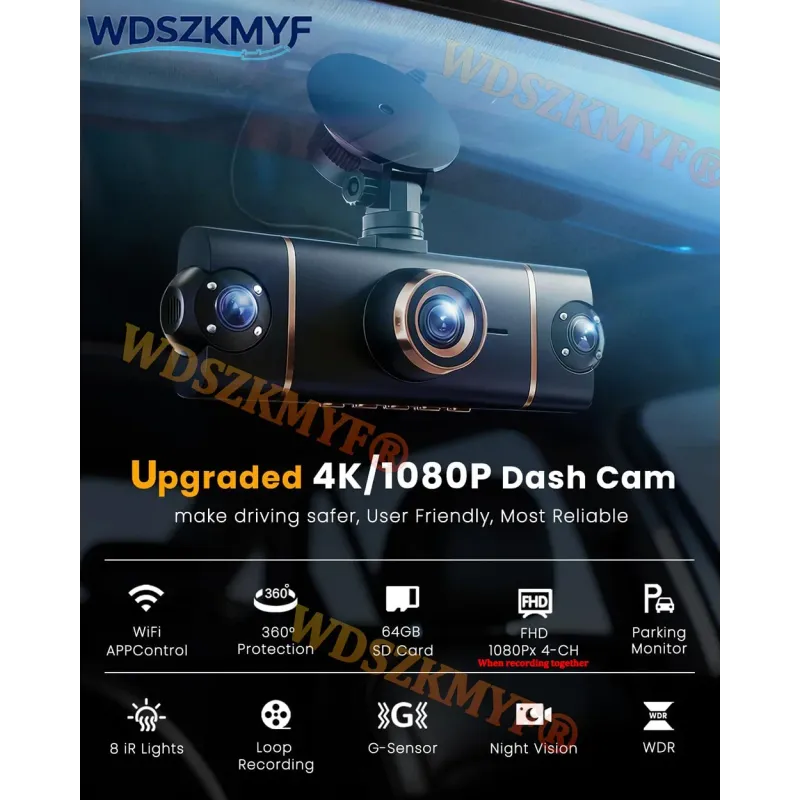
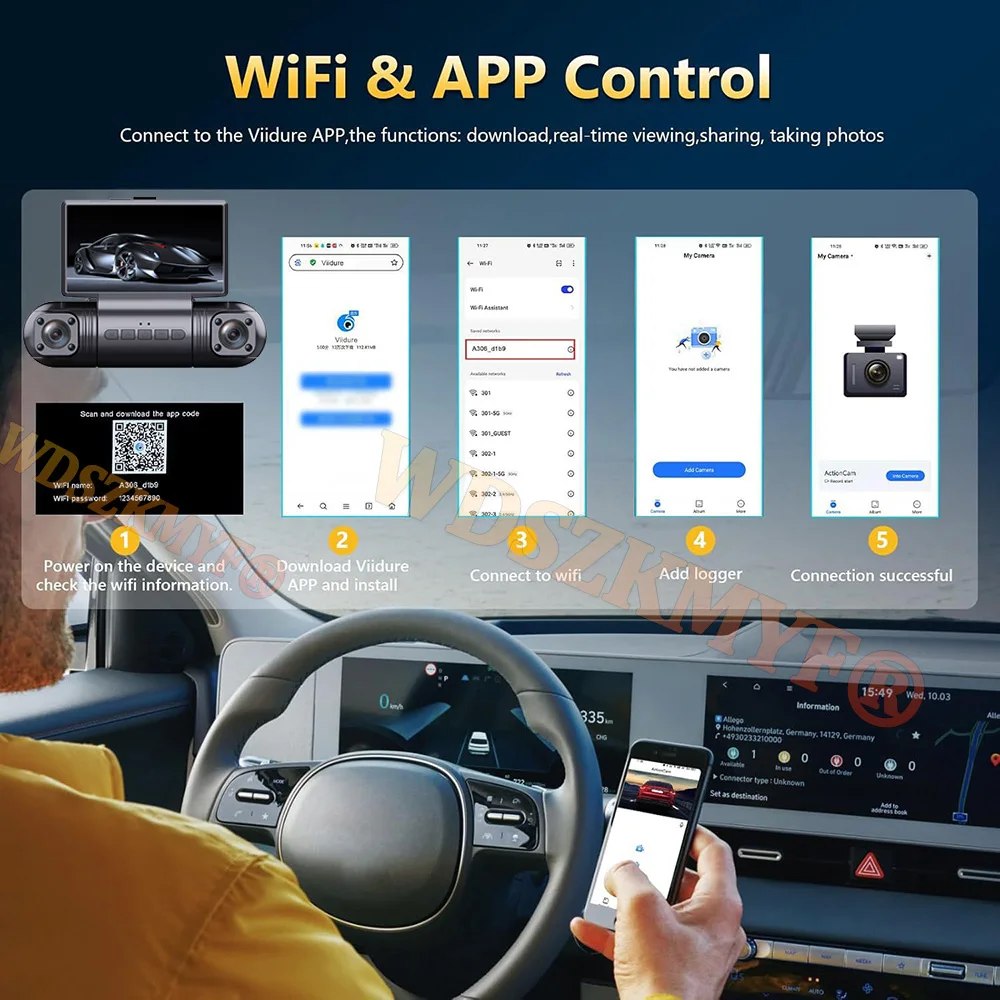
-------Wi-Fi and APP Control
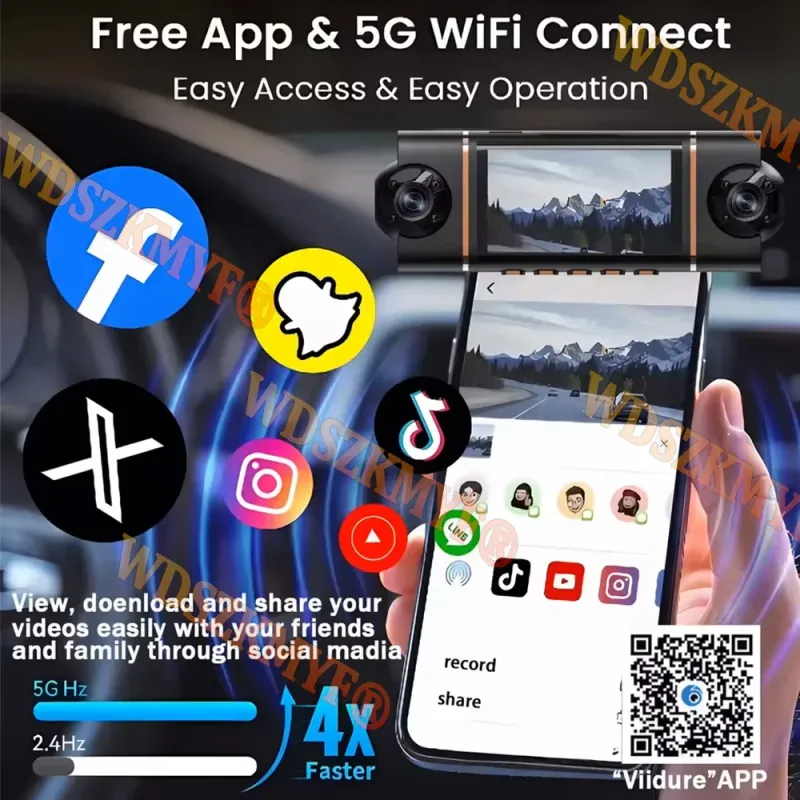
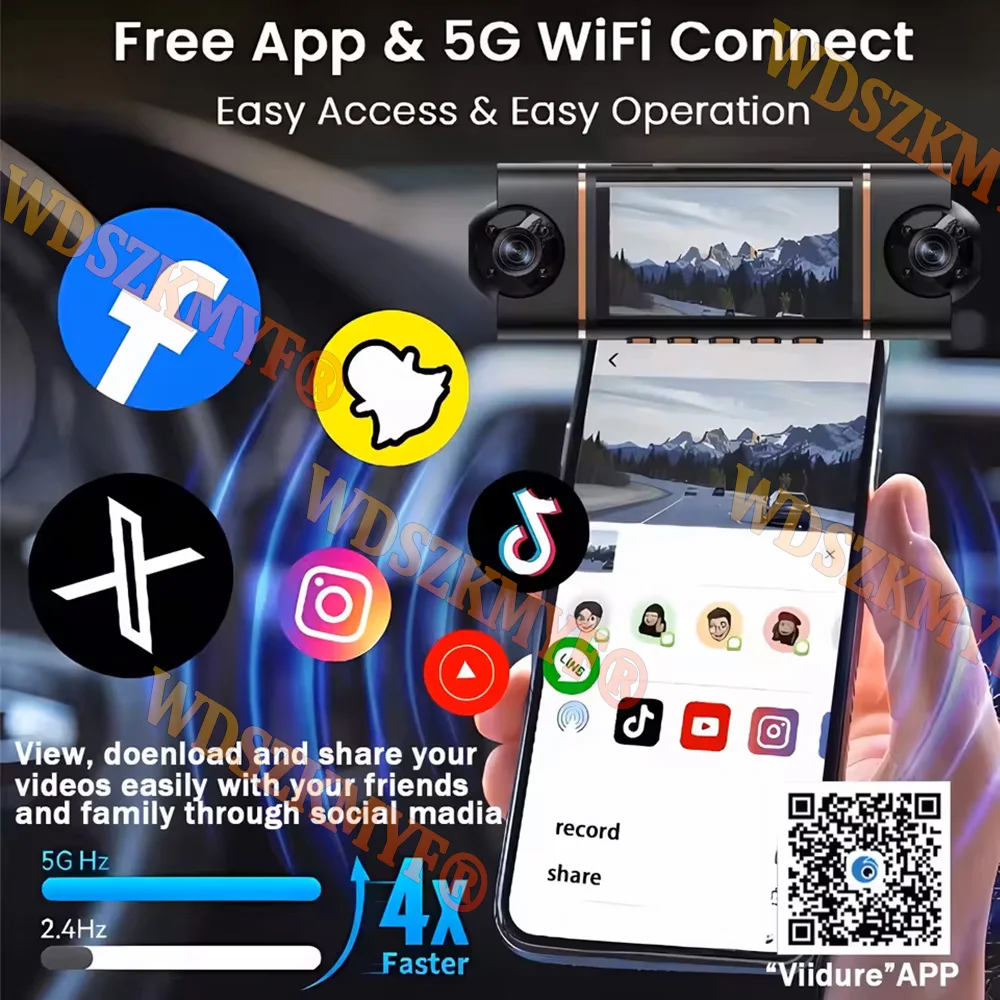
WiFi function: point-to-point connection with mobile phone, and view video at any time.
Comes with Wifi function, you can watch, playand download videos via free APP.In addition,you can easily share recorded videos with friendsand family.
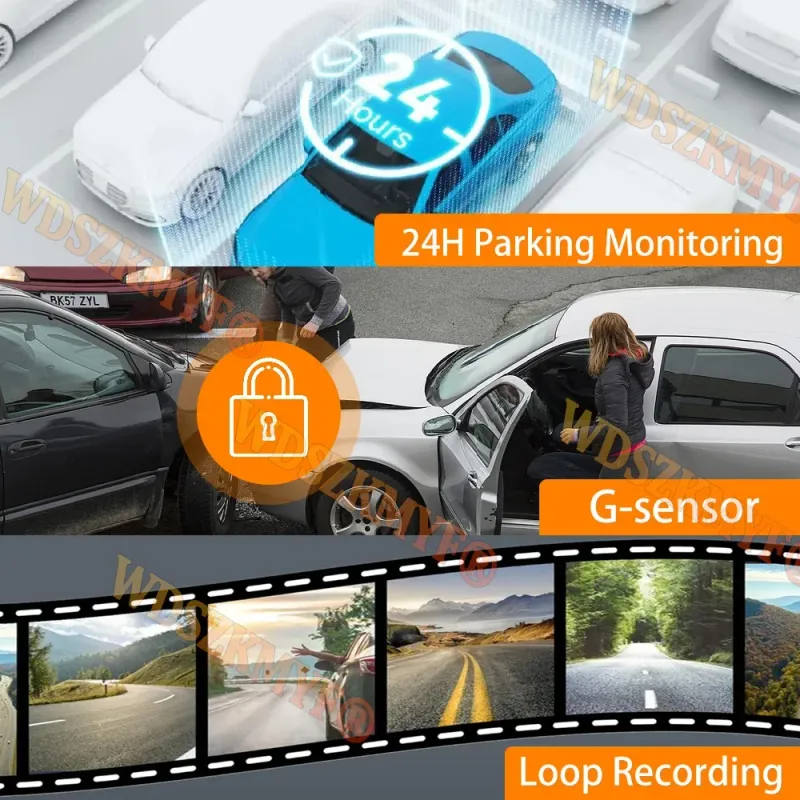
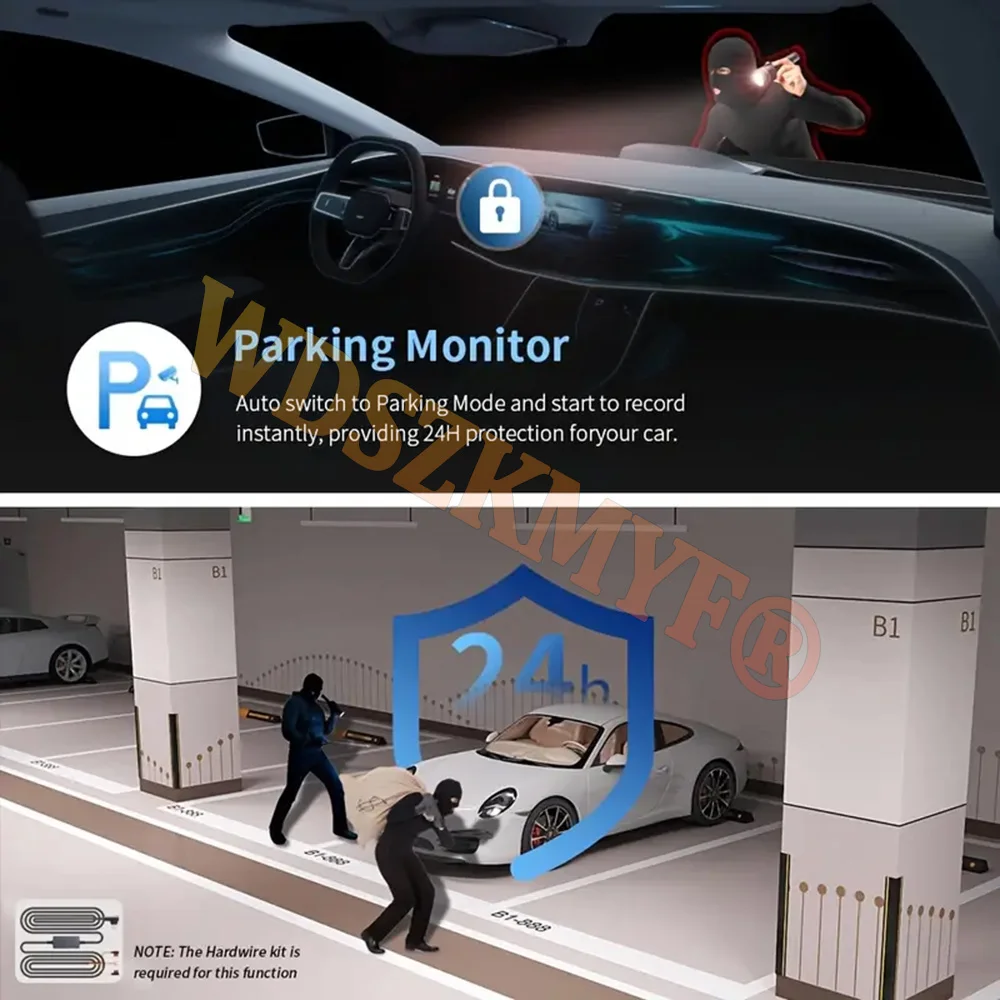
-------24-hour parking monitor-hardwire (optional): waiting 24 hours a day (to ensure that the car itself has electricity). When the car is started, it is recorded normally. After the car is turned off, if it is hit or vibrated, the machine will immediately wake up to record and keep the video as evidence. Don't worry about the situation that the car is turned off and you can't record the video.
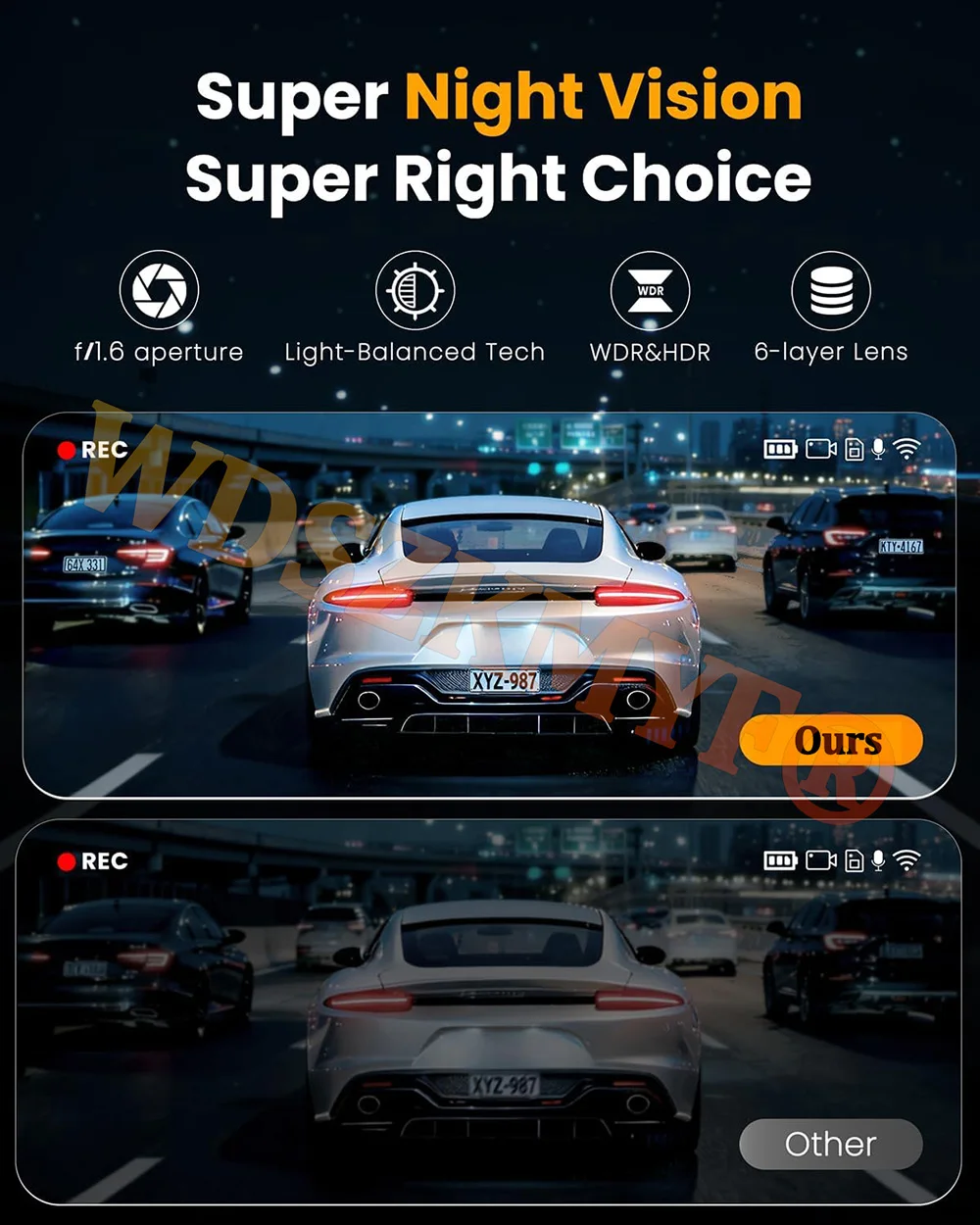
-------Superior Night Vision
The recorder offer the latest built-in highly sensitive night vision image sensor, which will automatically compensates for light/dark spots and balances exposure, makes all scene details are recorded vividly.
-------Infrared function
Enhance the night vision function at night to make the night video clearer.Even in low-night conditions, it capture clear videos and photos in your driving or parking moment.
-------WDR, Wide Dynamic Range, and super wide dynamic make the particularly bright and dark parts in the scene can be seen clearly at the same time. (Wide dynamic range is the ratio of the brightest brightness signal value that an image can distinguish to the darkest brightness signal value that can be distinguished. )
-------170-degree wide angle, super-large lens angle, wider recording range, perfectly capturing every blind spot.
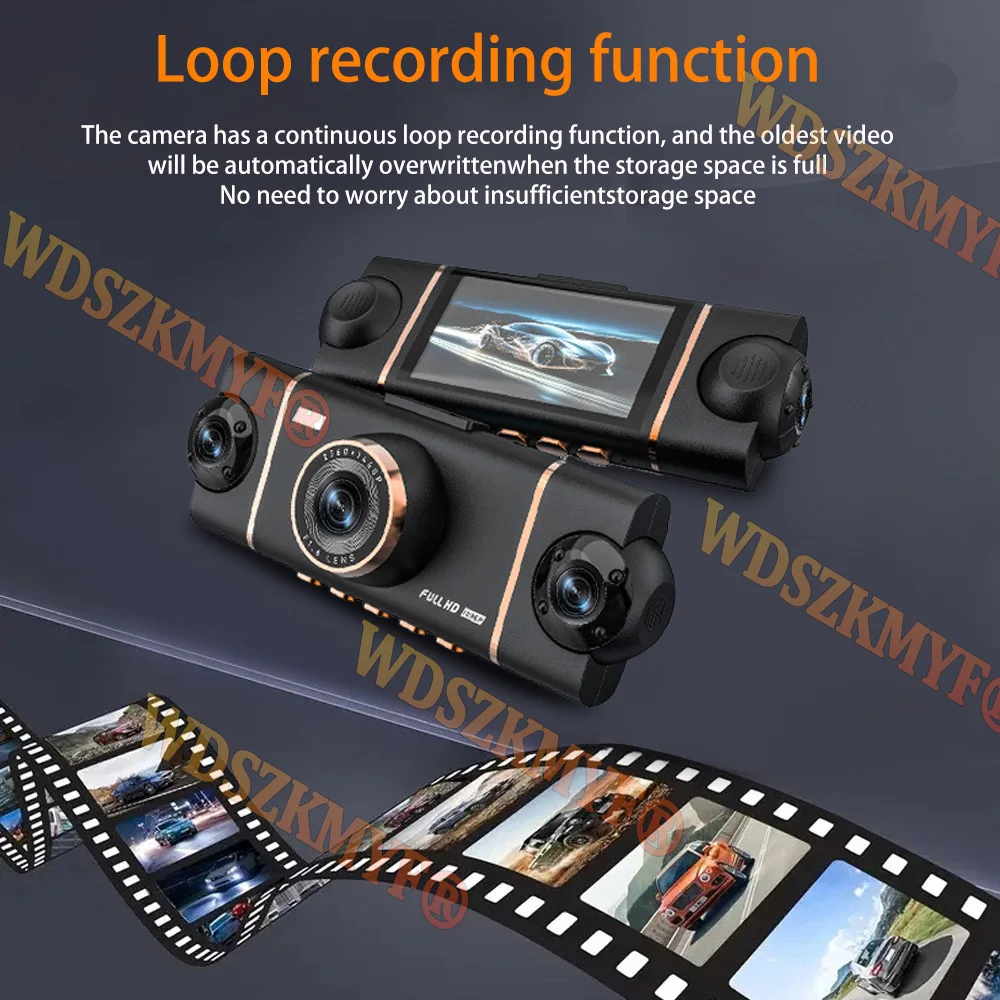
-------Loop recording,is a video recording technology, which can constantly overwrite the old video during the recording process, thus achieving the effect of loop recording.
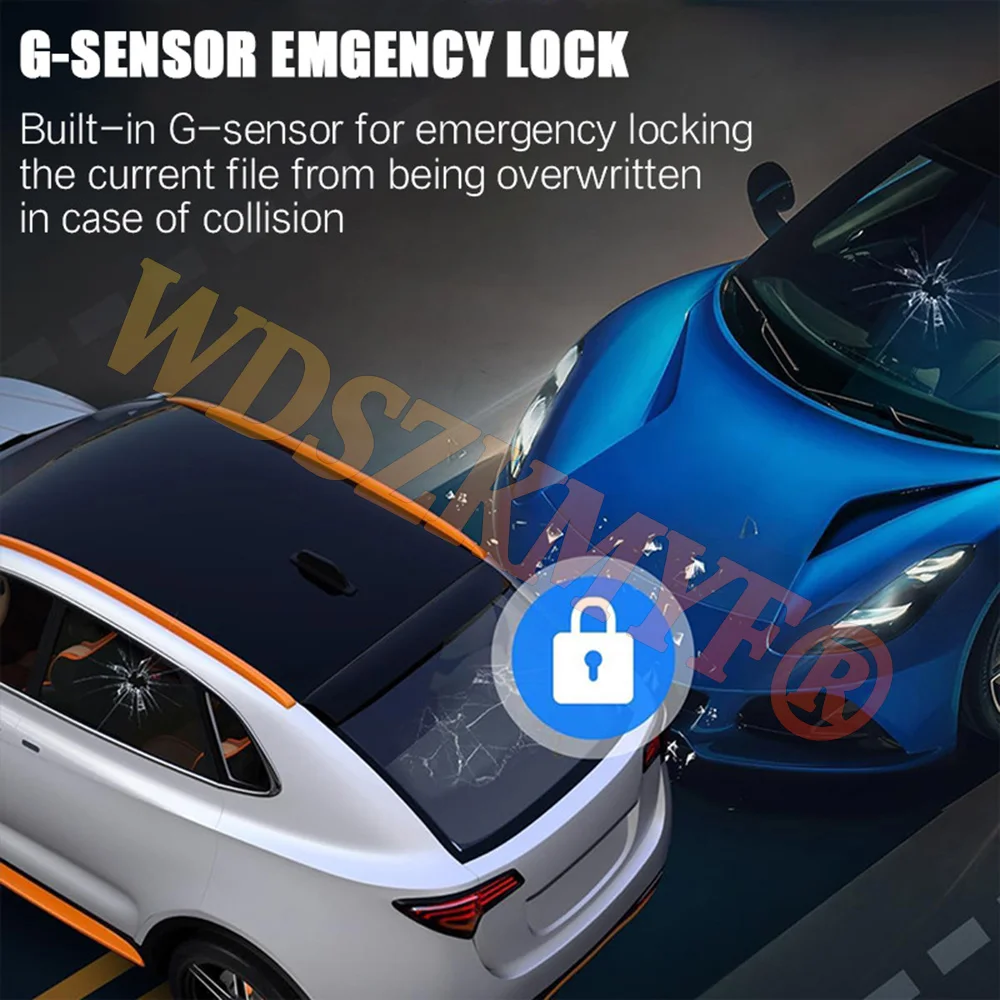
-------G-sensor function, the machine will automatically save the video when the accident happens as an undeletable file.About WIFI Connection:
Before connecting to the DVR on the phone, it is necessary to install the WIFI connection app "Viidure APP" in advance.You can search for "Viidure" installation in the Apple App Store or Google App Market.
Steps:
(1) In standby mode, long press the "M" key to enter the DVR menu and enter the WIFl setting menu;
(2)In the wifi menu of the DVR, check to obtain the wifi SSID name and password;
(3)Open the "Viidure" APP on your phone, enter the configuration mode, turn on the wifi function of the phone, follow the prompts to find the SSID wifi signal of the DVR and enter the password to connect;
(4)After successful configuration, you can connect and operate the DVR through the "Viidure" APP.
About Formatting The Memory Card:
When installing a memory card for the first time, be sure to format the memory card on the DVR. After formatting, the DVR can correctly match the memory card.
Formatting Steps: After installing the memory card, please enter the DVR menu, find the format option, and click to format the memory card.(Important: Formatting the memory card on the computer is an incorrect operation. Please be sure to format the memory card on the DVR's menu option.)
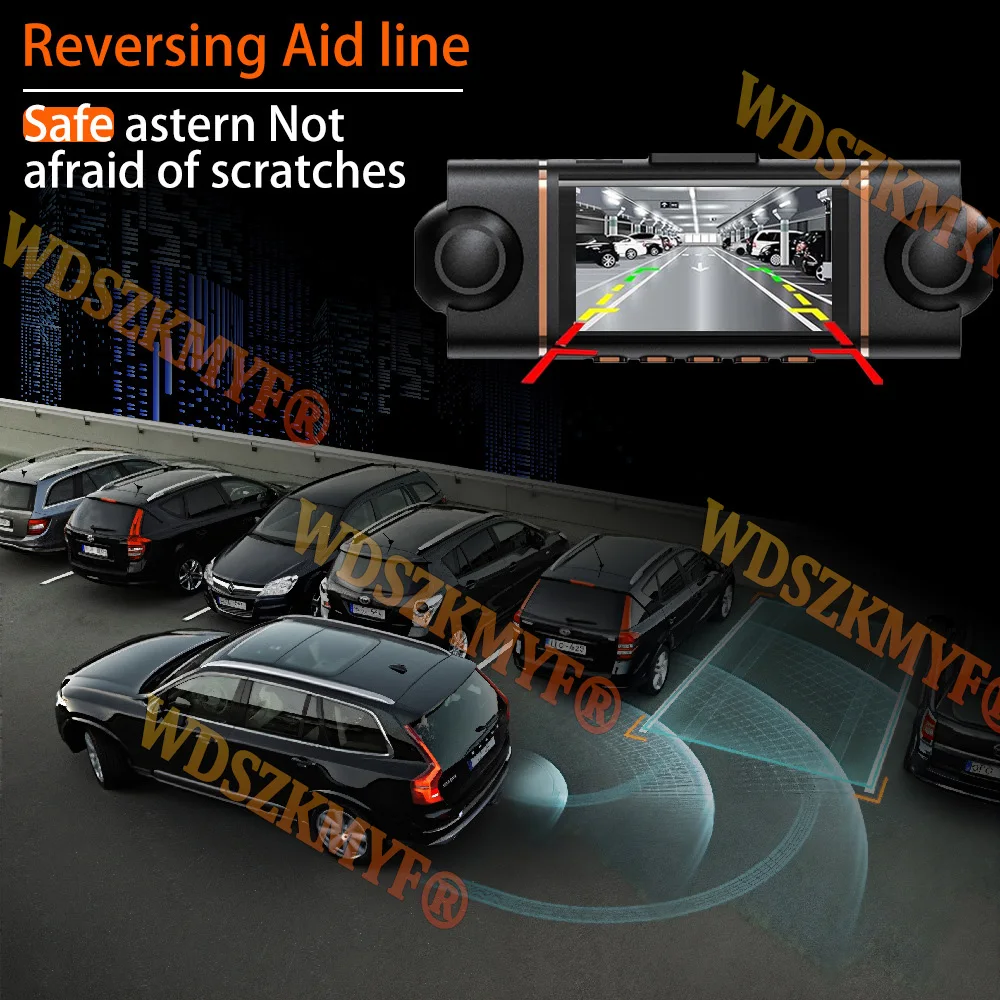
About The Reversing Assist Function:
If the kit you ordered includes a rearview camera and you need to implement the reversing assist function, you need to connect the red signal wire of the rearview camera to the car's reversing light (the light will come on when reversing). If you don't need the reverse assist function, just disconnect the red signal wire and leave it unconnected.
About 24-Hour Parking Monitoring:
If you need the 24 hour parking monitoring function, you can order the corresponding Buck Line accessories to replace the car charger.Through Buck Line, the DVR power can be obtained directly from the car battery or car ACC, so that the DVR can maintain normal recording work even when the car is turned off.(Since different car models have different battery interfaces or ACC interfaces, it is not recommended to install it by yourself. It is recommended to find a professional to install the Buck Line.)
4 Channels Front & Rear & Inside Camera
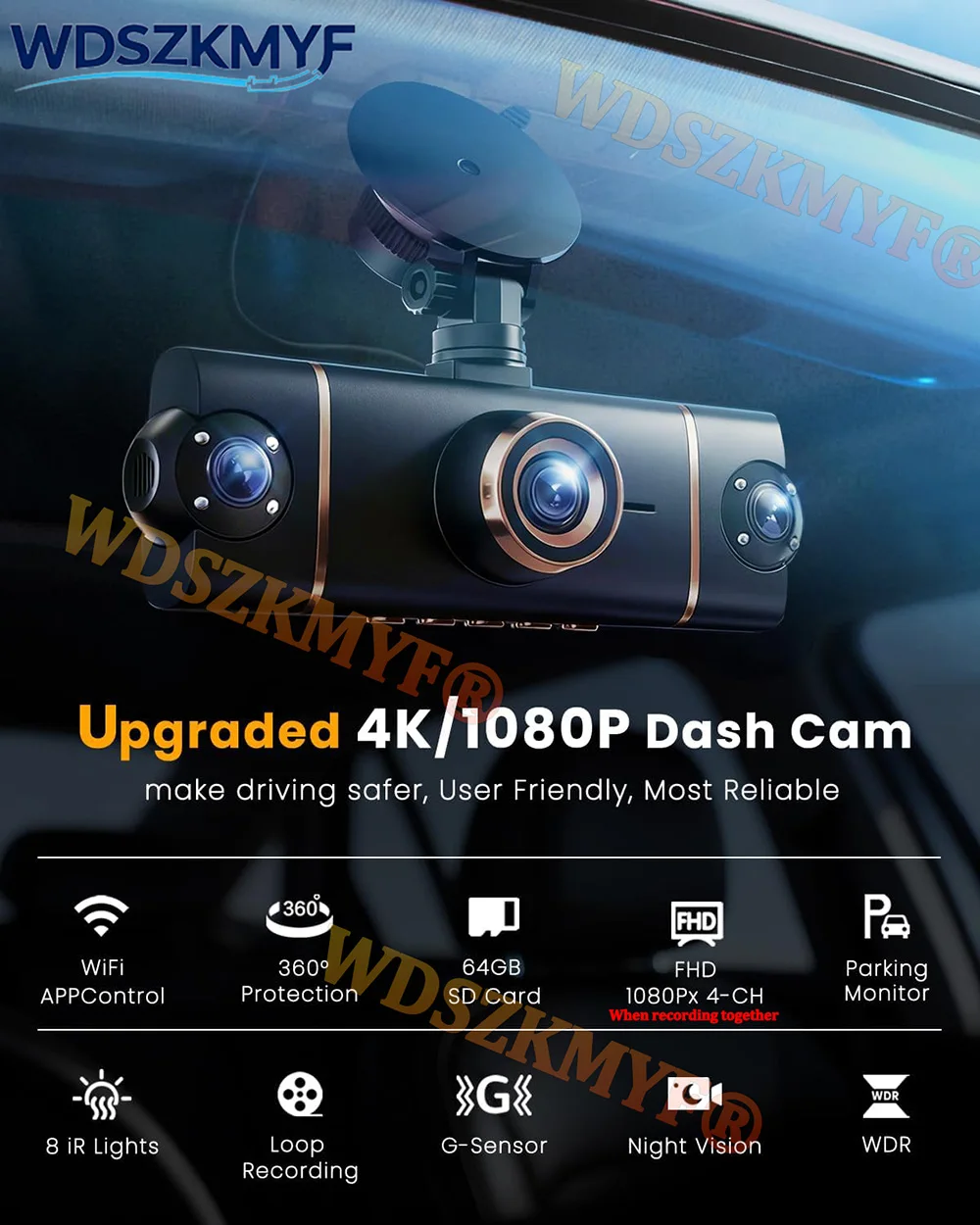
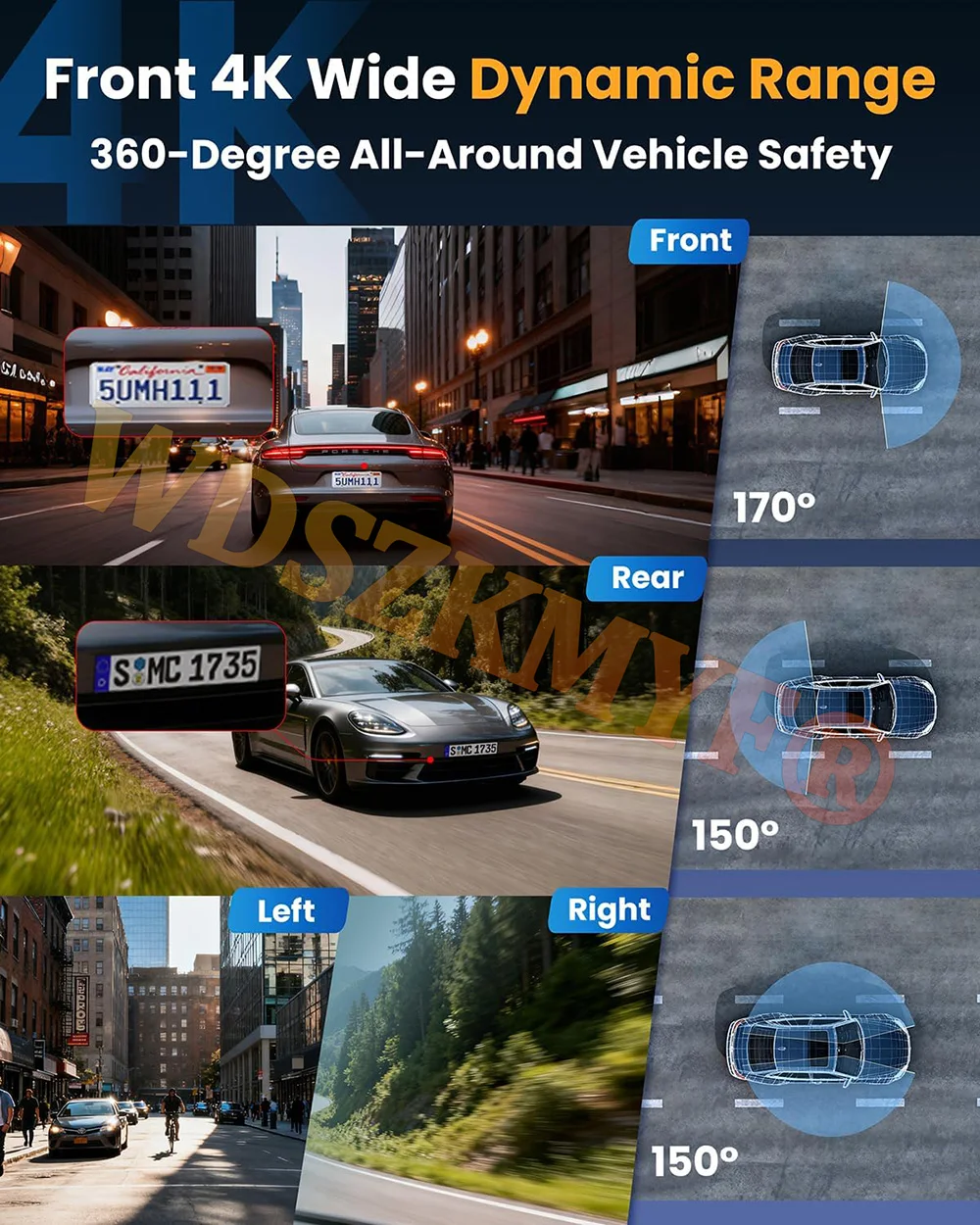

When all four lenses are turned on simultaneously, the image quality will be compressed to 1080P*4
Super Night Vision
Built-in Wi-Fi & APP Control
BUILT-IN WIFIFUNCTION : Smart dash cam built-in WiFi module, support APP control (Work with Android and iOS devices)
Reverse image
When hanging in the "R" gear, the screen will automatically switch Reverse image, and the accurate inverted auxiliary line provides you with better parking prediction.
24-Hour Parking Monitoring
Built-in G-sensor activates automatic recording when a sudden shake or collision is detected. When emergency video is recorded, a voice will alert you when you return to the car. In addition,supports time-lapse recording, which maximizes storage usage and ensures that no moments of evidence are missed.Friendly reminder: parking monitoring needs to be configured with a special buck cable for use, otherwise 24-hour monitoring is not possible
Built-in G-sensor
When your car is subjected to an impact or other emergency,the G sensor is triggered, so that the recorder immediately records and locks the video.
Loop- Cycle Recording
When the TF card is full,it will automatically delete former video and keep recording all the time
Installation Diagram
1.Secure the recorder to the windshield of the vehicle , recommended near the rearview mirror area2.Hide the power cord in the window gap along the red line in the figure above 3.Insert the car charge wire into the cigarette lighter, connect the power supply, and complete the installation
3.Rear camera if you need reverse camera function please connect the red wire, the red wire connects to the power supply of the reverse light behind the car.
4.All car recorders need to be connected to the power supply to use, please understand the small battery safety design of the recorder. The battery of electrical appliances in the car is not allowed to be installed too large.

To protect your privacy, the TF card needs to be formatted for the first time. There are two solutions:1. Insert the TF card correctly into the dash cam, open the camera settings, find the storage card format, confirm that the formatting is complete, and then restart the camera to use.2.Connect to the mobile application, search for settings in the mobile application, format the memory card, confirm formatting is complete, and then restart the camera to use it. Sincere wishes to you and your family.
Shop Policies
Payment Policy
Payment Policy – BILLIONS BIRDS
At BILLIONS BIRDS, we are committed to providing a safe, secure, and seamless payment experience for our customers.
1. Accepted Payment Methods
We accept the following payment options:
Major Credit & Debit Cards (Visa, MasterCard, American Express)
Secure Online Payment Gateways (such as PayPal, Stripe, or other providers available at checkout)
Any additional payment methods displayed during checkout
All payments must be completed in full at the time of purchase.
2. Secure Transactions
All transactions are processed through encrypted and secure payment systems to protect your personal and financial information. We do not store your full payment details on our servers.
3. Currency
Prices are displayed in the currency indicated on the website. If you are purchasing from another country, your bank may apply currency conversion fees.
4. Order Confirmation
Once your payment has been successfully processed, you will receive an order confirmation email containing your purchase details.
5. Failed or Declined Payments
If your payment is declined, please verify your billing information or contact your bank. Orders will only be processed after successful payment confirmation.
6. Fraud Prevention
BILLIONS BIRDS reserves the right to cancel or refuse any order if fraud or unauthorised activity is suspected.
Delivery Policy
Delivery Policy – BILLIONS BIRDS
At BILLIONS BIRDS, we are dedicated to delivering your orders safely and efficiently.
1. Order Processing
All orders are processed within 1–3 business days after payment confirmation. Orders are not processed or shipped on weekends or public holidays.
2. Shipping Times
Estimated delivery times vary depending on your location:
Domestic Shipping: 3–7 business days
International Shipping: 7–15 business days
Please note that delivery times are estimates and may vary due to customs procedures, carrier delays, weather conditions, or other unforeseen circumstances.
3. Shipping Costs
Shipping fees are calculated at checkout based on your location and selected shipping method. Any customs duties, taxes, or import fees are the customer's responsibility.
4. Tracking Information
Once your order has been shipped, you will receive a confirmation email with tracking details (if available) so you can monitor your package.
5. Delivery Issues
If your order is delayed, lost, or arrives damaged, please contact us within 7 days of the expected delivery date. We will work with the shipping carrier to resolve the issue as quickly as possible.
6. Incorrect Shipping Information
Customers are responsible for providing accurate shipping details at checkout. BILLIONS BIRDS is not responsible for orders shipped to incorrect addresses provided by the customer.
Refund Policy
Refund Policy – BILLIONS BIRDS
At BILLIONS BIRDS, customer satisfaction is our top priority. If you are not completely satisfied with your purchase, we’re here to help.
1. Return Eligibility
You may request a return within 14 days of receiving your order. To qualify for a return:
The item must be unused, unworn, and in the same condition as received.
The item must be in its original packaging.
Proof of purchase (order confirmation or receipt) is required.
Certain items may not be eligible for return, including clearance items, gift cards, or personalised/custom products.
2. Non-Refundable Items
The following items are non-refundable:
Final sale or discounted items
Gift cards
Items damaged due to misuse, negligence, or improper care
3. Return Process
To initiate a return, please contact our customer support team with your order number and reason for return. If your return is approved, you will receive instructions for returning the item.
Unless the item is defective or incorrect, customers are responsible for return shipping costs.
4. Refund Processing
Once we receive and inspect your returned item:
We will notify you of the approval or rejection of your refund.
If approved, the refund will be issued to your original payment method within 5–10 business days.
Please note that banks or payment providers may require additional time to process refunds.
5. Damaged or Incorrect Items
If you receive a damaged, defective, or incorrect item, please contact us within 7 days of delivery and provide clear photos of the product and packaging. We will arrange a replacement or full refund at no additional cost.
6. Late or Missing Refunds
If you have not received your refund:
Check your bank account again.
Contact your credit card company or payment provider.
If the issue persists, don't hesitate to contact our support team for assistance.
Recommended Products
Customer reviews
Share your thoughts with other customers
Be the first one to write a review!

Items (0)
