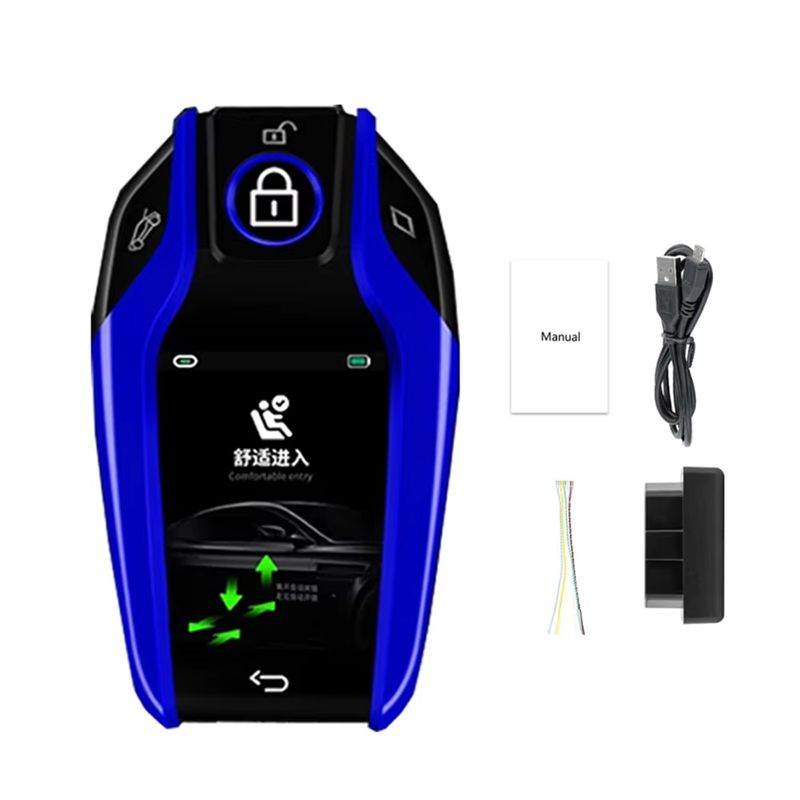
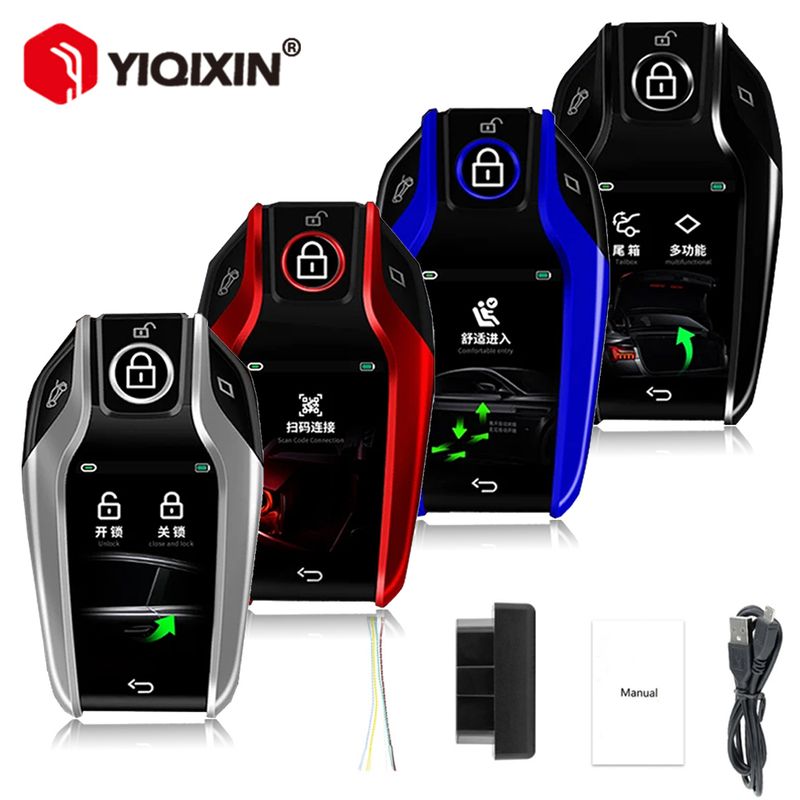
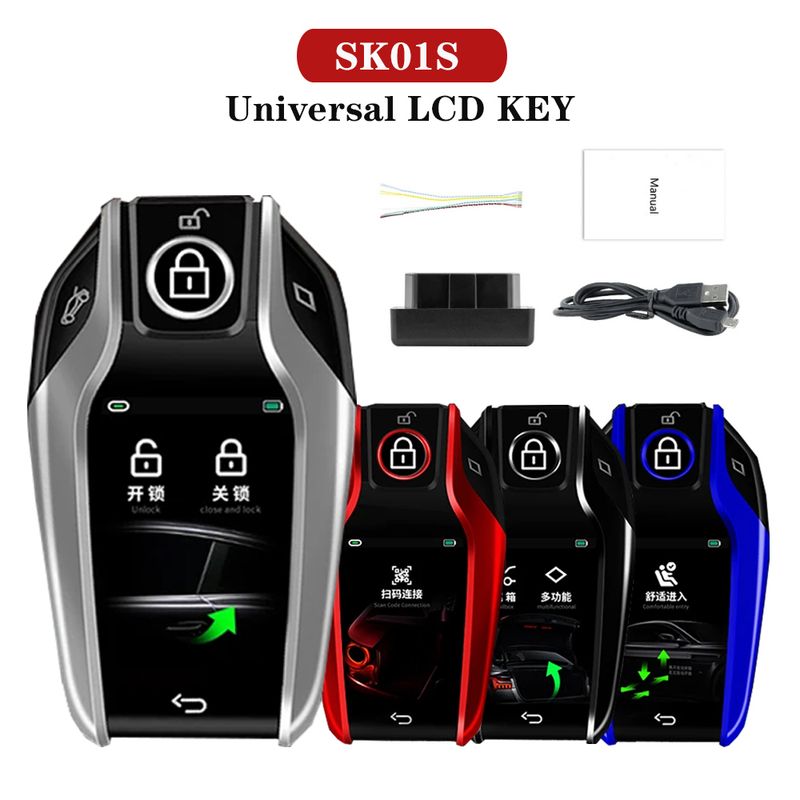
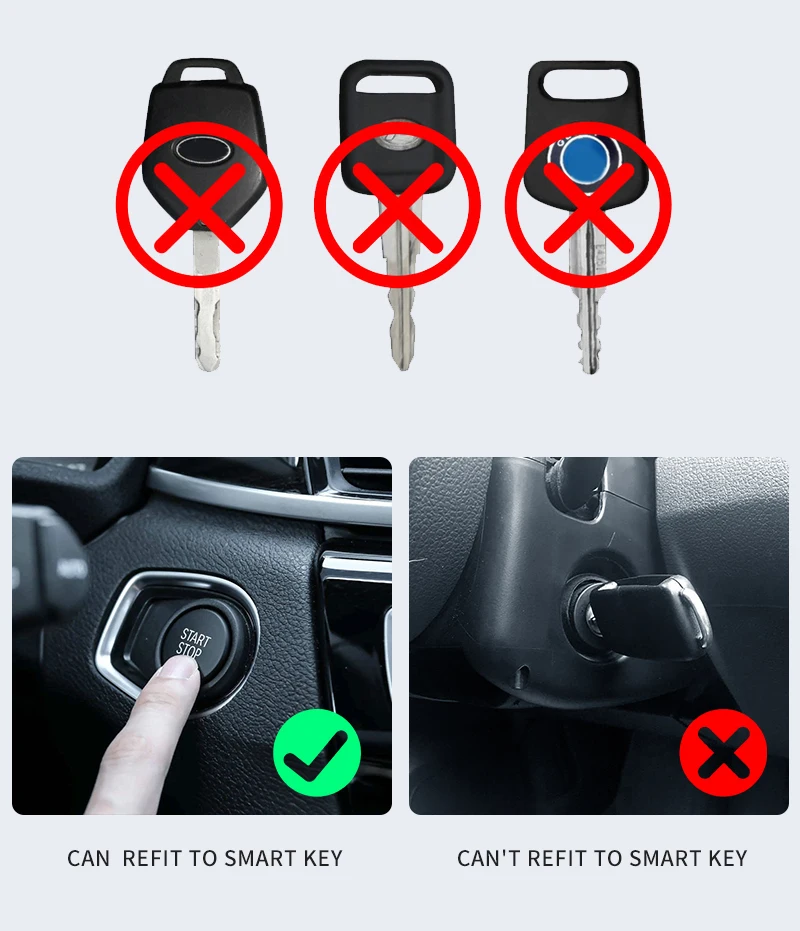
Applicable to all original cars with one-button start function, not applicable to all manual in-line car keys and mechanical keys.
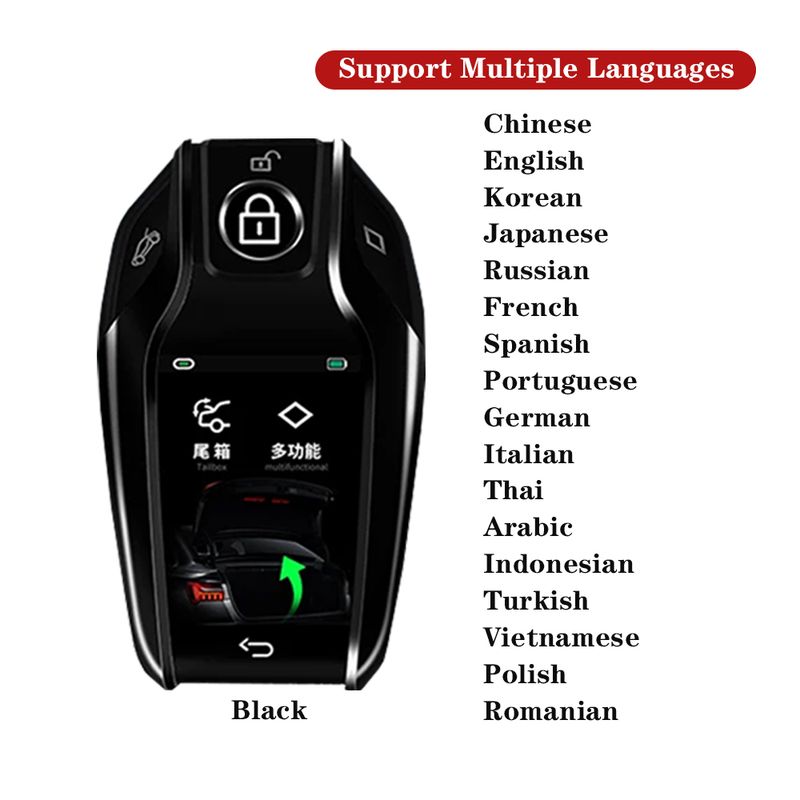
Support Languages:
Chinese, English, Indian, Thai, Arabic, Russian, Turkish, Vietnamese, Malay, German, Italian, Korean, Japanese, Portuguese, Spanish, French
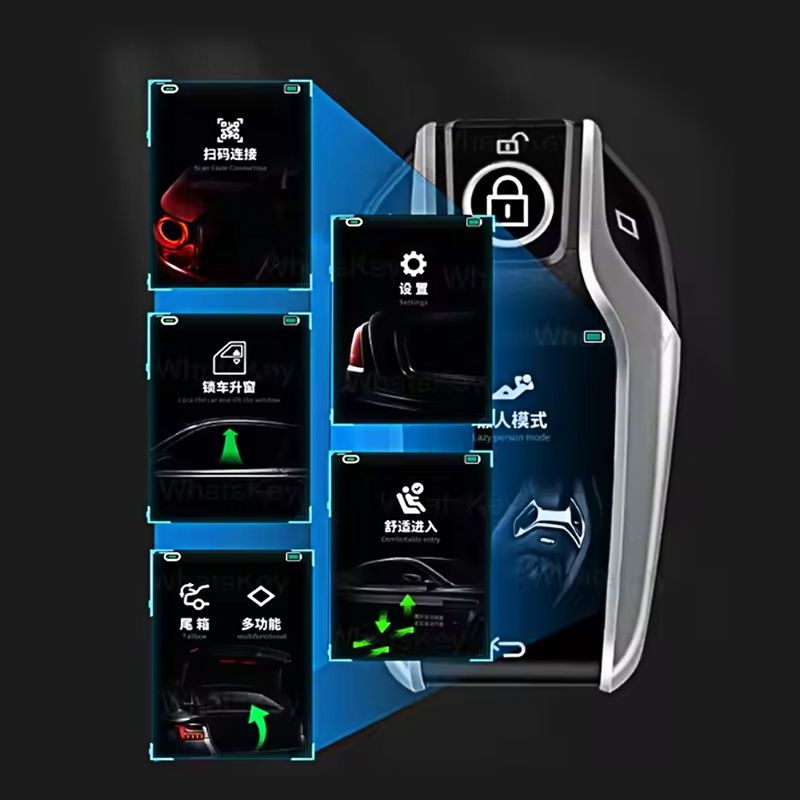
Language adjustment method: First, turn on your LCD key and unlock the screen. Then, slide your finger to the left to find the "Settings" function and click on it. In the "Settings" function, find the "Language" section. You can scroll up and down to select and click on the language you need! Then the language functions have been set up successfully!
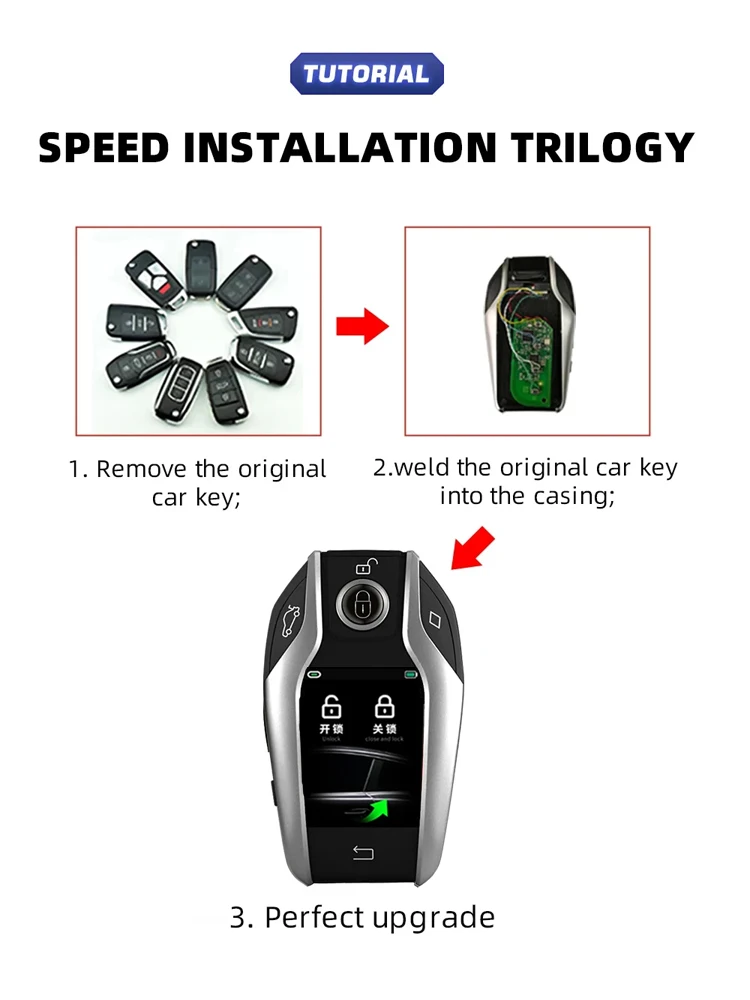
Installation: Solder The Original Key Circuit Board to the LCD key. (Refer to the manual for details)
Note:
-Now all LCD KEY No any car logo. please know.
Attention:
- Suitable for all original cars with one-key start function, not suitable for all manual direct-plug car keys.
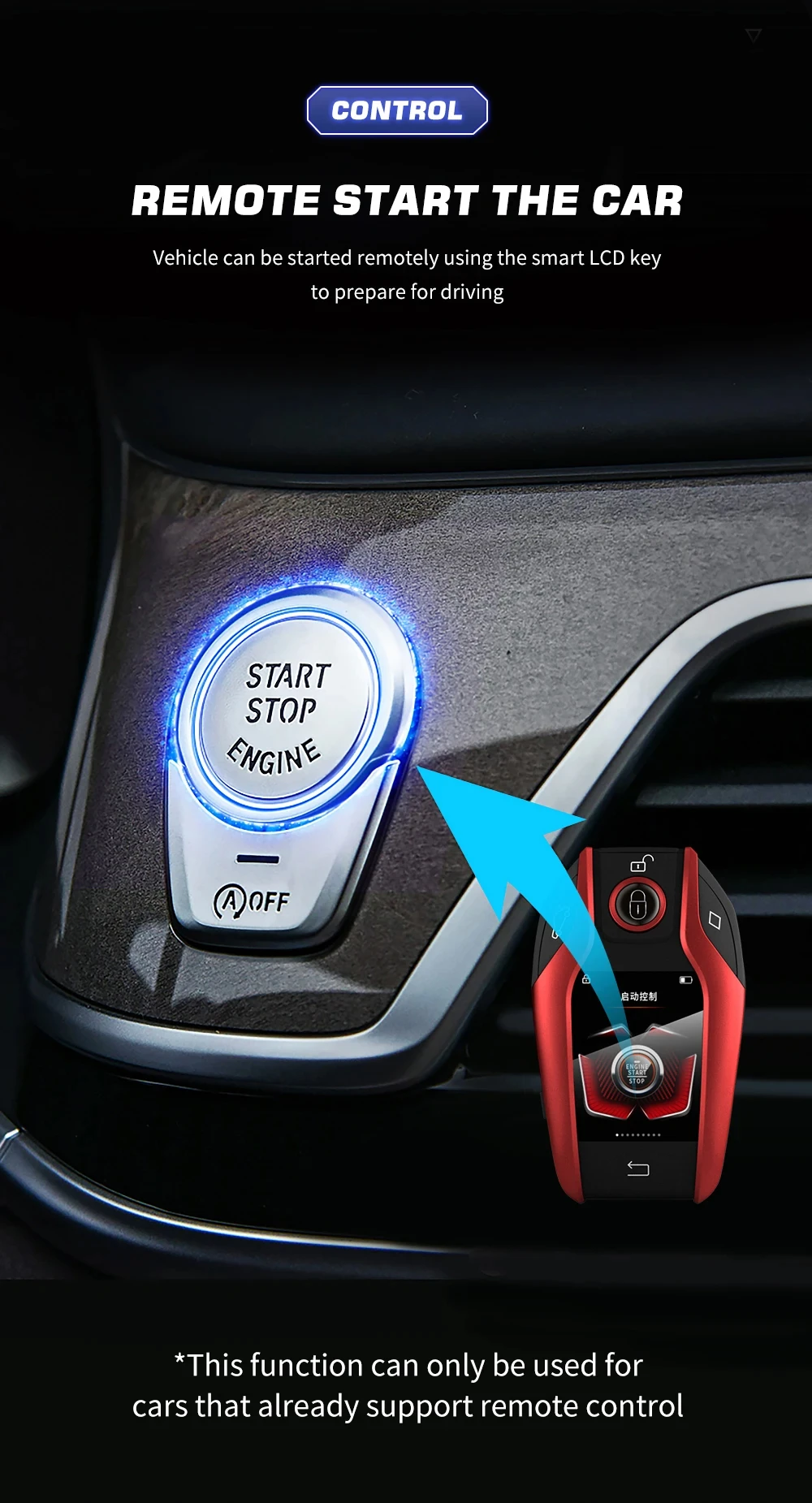
- if want use remote start function. need original car comes with this function(remote start). we LCD key support this function.
- if your original car does not have this function. you can't use this remote start function on LCD key.. but still can be use other function like keyless entry and automatic window lock (some models) etc...
- Please note that our products do not carry any logos of any car brands. Additionally, this device currently does not support the option to change the lock screen wallpaper for the page. If you have any concerns, please purchase with caution!
- If the product fails to turn on when you receive it, the reason is that the transportation time was long and the battery of the LCD key was depleted. Please use the charging cable provided with the LCD key to fully charge the key for 10 hours before turning it on. Please note that you should not use the fast charging cable; only the original charging cable can be used. Otherwise, it will damage the circuit board of the LCD key.
-This LCD key has a large number of wiring, and the welding process is complex and challenging. If the welding fails, it will seriously damage the circuit board. We suggest that you go to a professional locksmith center and have a professional person use professional equipment to weld it for you! This is to ensure that your LCD key won't be damaged and can be used normally!
What is the difference between keyless entry and comfort entry?
[Keyless Entry]: The original car has a keyless entry function, and you need to press the button on the handle to unlock the lock.
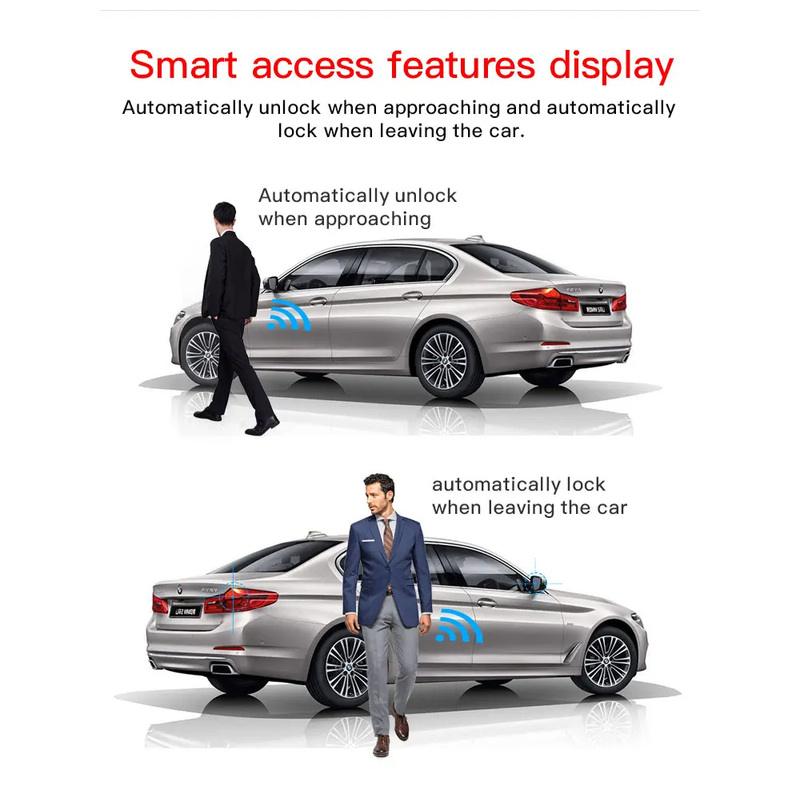
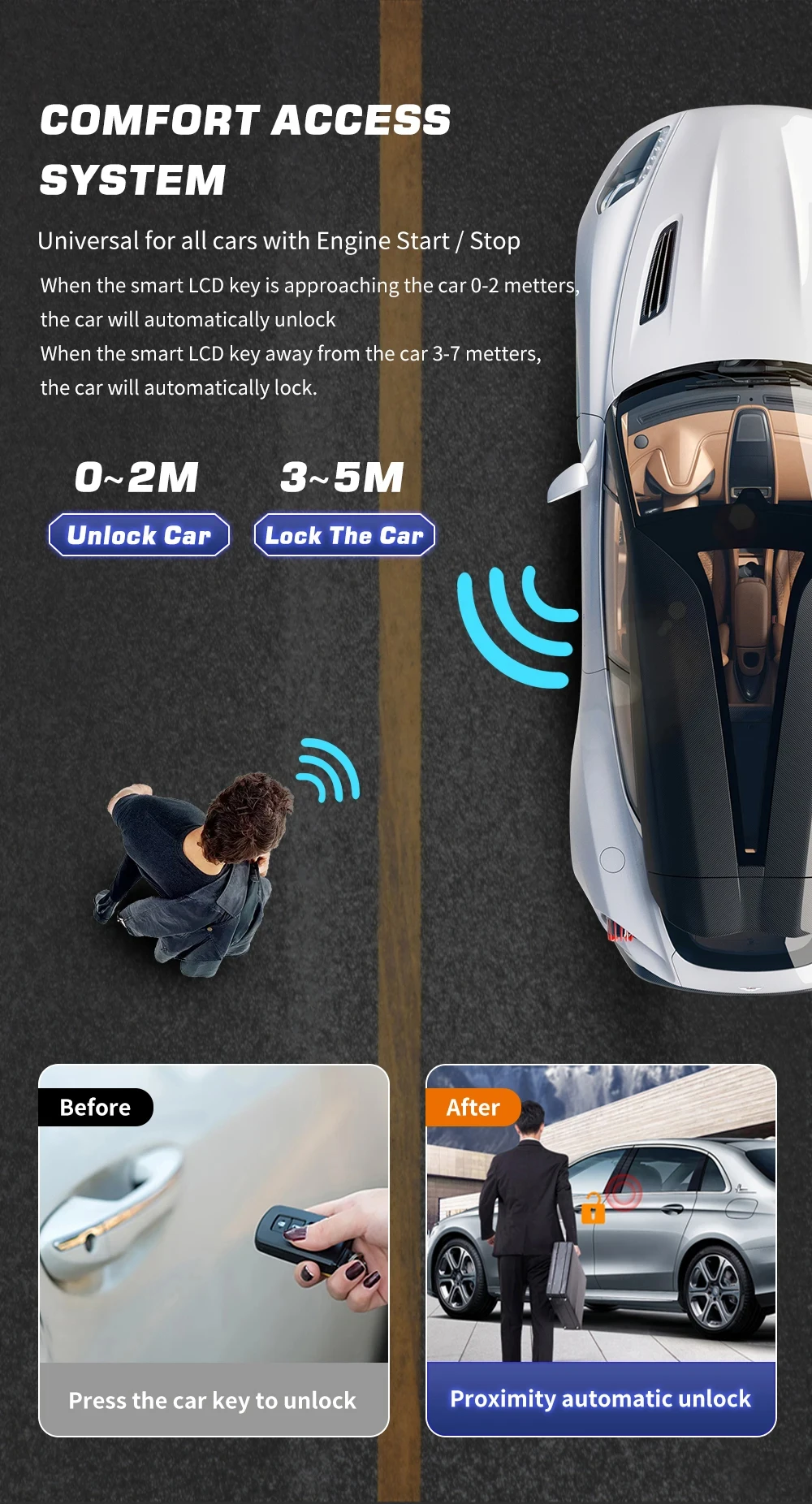
[Comfortable entry]: Contactless, automatic unlocking within 1.5 meters near the vehicle, automatic locking more than 5 meters away.
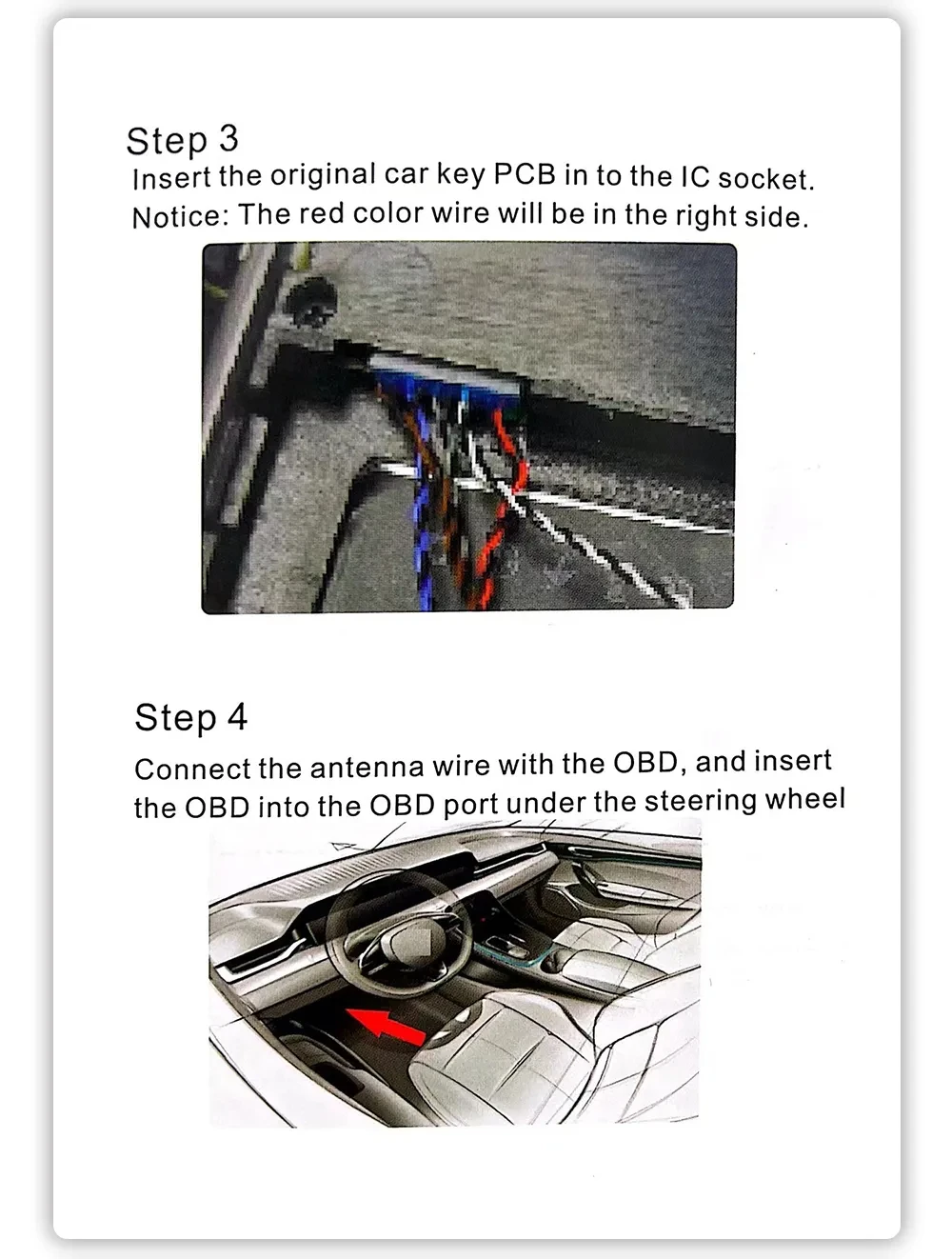
-(need to plug OBD plug)
-When charging the LCD key, please use a common charging head to charge, do not use a fast charging head to charge, as using a fast charging head may damage the battery life.
-Some car model is relatively old, you need two keys to use the LCD key, one key is welded to the LCD key, the other key needs to be inserted into the keyhole, and keep the second key in the car. otherwise only use one key The key might not start the car engine.
Universal modified smart LCD key
1. Added honeycomb menu display style
2. APP interconnection (APP can unlock/close/open the trunk)
3. Bluetooth APP connection, Bluetooth 5.2
6.Material: zinc alloy/back leather button
8. You can only customize the screen saver wallpaper (the APP uploads the screen saver wallpaper)
9. High-definition screen display, 1.3-inch screen
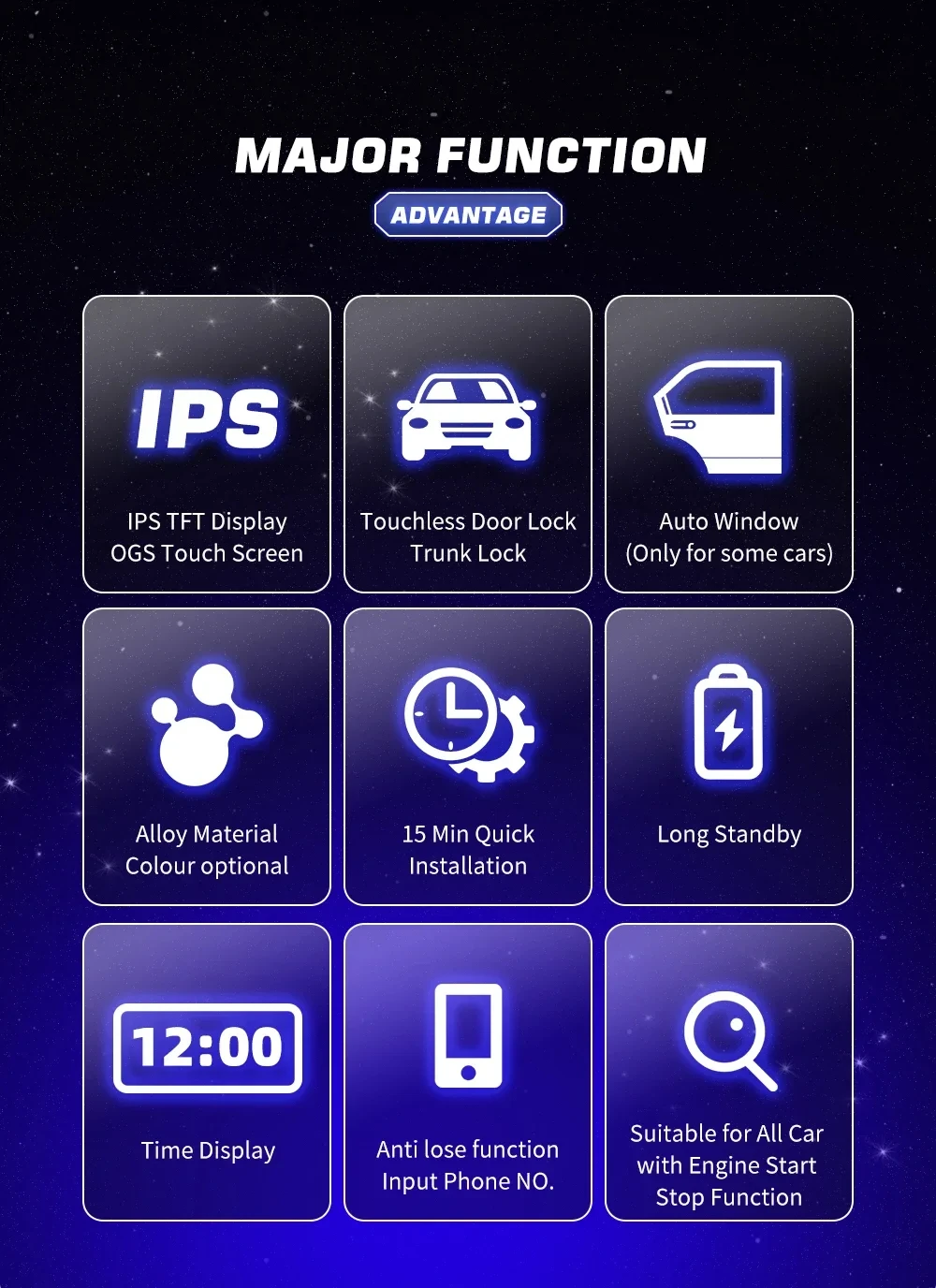
12. Remote start (can only be used if the original car has a remote start function)
Applicable to all original cars with one-button start function, not applicable to all manual in-line car keys and mechanical keys.
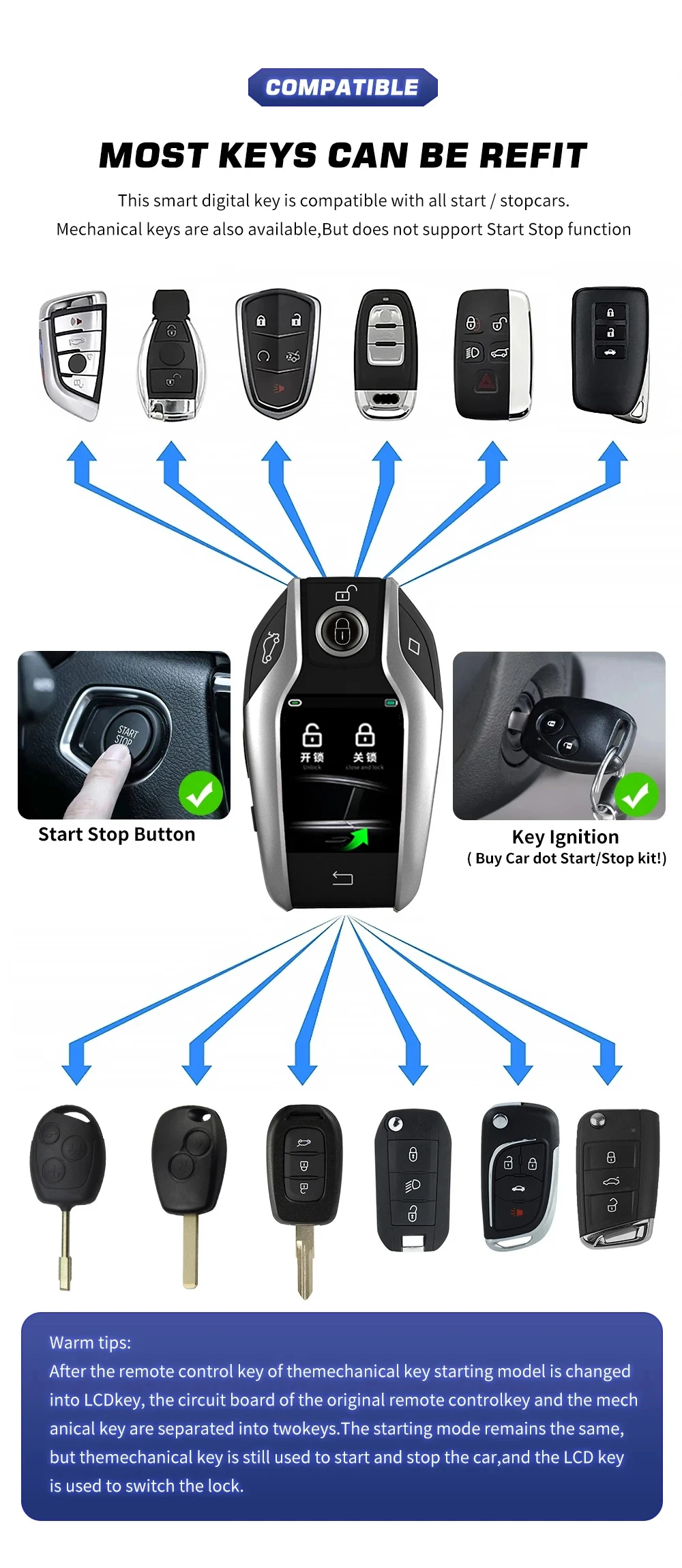
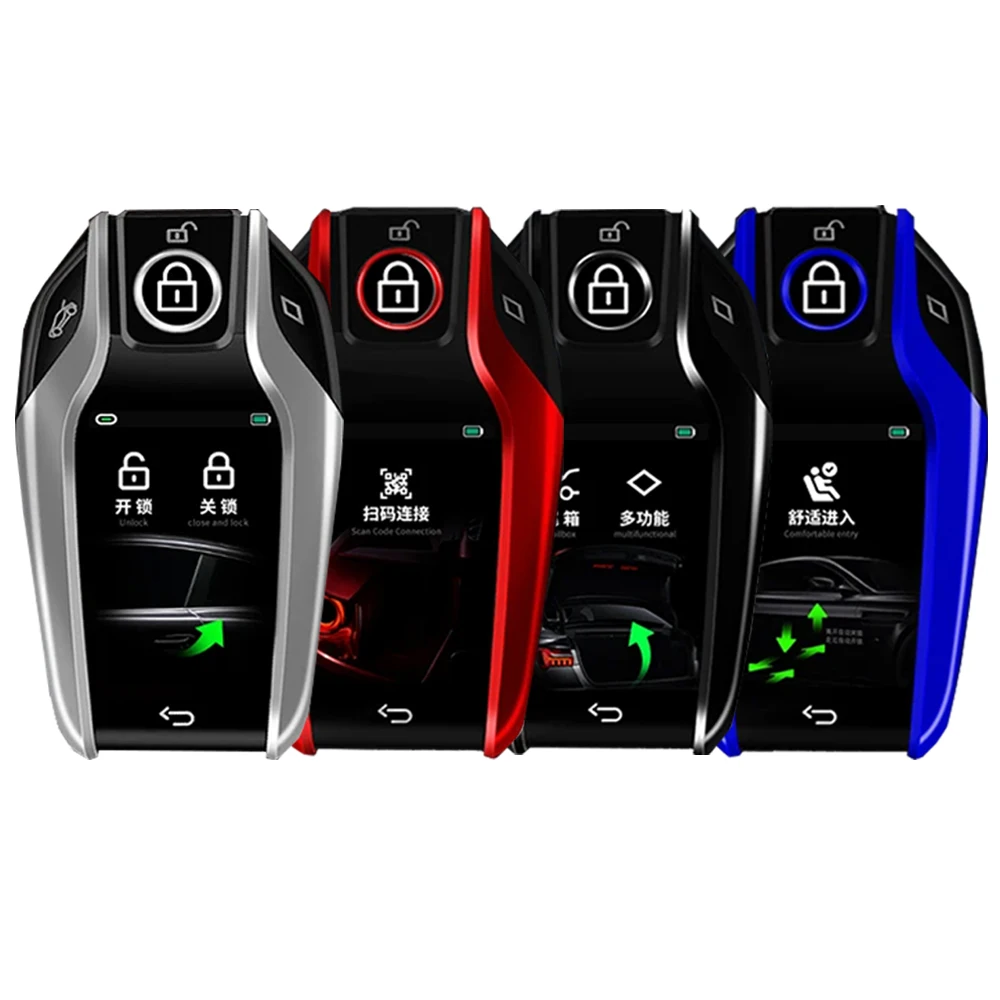
Zinc alloy material metal texture,exquisite 4 colors for you to choose
Lock car window
If the original car key is locked at a distance of 10 meters, the window can still be operated, and the automatic window can be locked.
Some models of the original car can only operate the window within 5 meters, and the automatic window function cannot be used.
Note that this function requires the original car to lock the car or long press to lock the car to lift the window function to be compatible
Original circuit board size for our LCD keys
Please note: If your board size, exceeds the size of the LCD key, it will not fit.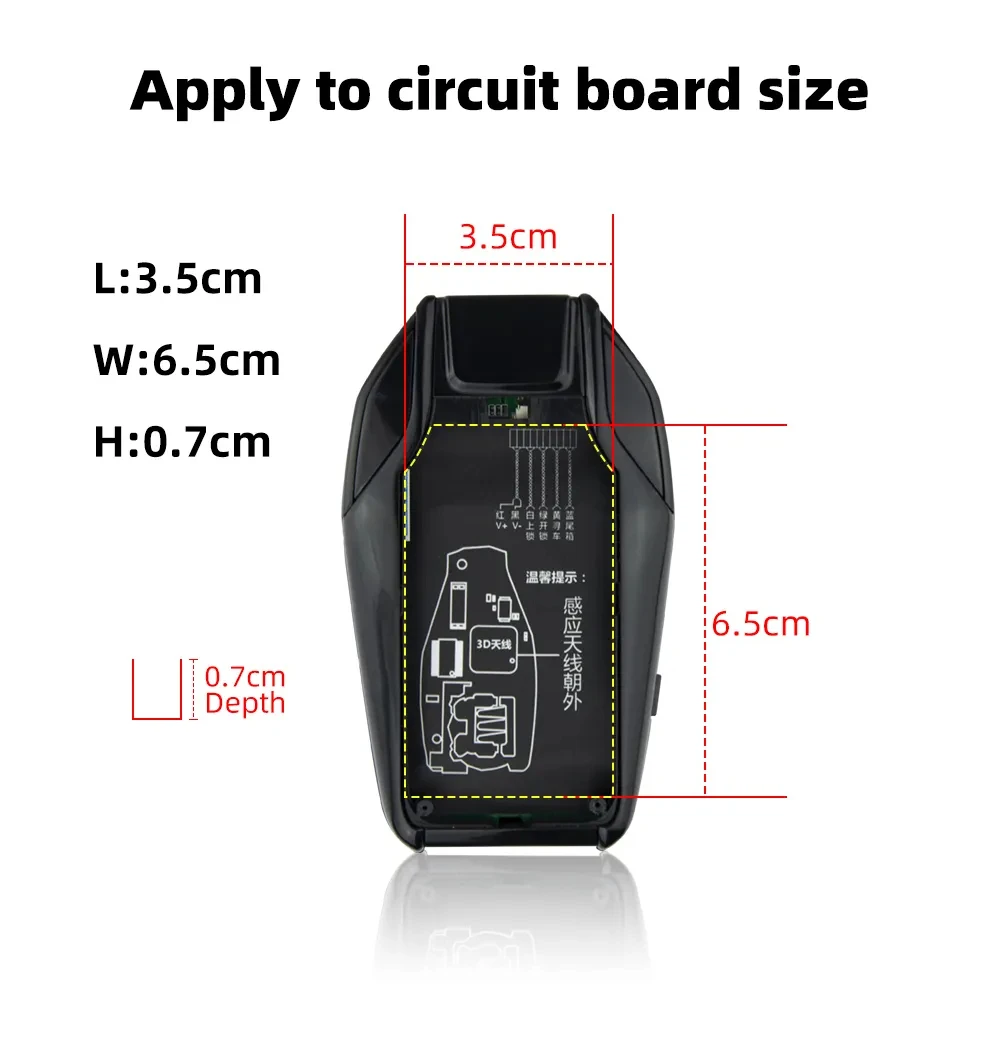
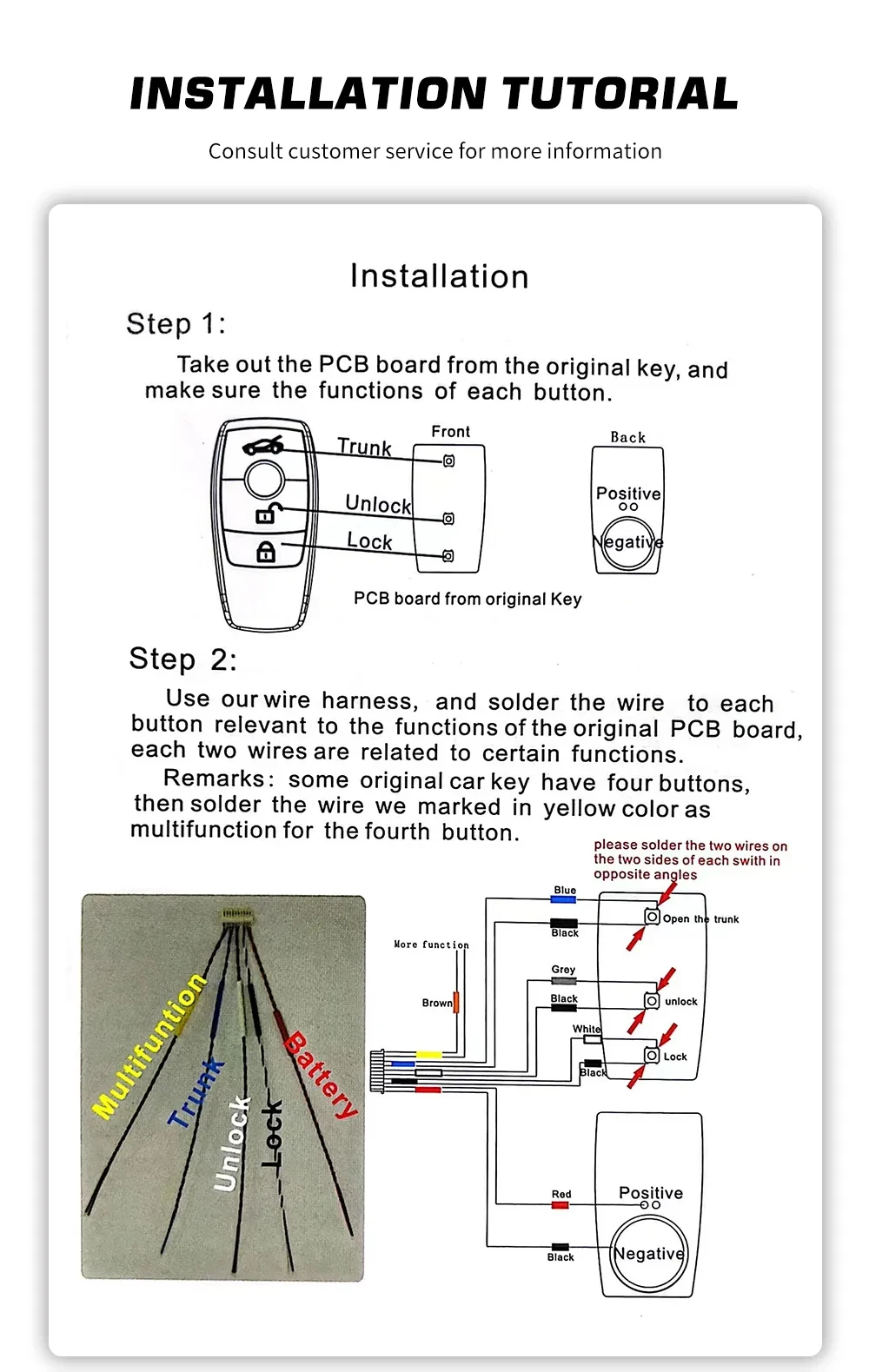
How is it installed?
-One button start function means that no mechanical key is required, and the car can be started directly by pressing the button on the car key. If your original key does not have one button start function, you will not be able to use this function.
-The button to unlock and lock and the trunk of the original plate is welded to the new key using the line, and the function of the original key is placed on this key.
-If you have a welding tool, you can complete the welding step by step according to the instructions, which can be completed in about 5 minutes.
-If you don't have welding tools, you can go to the local mobile phone repair shop or locksmith to check, and then install the instructions to complete the welding.
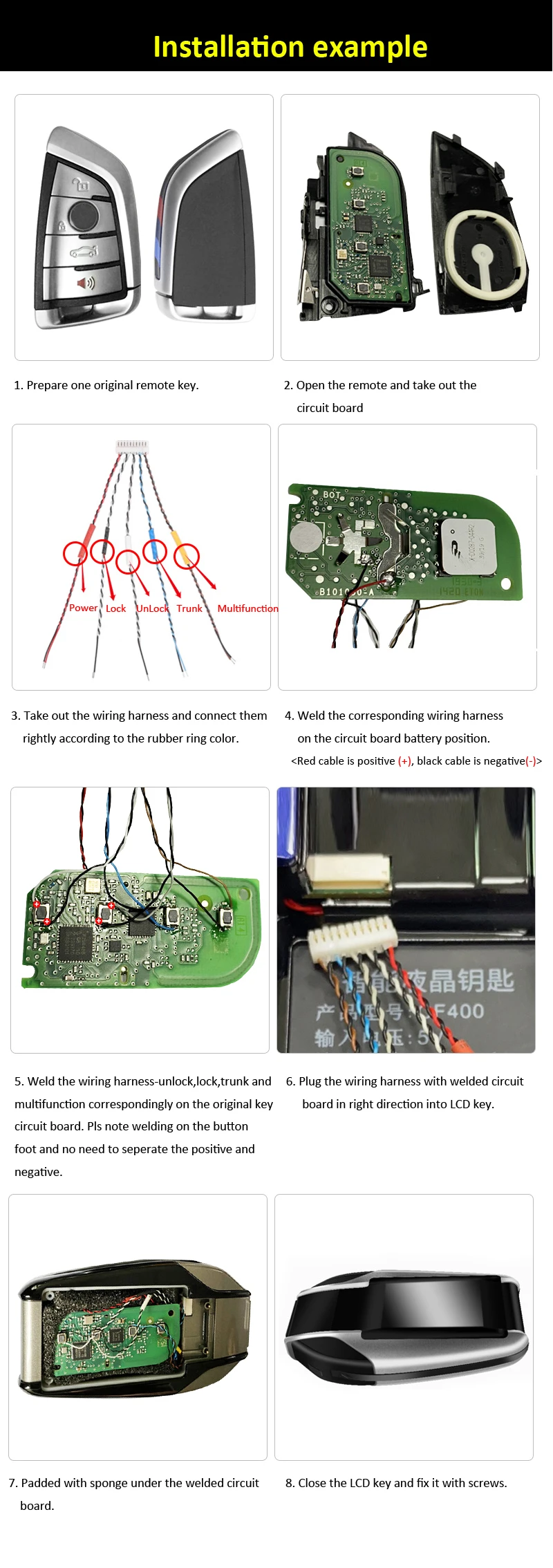
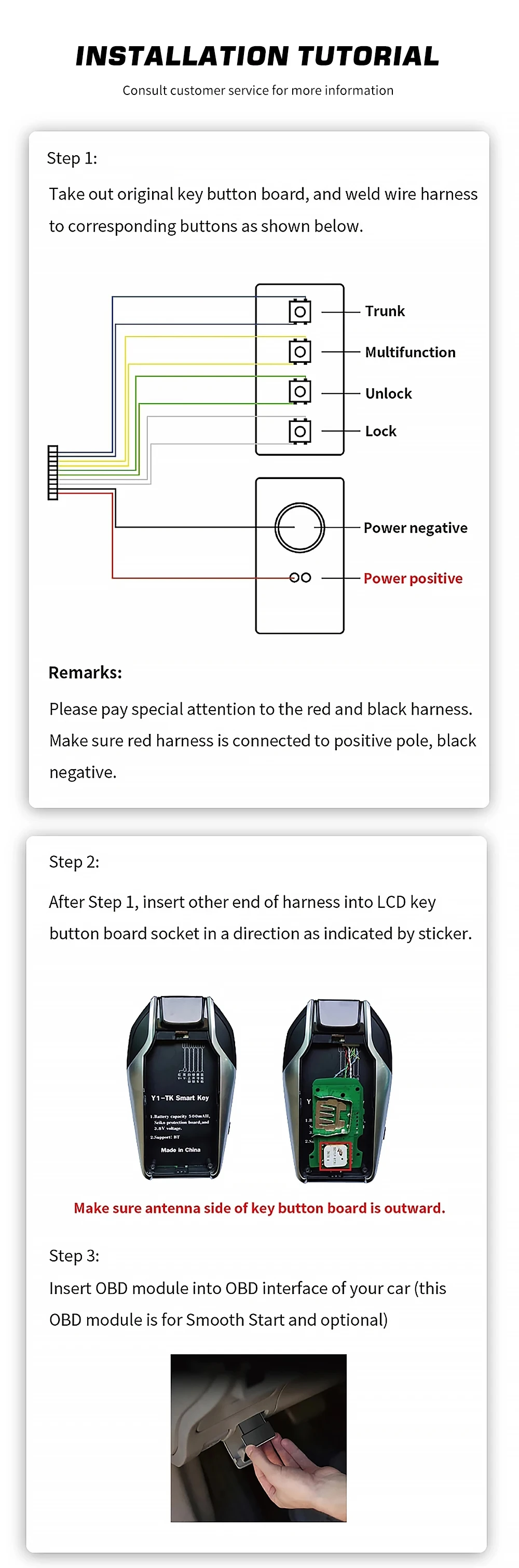
1. Please prepare an original remote control key.
2. Open the remote key, take out the circuit board.
3. Take out the wiring harness and connect them correctly according to the color of the rubber ring.
4. Solder the corresponding wiring harness on the circuit board battery position. The red wire is positive (+), the black wire is negative (-).
5. Solder the wiring harness - unlock, lock, trunk and multi-function correspondingly on the original key circuit board, please note the solder on the foot of the button, and there is no need to separate the positive and negative.
6. Plug the wiring harness with the circuit board soldered in the correct direction on the LCD key.
7. Sponge padding under the soldered circuit board.
8. Close the LCD key and fix it with screws.
9. You need to make sure the circuit board chip is facing out, avoid blocking the received signal. Otherwise, the comfortable input function will be affected
Non-destructive installation:
-During assembly, you only need to take out the original PCB board and solder the wires with each button, then put behind the LCD key, after using the LCD key.
-If you don't want to use our key, you can remove all wires and put it in your original key box. This allows a non-destructive installation
FAQ:
① The original car key is changed to: Touch screen + LCD physical key, support all the functions of the original car key.
(The original car key function will not be changed)
----------------------------------
② Add convenient input function
Connect OBD plug for convenient input,
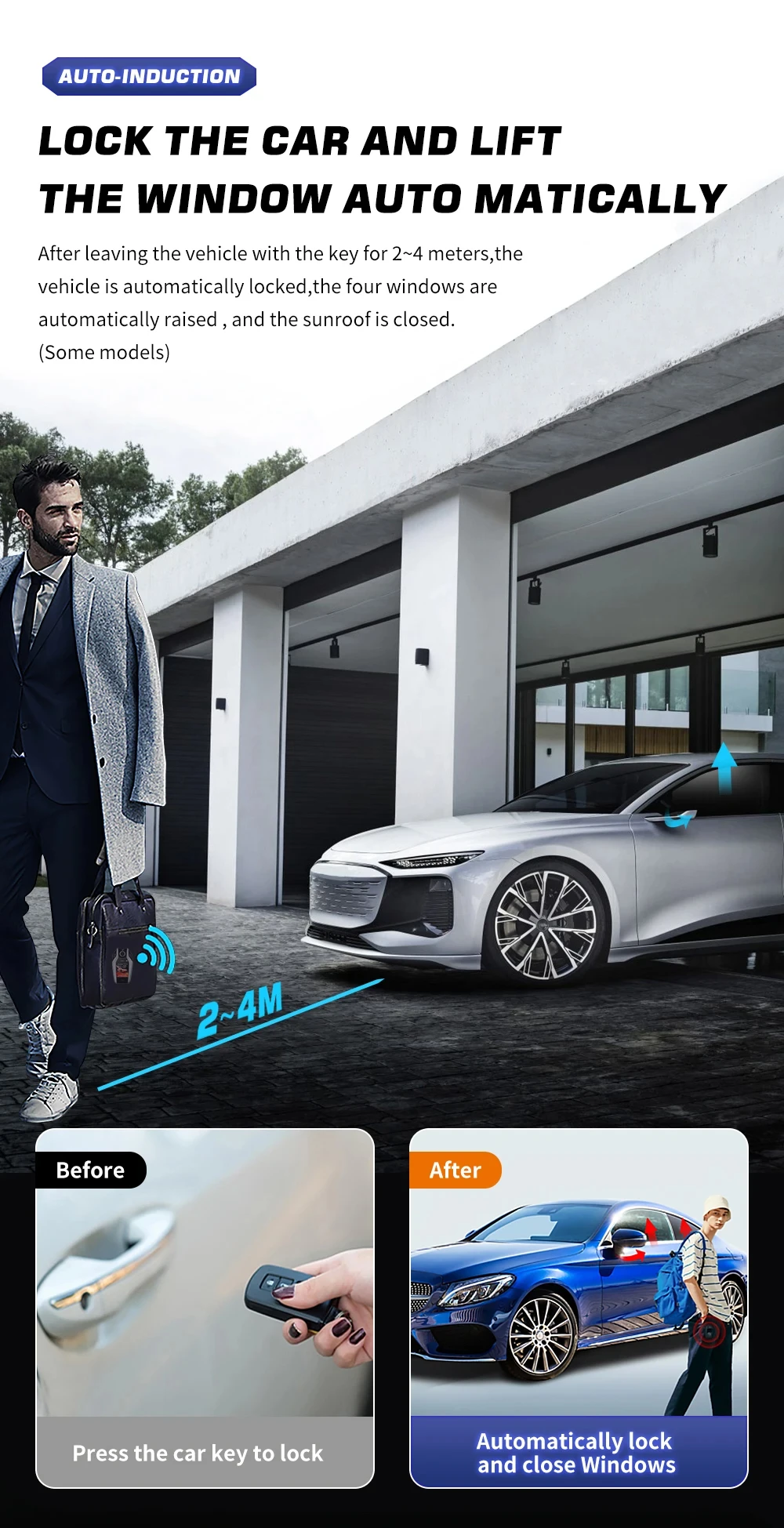
Auto unlock when approaching 1-1.5m and auto lock when leave 3-5M
---------------------------------
Lock the car and lift the window automatically
(some models)
----------------------------------
Important Notice: Before making a purchase, please read the order manual first to avoid returns or exchanges.
A. Can this smart LCD key from the store replace the original car key to control my car?
The following three conditions must be met:
1. Your car must have a one-key start function when it was manufactured, in order to be compatible with the intelligent LCD key. This one-key start function must not be an aftermarket modification.
2. You need to disassemble the original car key, remove the circuit board of the original car key, and solder the circuit board onto the wiring harness of the LCD key. There must be no errors in the welding and it must be done correctly, so that the LCD key can carry out the functions of the circuit board of the original car key.
3. The LCD key only serves to change the appearance of the new vehicle. It relies on the functions of the circuit board of the original car key. Therefore, before welding, the car must be turned on and off using the circuit board of the original car key to test its functionality. If the circuit board of the original car key is invalid, welding it to the LCD key will not work.
---------------------------------
B. How can I solder the circuit board of the original car key onto the wiring harness of the smart LCD key?
1. I do not recommend that users attempt the welding themselves. Instead, it is suggested that they take the phone to a repair shop and have professionals use welding tools to perform the welding.
2. When welding, please carefully read the instructions. The instructions explain how to perform the welding and avoid connecting the positive and negative poles incorrectly, which can prevent the device from functioning properly. Many users lack welding experience and attempt to use the welding tools themselves, which can cause instability in their hands and result in damage to the original vehicle key circuit board during the welding process. Therefore, it is recommended to take the phone to a repair shop and have professionals perform the welding. Do not attempt to operate it yourself.
3. Before removing the circuit board of the original vehicle key for welding, it is necessary to test the circuit board to ensure that it can control the car properly, turn it off and on, and that the functions are effective. Then, proceed with the welding. Many customers attempt to weld with invalid original key circuit boards. The smart LCD key is only a change in appearance; its functions depend on the circuit board of the original vehicle key. The circuit board is the core that controls the car. If the circuit board is invalid, even if the welding is successful, it will be of no use.
-------------------------------
C. Can the intelligent LCD key enable all the functions of the original vehicle key circuit board to work?
The LCD key has only 3 wiring connections, which means it can only activate 3 functions on the circuit board. The other functions on the circuit board that cannot be soldered cannot be activated. You need to make a choice.
----------------------------------
D. Does the intelligent LCD key allow changing the wallpaper on the screen and customizing the car logo?
All the intelligent LCD keys do not have such functions: they cannot set the screen wallpaper or customize the car logo.
----------------------------------
E. My car has a one-key start feature, but my original car key doesn't have this function. Can the smart LCD key change the function to enable my original car key to have the one-key start feature?
The one-key start function of a car is a start method that does not require inserting a traditional key. One only needs to carry the original vehicle key and enter the car to be detected by the car. By pressing the one-key start button on the car, the vehicle can be started. Therefore, the one-key start function is merely a feature of the car, and it is the switch on the car. On the car key, there is a statement saying "There is no one-key start function". For some car brands, the car keys have remote start functions. By pressing the remote start function on the car key, the one-key start function switch of the car can be triggered to open. You must have the remote start function on the original car key itself. You can only use our LCD keys to modify the appearance, and it is impossible to obtain the remote start function through the LCD keys.