







Imagebon H70 Plus 11.4″ 4K ADAS Dash Cam 60FPS Wireless Car Play & Android Auto Dual Recording Night Vision DVR
Includes all taxes
Meet your Seller
-
$145.48Sold by BILLIONS BIRDS
Description
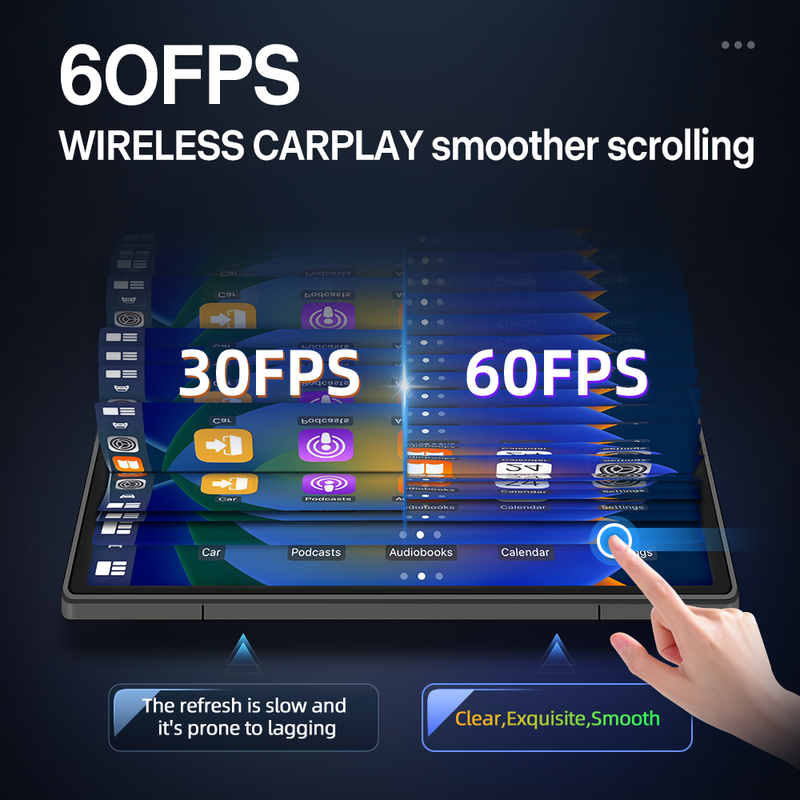
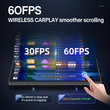
Imagebon H70 Plus is engineered to solve the 30FPS lag and delay issues plaguing most CarPlay smart screens on the market. Refined over a year of exploitation, it’s powered by the latest 4 core A53 chip, delivering a seamless 60FPS high-refresh experience. Navigation scrolling is buttery-smooth, with zero operational lag and no screen tearing.It sets a new benchmark for in-car connectivity and brings you a flagship-level interactive experience! Experience a smooth, high-definition CarPlay experience with 60FPS, say goodbye to lag and stuttering.

9 Reasons to choose H70/H70 Pus:
(1)With UHD 4K(3840*2160)Front Camera,It can record picture with ultra-high clarity;
(2)With QLED 1920*720 Touch Screen,it has greater color purity,higher brightness,and more energy-efficient:
(3)Buit-in 4 Core Rockchip:Cortex-RV1126B-A53 CPU:
(4)Support Wireless CarPlay Android Auto(Connect with IOS Android Mobile Phone,not support huawei);
(5)With Advanced Driver Assistance Systems(Need to choose ADAS version);
(6)Support Wireless Mirroring(Airplay for IOS mobile phone.,Miracast for Android mobile phone);
(7)Time Lapse Monitoring:2h/8h/12/24h(need to purchse ACC cable);
(8)Built-in WiFi:Install Roadcam app,achieve GPS Tracking.Live view,share,Dowload the recording video;
(9)AHD 1080P,150 Wide Angle Real-time Rearview;
The Difference between H70-K and H70 Plus:
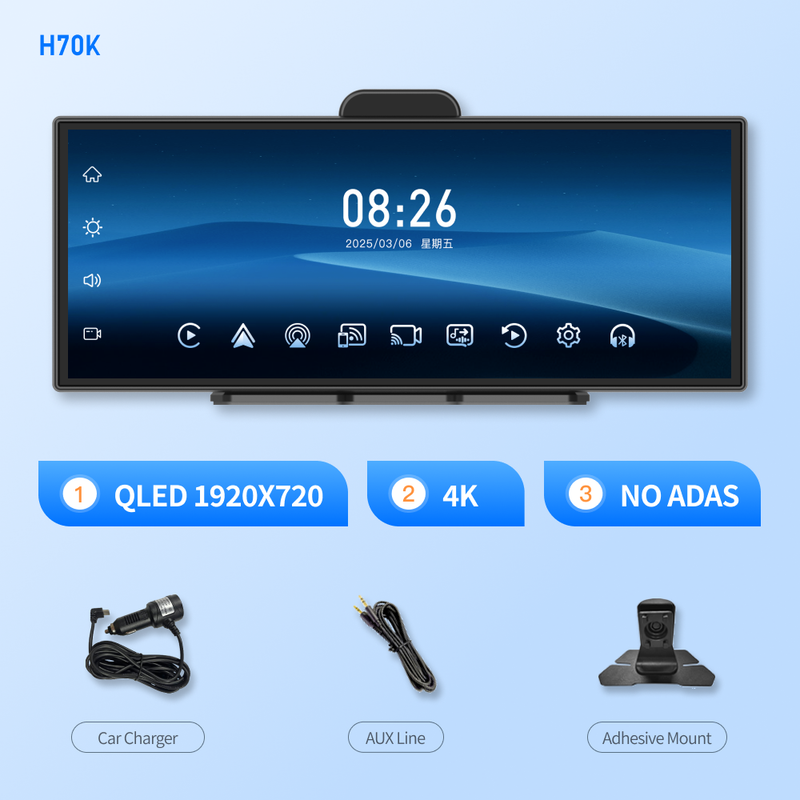
(1)H70-K:Use K8 Chip(SingleCore);
NO ADAS function,only has one theme UI selection;
(2)H70 Plus:Use RV1126B-A53 Chip(4-Core);
Carplay 6OFPS Refresh Rate,With ADAS function,has 3 kinds of theme UI selection
(3) full screen UI+3 Split screen UI)

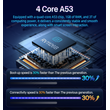
4-core A53 CPU
Equipped with a quad-core A53 chip, 1GB of RAM, and 3T of computing power, it delivers a consistently stable and smooth experience, along with smart screen interaction. Three UI options
Diverse interactive experience, offering 3 UI styles to switch between at will.
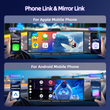
Wireless Phone Link:
With wireless CarPlay(for Apple mobile phone) & Android Auto(for Android mobile phone),it can cast the apps on your mobile phone directly onto the device,and you can operate and use them directly on the device.
Note:Not support huawei mobile phone.
Wireless Mirror Link:
Support wireless AirPlay(for Apple Mobile Phone) & Miracast(for Android Mobile Phone).The audio, video and screen mirroring content on mobile phones can be wirelessly transmitted to machine devices for playback.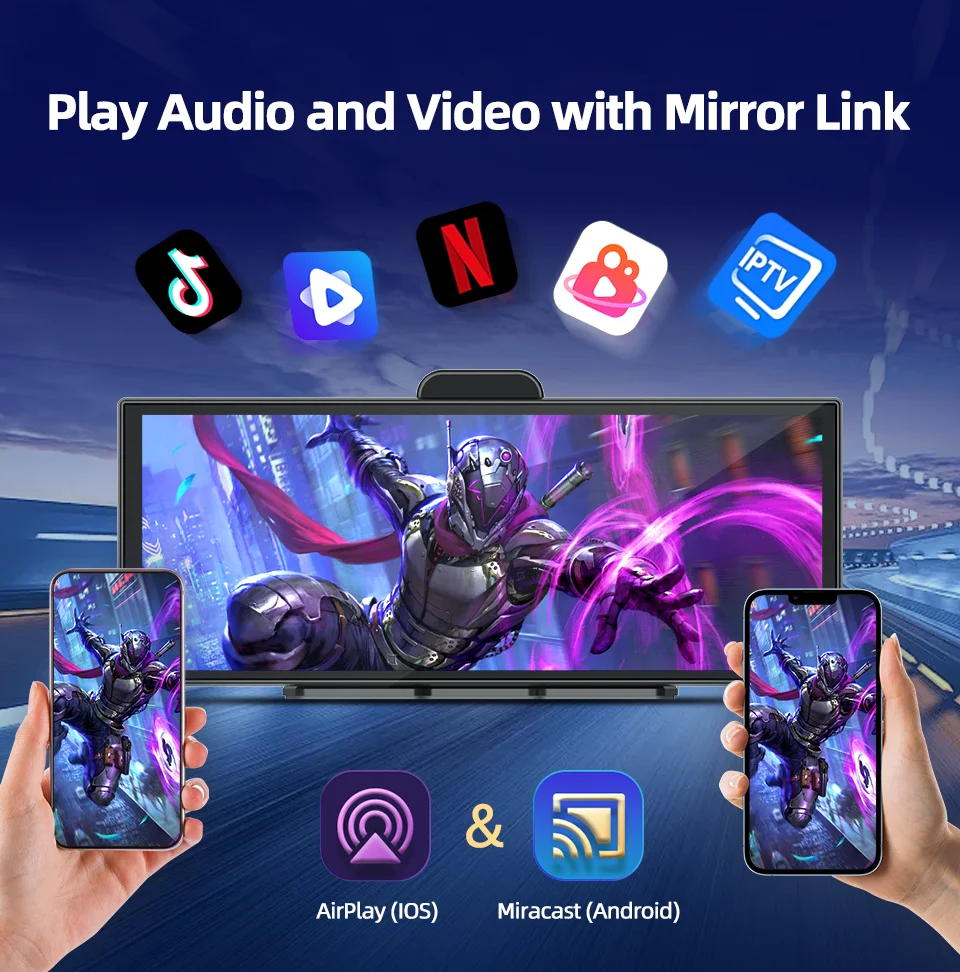
4K Front Camera + 1080P Rear Camera Dual Recording:
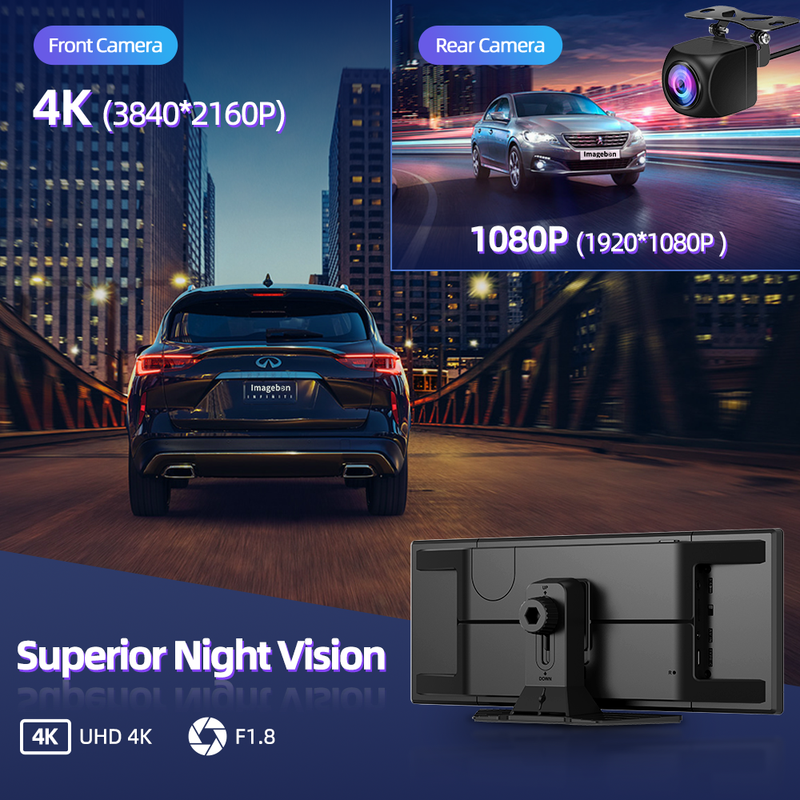
H70 Pus has 11.4 inch IPS touch screen,QLED 1920*720 resolution,with UHD 4K 3840*2160 170° wide angle front camera and 1080P 150° rear camera.It can capture all the detailed scenes on the road very clearly and record and save them.(if you need the rear camera,please choose with rear camera set meal)
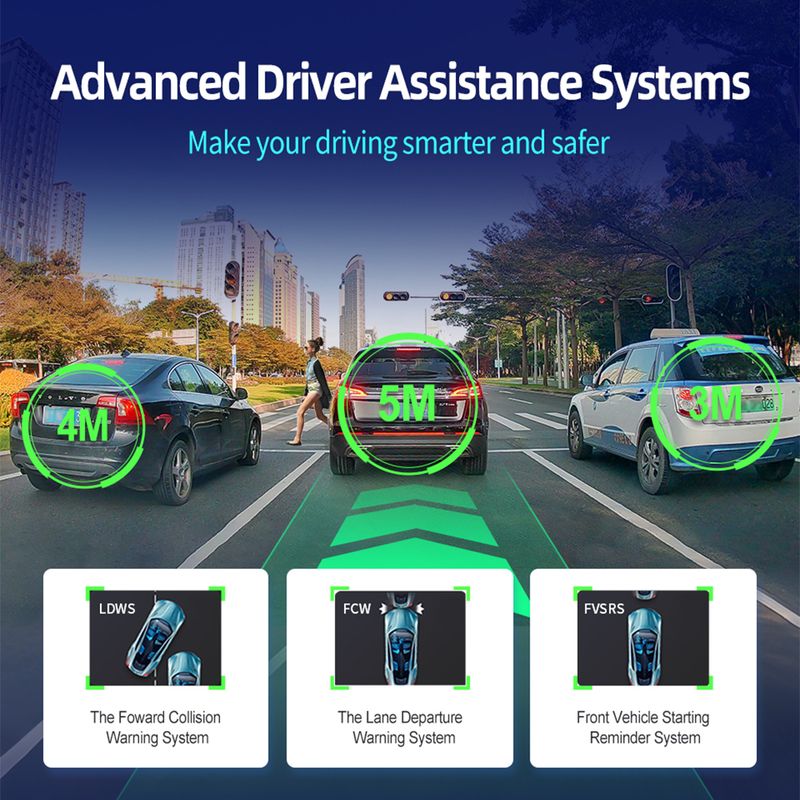
Advanced Driver Assistance Systems
Detect your surroundings and help you avoid accidents by real-time voice alert.
(1)With Lane departure warning system ADAS function trigger conditions:
If you are using a GPS active antenna, the system will only trigger a lane departure warning if your driving speed is above 50KM/h. If you are not using a GPS active antenna, there is no speed requirement, and the system will trigger a warning as long as a lane departure occurs.
(2)With Forward Collision Warning System
(3)With Front Vehicle Starting Reminder System:
Please choose GPS Antenna,otherwise you can't use this function normally.
UHD 4K Night Vision:
Even on dim roads, it can clearly shoot and record the scenes of the vehicle's driving. It provides further protection for your driving safety.
Built-in 5.8GHz+2.4GHz WiFi:
Its stability far surpasses that of traditional WiFi. Even in an environment with complex signals, it can maintain a smooth connection and ensure uninterrupted video transmission.
Aopt H.265 encoding technology:
1.with higher compression efficiency-Compared with the previously widely used H.264 encoding technology, it can compress the size of video files to a smaller extent under the condition of the same video quality, thus enabling more content to be stored.
2.Better picture quality performance-The H.265 encoding can reduce motion blur and image distortion, enabling the device to capture clearer and smoother images.
Show In Multiple Interface :
(1)Full Screen Start Window(3 different of Theme UI );
(2)Split Screen Start Window(3 different of Theme UI );
(3)CarPlay Mode; (4)Android Auto Mode;
(5)Front or Rear View Full Screen;
(6)Front + Rearview Split Screen;
(7) Full Map; (8)Map+Music Split Screen; (9)Map+Music+Dashcam Split Screen;
4 Types Of Audio Outputs:
(1) Bluetooth Audio:a:For CarPlay or Android use only;b:Please use your phone to directly connect to the original car's Bluetooth;
(2) AUX Out Audio:By using an AUX cable to connect with the vehicle's AUX interface, you can directly enjoy the original sound quality of the car. Low noise, high fidelity.
(3) Dual-channel FM transmitter:It can be connected to the original car to enjoy the original car audio quality (only needs to be manually connected once, and then can be automatically connected).
(4) Native Audio:Built in speaker,you can listen to the music via device directly.

More Phone Link Functions:
Under the CarPlay or Android Auto function,you can use voice assistant(such as Siri,Google etc),make a phone call,listen to music ,Navigation
Roadcam APP Download & GPS Tracking:
H70 Plus has GPS Tracking function,you can scan the below QR Code to download and install the APP,then you can Track your car's infromation on you mobile phone or computer,At the same time,you can share the recording video with your friend or other social platform.(PS:NO ADAS version doesn't have this function)
Loop Recording:
Continuous loop recording automatically overwrites old files, ensuring the memory never overloads. It won't miss any crucial frames, safeguarding your driving safety.
Time Lapse:
(1) 2h,8h,12h,24h Monitoring;
(2) Save Storage Space;
(3) Never miss the key scene; Real-time Reversing View:
(1)Adjustable Reversing line:
(2)150° Wide Angle;
(3)1080P 2.5mm mirroring rear camera(need to choose with rear camera version);
(4)IP67 Waterproof;
(5)Night Vision;


Packing list:
1 x Machine Body(H70/H70 Pro,depends on your choice)
1 x Adhesive Mount;
1 x Car Charger;
1 x AUX Line;
1 x 6m Rear Camera(Optional);
1 x GPS Antenna(Optional);

Q&A
1.Why does it get stuck in the "welcome" interface after booting up
Please use our standard car charger(included in the package),Don't use USB cable or other car charger.
2.Why does a restart occur after booting up?
(1) Please use our standard car charger(included in the package),Don't use USB cable or other car charger;
(2) Please use U3 high speed TF card;
3. Which rear cameras are compatible with the product?
The device is compatible with 2.5mm,4 pin,AHD 1080P Rear Camera
4.How to do the Upgrade?
(1) Download the firmware via below link:
https://drive.google.com/drive/folders/1AYti2WEuObgKGuRzH-U1W1F-JGd6YXVm?hl=zh-cn
(2) Follow the video instructions to complete the version upgrade
5.Why can't CarPlay connect?
Please forget the connected Bluetooth and try to reconnect.
(1)If the connection is still unsuccessful, try restarting the phone and the device, wait for 15 seconds, and then restart and try again.
(2)If only the pop-up windows "Bluetooth Pairing Request" and "Allow Contacts and Favorites Sync" appear when connecting, but the pop-up window "Use CarPlay with "CarPlay" does not appear, please check whether the phone's "Settings > General > CarPlay" has a connected CarPlay, if yes, delete it and try again.
6.Why can't Android Auto connect?
(Update the Android Auto program on your phone and turn on wireless connection in the Auto settings)
(1) Disconnect the Bluetooth connection of other devices on the phone, ignore the Bluetooth of the device, and try to connect again.
(2) Restart the device and try to reconnect the Bluetooth of the phone.
(3) Restart the phone and turn off the device for 15 seconds, then try to connect the Bluetooth again.
Pls search for "Android Auto" on the phone(If the above methods still cannot connect), select "Settings > Android Auto > Connection Help", and follow the prompts in the connection help to operate. Then restart the device (turn it off for 10 seconds).
Shop Policies
Payment Policy
Payment Policy – BILLIONS BIRDS
At BILLIONS BIRDS, we are committed to providing a safe, secure, and seamless payment experience for our customers.
1. Accepted Payment Methods
We accept the following payment options:
Major Credit & Debit Cards (Visa, MasterCard, American Express)
Secure Online Payment Gateways (such as PayPal, Stripe, or other providers available at checkout)
Any additional payment methods displayed during checkout
All payments must be completed in full at the time of purchase.
2. Secure Transactions
All transactions are processed through encrypted and secure payment systems to protect your personal and financial information. We do not store your full payment details on our servers.
3. Currency
Prices are displayed in the currency indicated on the website. If you are purchasing from another country, your bank may apply currency conversion fees.
4. Order Confirmation
Once your payment has been successfully processed, you will receive an order confirmation email containing your purchase details.
5. Failed or Declined Payments
If your payment is declined, please verify your billing information or contact your bank. Orders will only be processed after successful payment confirmation.
6. Fraud Prevention
BILLIONS BIRDS reserves the right to cancel or refuse any order if fraud or unauthorised activity is suspected.
Delivery Policy
Delivery Policy – BILLIONS BIRDS
At BILLIONS BIRDS, we are dedicated to delivering your orders safely and efficiently.
1. Order Processing
All orders are processed within 1–3 business days after payment confirmation. Orders are not processed or shipped on weekends or public holidays.
2. Shipping Times
Estimated delivery times vary depending on your location:
Domestic Shipping: 3–7 business days
International Shipping: 7–15 business days
Please note that delivery times are estimates and may vary due to customs procedures, carrier delays, weather conditions, or other unforeseen circumstances.
3. Shipping Costs
Shipping fees are calculated at checkout based on your location and selected shipping method. Any customs duties, taxes, or import fees are the customer's responsibility.
4. Tracking Information
Once your order has been shipped, you will receive a confirmation email with tracking details (if available) so you can monitor your package.
5. Delivery Issues
If your order is delayed, lost, or arrives damaged, please contact us within 7 days of the expected delivery date. We will work with the shipping carrier to resolve the issue as quickly as possible.
6. Incorrect Shipping Information
Customers are responsible for providing accurate shipping details at checkout. BILLIONS BIRDS is not responsible for orders shipped to incorrect addresses provided by the customer.
Refund Policy
Refund Policy – BILLIONS BIRDS
At BILLIONS BIRDS, customer satisfaction is our top priority. If you are not completely satisfied with your purchase, we’re here to help.
1. Return Eligibility
You may request a return within 14 days of receiving your order. To qualify for a return:
The item must be unused, unworn, and in the same condition as received.
The item must be in its original packaging.
Proof of purchase (order confirmation or receipt) is required.
Certain items may not be eligible for return, including clearance items, gift cards, or personalised/custom products.
2. Non-Refundable Items
The following items are non-refundable:
Final sale or discounted items
Gift cards
Items damaged due to misuse, negligence, or improper care
3. Return Process
To initiate a return, please contact our customer support team with your order number and reason for return. If your return is approved, you will receive instructions for returning the item.
Unless the item is defective or incorrect, customers are responsible for return shipping costs.
4. Refund Processing
Once we receive and inspect your returned item:
We will notify you of the approval or rejection of your refund.
If approved, the refund will be issued to your original payment method within 5–10 business days.
Please note that banks or payment providers may require additional time to process refunds.
5. Damaged or Incorrect Items
If you receive a damaged, defective, or incorrect item, please contact us within 7 days of delivery and provide clear photos of the product and packaging. We will arrange a replacement or full refund at no additional cost.
6. Late or Missing Refunds
If you have not received your refund:
Check your bank account again.
Contact your credit card company or payment provider.
If the issue persists, don't hesitate to contact our support team for assistance.
Customer reviews
Share your thoughts with other customers
Be the first one to write a review!

